
WordPress Website Security – The Complete Guide to Protecting Against Hacking in 2026
02/03/2026

In 2026, awareness of cyber threats is growing. Many businesses understand that without security, hacks can cause financial damage and damage to trust. The most popular platform, WordPress, is a major target in the digital arena.
Securing a WordPress site is important to prevent damage and maintain user trust. Securing a WordPress site is not just about technical protection. It is also about maintaining the reputation of the business and improving the functioning of the site.
Private website owners and organizations are facing hacking threats. Professional knowledge and adherence to security solutions are essential steps. They are important at every stage of construction and maintenance.
Key points
- Integrating protective measures increases the reliability of the site
- Reducing vulnerabilities with security plugins
- Maintaining a brand reputation requires ongoing maintenance.
- Hardening file permissions reduces hacking risks
- Awareness and control prevent long-term damage
Introduction to the importance of WordPress security
In recent years, the security of WordPress sites has become very important. Weak passwords and outdated plugins open the door for hackers. They are looking for ways to take over systems.
Business owners face financial losses when a website is hacked. It can also damage customer trust.
How websites become targets for hacking
Lack of awareness of risks and outdated tools make websites easy prey.
Targeted attacks on sensitive plugins and vulnerabilities can cause serious damage. Ways to mitigate risks include frequent version updates and choosing trusted plugins.
Main reason: Neglect of WordPress website maintenance / lack of continuity of WordPress updates and WordPress plugins.
Impact of a hack on business reputation
A malicious intrusion damages the brand image. It can deter potential customers. A hacked website: what to do ? First and foremost, you need to work to identify weaknesses.
Reliable security resources should be maintained. This step preserves the company’s reputation. It encourages customers to remain loyal.
Brute Force Attack and Ways to Prevent It
A brute force attack tries multiple passwords until it can connect to the admin components. It tries in large numbers, making it difficult to stop. Many attackers choose this because they don’t need to be experts.
To protect your site, you need to know the warning signs. When you receive a lot of login requests, it could be a sign. It’s important to set strong passwords, use two-step verification , and limit the number of login attempts.

Advanced tools can identify bots and stop attacks. Special plugins add additional protection. Updating your system and plugins is important for protecting your site.
Managing a website regularly protects it. It makes it harder for hacks to succeed. This way, the website maintains a safe environment for administrators and visitors.
Proper use of Wordfence and Sucuri
Many webmasters use advanced solutions to protect their websites. Wordfence and Sucuri provide high-level scanning, rapid breach reporting, and hostile traffic filtering.
To run a WordPress security plugin, you need to configure protections precisely. This is to avoid compromising performance or loading speed. It is important to perform periodic checks and detect malicious content in advance.
Also, alerts that the system generates must be monitored in real time.
Key features of a WordPress security plugin
Advanced systems offer automatic updates and the ability to identify suspicious code. They also provide graphs of intrusion attempts. You can customize alerts and monitor traffic in the administration section.
It is recommended to update safe lists and review the security recommendations that appear in the interface.
WordPress WAF and Malicious IP Blocking
An intuitive web application firewall (WAF) filters threats before they reach your site. It uses a malicious IP blocking mechanism to reduce risks. This combination frees up vital resources for normal operations and protects your site from repeated attacks.
| Characteristic | WordPress | Sucuri |
|---|---|---|
| Automatic scanning | Local server based | Provided in the cloud |
| Firewall (WAF) | Embedded in the plugin | Smart external access |
| Malicious IP Blocking | Identifies abnormal actions | Up-to-date database of suspicious addresses |
| Real-time notifications | Full customization | Automated detailed reports |
Hardening WordPress file permissions
Setting appropriate permissions for core files allows a website to run securely. Incorrect permissions put tools in the wrong hands. This can compromise the functionality of the website.
Privilege hardening reduces risks. It maintains system stability. And prevents unauthorized access.

The principle of correct permissions
The principle of least privilege is based on granting only essential permissions. This prevents malicious scripts from performing destructive actions. Reducing permissions aligns with the real needs of the extensions.
| File type | Recommended permission |
|---|---|
| Regular PHP files | 644 |
| Folders | 755 |
| wp-config.php | 400/440 |
Monitoring vulnerabilities in wp-admin files
Proactive scanning of the wp-admin folder helps to quickly detect vulnerabilities. Implementing a WordPress WAF ensures early detection of intrusion attempts. This prevents unauthorized access.
Frequent monitoring and balanced permissions turn every website into a fortress, resistant to modern attacks.
WordPress website security
A clear policy is needed to secure WordPress sites. This includes all layers of security. Transparency and frequent updates protect the site from breaches.
Many businesses use WooCommerce for online commerce. Therefore, WooCommerce security is important for access control, user management, and data encryption.
Keeping scheduled backups and up-to-date logs is important. When WordPress is updated, it’s important to check for compatibility with plugins and themes.
Taking the following measures is beneficial:
- Strengthening code and plugins with two-step verification
- Run security scans for early detection
- Using advanced extensions to improve WooCommerce security
Website owners want to protect themselves from threat exposure. They may use hosting packages with extended protection. Secure access protects users and keeps the business safe.
SSL management and converting the site to HTTPS
Moving to a secure protocol offers data protection. It strengthens user experience and increases trust in the business. It also improves search engine rankings.
Integrating a security certificate supports solutions like wp-admin security . This reduces risks from hostile actors.
The importance of an SSL certificate on a website
An SSL certificate encrypts the information sent from the browser. It protects users’ information and distinguishes secure websites from others. This provides confidence to customers.
HTTPS integration to protect user data
HTTPS implementation enables reliable authentication. It prevents exposure of personal data. Includes link updating and reference checking.
The presence of the security lock shows surfers that the site is secure. Encryption protects their communications.
Protection against DDoS attacks
DDoS attacks send a massive stream of requests to a website. They attempt to overload its resources and cause downtime. WordPress hardening is essential in such situations, as it prevents hostile actors from gaining an advantage.
Maintaining a fast server response reduces the risk of system downtime.
A website firewall acts as a first line of defense. It detects suspicious activity before it even reaches the database. CDN tools help distribute massive traffic across multiple servers.
Using automatic blocking services reduces risks. It keeps the WordPress environment available to real users.
Monitoring traffic patterns is a first step in security. Advanced plugins that alert you to abnormal load maintain site stability. WordPress hardening combined with a website firewall creates an active and sophisticated buffer.
This allows webmasters to identify threats and provide a consistent browsing experience for visitors.
Virus scanning and cleaning a WordPress site from hacks
Files can contain dangerous code without any visible change. It is essential to perform a virus scan on your website to detect attempted attacks and respond in a timely manner. Other important actions include constantly monitoring modified files and changing the default folder structure.

Malware detection tools
Advanced tools enable rapid identification of malware on a website . They help block malicious actions before they harm information. Some require installation on a server, while others operate as online scanners.
Leading security plugins alert you to anomalies in website activity.
| Recommended tool | Main features |
|---|---|
| WordPress | Monitors in real time and alerts about suspicious code |
| Sucuri | Checks suspicious traffic and cleans malware immediately |
| VirusTotal | Compares against multiple antivirus engines simultaneously |
Malicious code testing and removal methods
It is recommended to investigate reports from scanners and isolate suspicious code in stages. Infected files can be removed and clean copies can be uploaded from secure backups. Security experts recommend using an alert mechanism to detect repeated infection attempts.
They recommend preventing re-infection and maintaining a functioning WordPress site over time.
WooCommerce and Business Website Security
WooCommerce is essential for running an online store. It is important to update the plugins and template regularly. A secure website encourages shoppers to come back and purchase again.
To maintain security, you should review your files regularly. If you detect an intrusion, it is important to clean your WordPress site from hacking .
Malicious code scanning helps identify early foreign activity. It is important to ensure backups are available for rapid recovery in the event of a breach. It is also important to incorporate measures to monitor suspicious activity and address any breaches immediately.
Dealing with a hacked WordPress site
Discovering a hack on a WordPress site requires an immediate response. This is to prevent further damage. It is important to check every component of the site, from the hosting server to the plugins.
A built-in recovery process strengthens the protection of the site. This gives confidence to site owners and visitors.
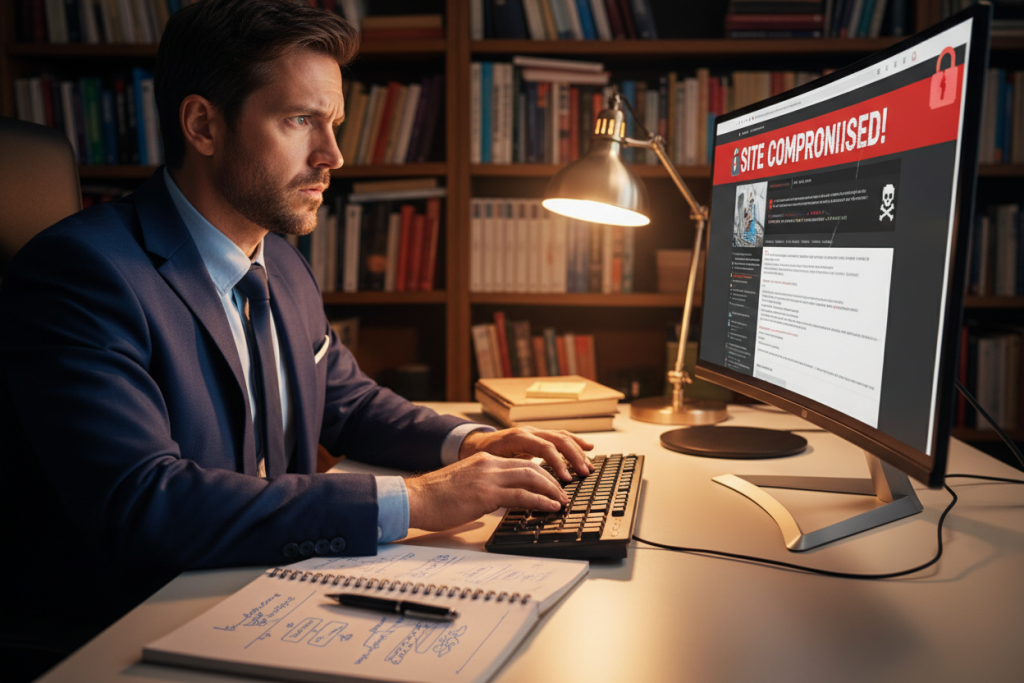
Detecting and fixing the security problem
Locating the source of the breach is a critical step. It’s worth checking if there’s a problem with incorrect permissions, a corrupted plugin, or a security vulnerability.
Next, suspicious files are located. And updates are made to all extensions. Restoring from a recent backup can save time and heartache.
Restoring customer trust after a hack
Sharing transparent information with customers helps restore reputation. It is recommended to publish a notice of the fix. While demonstrating a commitment to security.
Patiently responding to inquiries creates a positive feeling. It shows that serious thought has been put into preventing further break-ins.
| action | purpose |
|---|---|
| Comprehensive scan for malicious code | Risk mapping and rapid vulnerability repair |
| Upgrading security mechanisms | Consistently maintaining business website protection |
| Regular server updates | Reducing vulnerabilities and continuously improving performance |
Protecting wp-admin and XML-RPC
wp-admin is a popular target for attackers. It allows full access to the site administration. Therefore, it is recommended to set up restricted IP permissions.
This way, only trusted addresses will be granted access. Two-step verification strengthens the security continuum. It challenges potential hackers.
Changing the location of the wp-login file or the default login folder can hinder bots. It also stops automated attack methods.
Additional layers of protection are essential for XML-RPC. Many attackers exploit it for remote attacks. There are server-level solutions, such as Imunify360 and CloudLinux , that help seal the loopholes.
Using CageFS provides resource separation. It creates an isolated environment at each storage site. This reduces the spread of damage if a breach occurs to one of the systems.
This provides practical security that does not harm the ongoing performance of the site.
Setting up a firewall with Imunify360 and CloudLinux
Advanced solutions provide an important layer of protection for your website. Imunify360 performs multiple scans and prevents intrusions in real time. It integrates with CloudLinux for efficient resource separation.
DDoS protection protects the system from abort attempts under heavy loads.

Ways to upgrade server-level security
Working with Imunify360 involves monitoring system files and detecting infiltration arteries. The solution calculates risks, learns suspicious behavior patterns, and uses advanced technologies.
DDoS protection depends on the ability to automatically block malicious requests, so the site remains operational even during an attack.
CageFS integration for vulnerability prevention
CageFS creates an isolated operating environment for each account, so a breach in one area doesn’t spread to another.
Websites can operate with great security thanks to the use of hardened settings and precise control over permissions.
| tool | Main ability |
|---|---|
| Imunify360 | Automatic attack detection and filtering of vulnerable components |
| CloudLinux | Resource separation and overload prevention |
| CageFS | Isolated user environment to prevent vulnerability leakage |
Methods for checking security vulnerabilities on a WordPress site
Penetration testing identifies vulnerabilities before hackers arrive. Experts use automated scans and manual analysis. They look for flaws in authentication mechanisms and outdated plugins.
A deep scan checks your security configurations. It also identifies code vulnerabilities. This helps keep your site secure.
Encryption is important for protecting sensitive data. SSL for a WordPress site prevents data exposure. HTTPS security ensures that data traffic is encrypted.
Updated versions leave fewer holes. They strengthen the site’s immunity.
- Scanning tools: Discover vulnerable and exposed components
- Manual testing: detects failures that do not come up in an automatic scan
- Keeping versions up to date: Reduces vulnerabilities
The goal is to create a comprehensive protective envelope. Frequent testing and upgrading prevent surprises. This gives the site owner peace of mind.
The importance of secure storage and cyber protection in Israel
Choosing a hosting environment is important for keeping your website secure. Many attacks focus on vulnerabilities at the server infrastructure level. Strict access to WordPress file permissions helps prevent unauthorized access.
Consistent testing of all server components plays a key role in ensuring secure WordPress hosting .
Organizations that invest in solid storage solutions experience fewer breaches. They recover faster in the event of a crisis. Regular security vulnerability testing uncovers vulnerabilities.
This protects business data from sudden threats, reducing downtime and strengthening customer trust.
The storage infrastructure determines the website’s resistance to intrusion attempts. A good provider will share information about threat updates. It will provide professional support in real time.
This approach reduces operational failures and leads to a higher level of protection.
Choosing a storage provider with advanced security modules
It is advisable to make sure that the storage provider offers upgraded modules. They filter malicious traffic, strengthen system logs, and isolate infected files.
How preventing cyberattacks keeps businesses safe
A proactive response protects sites from downtime. It reduces reputational damage. A focused attack defense plan leads to a continuous user experience.
This preserves revenue.
conclusion
Securing WordPress sites requires a lot of attention. This includes frequent testing and updates. Such protection protects your business and ensures a safe browsing experience.
An experienced development team and security plugins are important for building a security wall. A quality hosting service completes the system.
Website protection is increasingly important these days. Cyber attacks are on the rise, and so is the demand for security. Website security is now a must for success.
Installing the right measures and reporting on security status are important. They prevent financial damage and protect brand image.
Website security in Israel requires creativity and market monitoring. Allocating resources to SSL certificates and scanning plugins is important. This creates a secure digital environment.
When a consistent level of protection is maintained, customers feel confident. They return to the site without fear.