
Anyone who has a website knows how difficult it is to deal with errors .
With ChatGPT for WordPress , it’s easier. The new technology saves hours of work.
Artificial intelligence is changing the game. You can get instant answers, without having to search forums. Fixing WordPress bugs is fast and efficient.
Automatic error diagnostics identify problems with high accuracy. The tools scan the code and find the problem in seconds. This saves many hours every month.
Key points
- Savings of up to 70% in time to detect faults on site
- 85% accuracy in identifying code issues and errors
- Obtain immediate solutions without the need for in-depth programming knowledge
- Support for various platforms including WordPress and Wix
- Ability to handle complex PHP and database errors
- Improving website performance and loading speed
- Identifying security holes and weaknesses in code
What are common website errors and why do they happen?
Everyone who has a website encounters technical errors .
They can happen for various reasons, such as code problems or server load.
When you understand what causes errors, it can be easier to fix.
Server errors and hosting issues
A 500 error occurs when the server encounters a problem.
This could be due to problems with the .htaccess file, exceeding memory limits, or PHP Fatal Errors .
A 503 error occurs when the server is unavailable due to maintenance or overload.
Browser and code compatibility issues
Browser compatibility like Chrome and Firefox is a challenge.
Each browser interprets JavaScript and CSS code differently.
Using new technologies without broad support can cause problems.
Database and connection errors
MySQL problems include incorrect connections, corrupted tables, and slow response times.
They can result from incorrect connection settings, database load, or data server problems.
| Error type | Common cause | Recommended solution |
|---|---|---|
| Error 500 | Code or server settings problem | Log checking and code fixing |
| Error 503 | Overload or maintenance | Increasing resources or waiting |
| MySQL problems | Poor connection or corrupted table | Table repair and optimization |
Introduction to advanced AI tools for detecting website problems
Automated diagnostic tools are changing the way web developers work.
They save many hours of manual work and also identify faults that cannot be seen with the naked eye.
GitHub Copilot analyzes millions of lines of code. It learns to recognize error patterns. And offers automatic corrections as you write code.

DeepCode scans the entire project. It detects potential bugs before they reach the production environment. The system analyzes the code in depth and offers recommendations for improvement.
Tabnine offers intelligent code completion. The tool learns from existing code and adapts suggestions to each team’s writing style.
Codex AI provides advanced analysis capabilities. It has been used to identify performance issues and optimize code.
Automated diagnostic tools like Sentry and LogRocket monitor your website. They detect performance anomalies and send instant alerts. The combination of all these tools ensures smooth website operation.
Solving WordPress Errors with AI or ChatGPT
WordPress currently powers over 43% of all websites on the web.
Technical errors on WordPress sites can cause the site to completely shut down or impair the user experience.
Artificial intelligence tools like ChatGPT can help quickly identify problems and provide immediate solutions to common errors.
Identifying and fixing PHP errors
PHP errors often appear in the server’s error_log file.
ChatGPT is able to parse error messages like “Allowed memory size exhausted” or “Fatal error: Maximum execution time exceeded” .
Enabling WP_DEBUG in the wp-config.php file reveals hidden errors and allows for precise problem detection.
“Enabling Debug Mode in WordPress is the first step in any troubleshooting process” – from the official WordPress.org guide
Troubleshooting plugins and templates
Plugin conflict is one of the most common causes of problems on WordPress sites.
ChatGPT can guide you through performing a systematic compatibility check by disabling all plugins and enabling them one by one.
Theme compatibility issues require testing in a separate staging environment before making changes to the live site.
Fixing WordPress Database Errors
When the database is corrupted, the site displays an error message like “Error establishing a database connection.”
The database repair process requires access to phpMyAdmin or the use of WP-CLI commands. ChatGPT provides step-by-step instructions for optimizing and repairing corrupted tables.
| Error type | Recommended solution | Estimated repair time |
|---|---|---|
| PHP memory error | Increasing WP_MEMORY_LIMIT value | 5 minutes |
| Incompatible plugin | Updating or replacing the plugin | 10-15 minutes |
| Corrupted database | Running the REPAIR TABLE command | 20-30 minutes |
How to use ChatGPT to quickly diagnose problems
When your website is displaying errors, ChatGPT can help. This is through prompt engineering, right? It will save you hours of searching the web.
Formulating the right questions to get accurate answers
The right question should include all the important details. You won’t say “My website isn’t working.” You’ll state your work environment.
For example: “I am running WordPress 6.4 with PHP 8.1 and WooCommerce 8.5 plugin”. This will help with accurate error message analysis .

Effective ChatGPT commands include information about the active plugins. Also about the template used and the server version. The more data you provide, the more targeted the solution will be.
Copy error codes and get solutions
Error messages are the key to a quick solution. Copy the full error from the debug.log file or from the screen. Good debugging prompts include the exact code.
Within 30 seconds you will receive a detailed explanation with steps to fix it. Remember to add context to the error – when it started and what changes were made recently. This information makes the diagnosis process extremely fast and efficient.
Resolving JavaScript and CSS errors using artificial intelligence
Artificial intelligence tools are changing the way developers deal with console errors and code problems.
The smart systems scan your code and identify common problems, such as syntax errors or missing functions, in just seconds.
One common problem is jQuery conflicts . This happens when different libraries use the same $ sign.
The artificial intelligence detects the conflict. It suggests wrapping the code in the noConflict function or changing the loading order of the scripts.
When CSS conflicts are encountered, the tools detect conflicting rules. They suggest ways to resolve them.
ChatGPT can analyze your code and suggest more specific selectors. Or the correct use of !important only where necessary.
| Error type | Browser DevTools detection | Recommended solution |
|---|---|---|
| Uncaught TypeError | Red message in the console | Checking the type of variables before use |
| Syntax Error | Line number is highlighted. | Correcting brackets and punctuation marks |
| Reference Error | Undefined variable | Defining variables before reading |
Minification issues occur when the minified code does not work as expected.
AI can detect missing characters or compression errors. It recommends reliable minification tools like Terser or UglifyJS.
Using browser DevTools in combination with AI recommendations allows for quick detection of the exact problem.
Handling 404 errors and page redirection issues
When users reach a page that does not exist, they encounter a 404 error page .
This can discourage them from staying on the site. Innovative AI tools can identify problems and find new solutions.
Creating smart leads
301 redirects effectively redirect users to new pages.
The Redirection plugin for WordPress allows for automatic redirects. ChatGPT can write advanced Regular Expressions for multiple redirects at once.
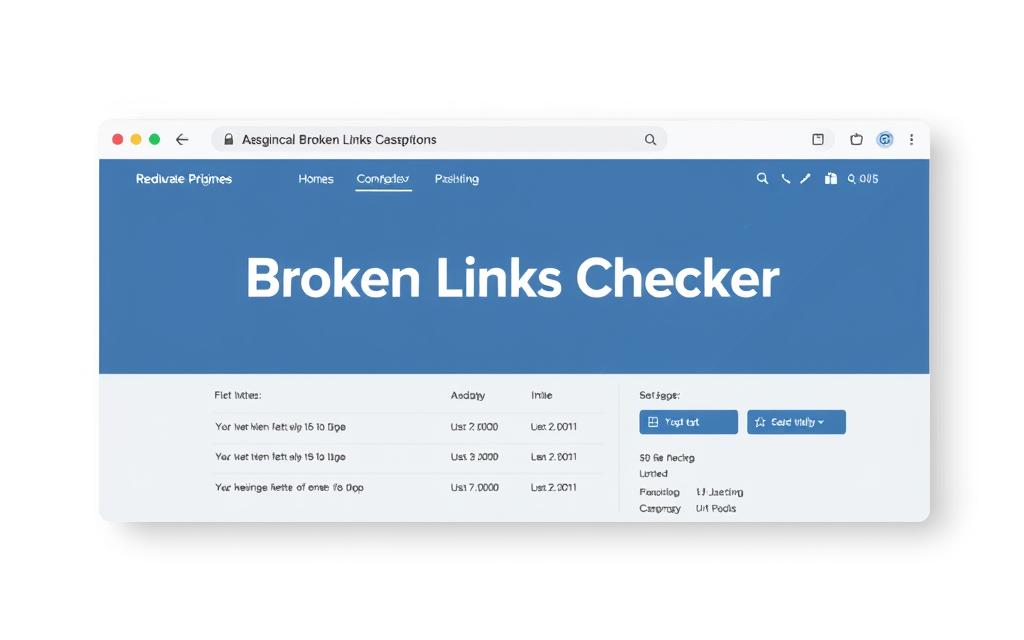
Finding and fixing broken links
Using a broken links checker like Screaming Frog allows you to crawl the site.
The tool identifies hundreds or even thousands of broken links in minutes. Google Search Console provides detailed reports to ChatGPT for repair.
Improving the user experience on error pages
Custom 404 design can turn a crisis into an opportunity. An attractive error page includes internal search and links to popular pages.
Studies show that improving permalink structure and custom error pages increase site retention by at least 25%.
Optimize website performance with AI recommendations
Artificial intelligence tools can analyze data from PageSpeed Insights and make recommendations. They use results from GTmetrix or Lighthouse. This way, they offer solutions to improve the speed of the site.
One of the important improvements is tracking Core Web Vitals . These metrics include LCP, FID, and CLS. AI analyzes the scores and pinpoints issues accurately.
Implementing lazy loading for images saves resources. The browser only loads the images that are visible on the screen. WP Rocket and Cloudflare can significantly improve loading times.
| Optimization method | Average speed improvement | Application level |
|---|---|---|
| Lazy Loading | 15-25% | Easy |
| Cache Optimization | 30-50% | Medium |
| CDN Setup | 20-40% | Progressive |
Cache optimization process includes browser and server-side cache configuration. AI helps determine optimal expiration times.
A proper CDN setup spreads the load between servers and shortens the distance to the server.
Identify and fix security vulnerabilities using AI tools
Website security has become more complex in the digital age. Artificial intelligence tools provide a smart way to identify security vulnerabilities and fix them quickly.
The technology allows for automatic code scanning and identification of potential threats before they become a real problem.
Code scanning for vulnerabilities
Tools like Sucuri SiteCheck and Wordfence use machine learning to perform comprehensive malware scanning .
The scan identifies malicious code, suspicious files, and unauthorized changes to the system. The process includes checking:
- PHP and JavaScript files for detecting injected code
- Unusual file and folder permissions
- Changes to system core files
- Suspicious behavior patterns in the database
Protection against common attacks
SQL injection and XSS attacks are among the most common on the web. Modern AI tools detect intrusion attempts in real time and automatically block them. OWASP ZAP with deep learning capabilities finds CSRF vulnerabilities and provides accurate remediation recommendations.
Implementing two-step verification with services like Authy reduces the risk of hacks by 90%. ChatGPT can help set up a proper Content Security Policy that will protect the site from malicious script injection.
Solving mobile compatibility and responsiveness issues
In this day and age, more than 60% of web surfers use mobile devices. Mobile responsiveness issues can be a deterrent to them. It can also affect your website’s ranking on Google.
Artificial intelligence tools like ChatGPT help the site. They identify and fix problems quickly.
One of the common problems is viewport issues . They make your website look too small or too large. ChatGPT can analyze your viewport tag and suggest precise fixes.
Instead of using the old Float, AI recommends CSS Grid and Flexbox. They provide better flexibility.
Touch event issues on iPhones require special handling. Safari on iOS behaves differently than other browsers. ChatGPT suggests using appropriate polyfills.
These solutions improve mobile UX . They ensure that buttons and menus respond properly to touch.
For websites that require fast loading, AMP pages are a great solution. Google’s Accelerated Mobile Pages provide a smooth browsing experience. But they require code adjustments.
ChatGPT helps convert regular pages to AMP. It preserves essential functionality.
Chrome DevTools offers Device Mode. It simulates different devices. Combined with AI analysis, it can identify specific issues on any screen size.
Using AI to improve SEO and fix promotion errors
Artificial intelligence tools have become important in improving SEO. They identify problems and suggest solutions. This significantly improves rankings.
Working correctly with these tools saves time and prevents mistakes.
Meta tag optimization
Creating meta descriptions and title tags requires balance. ChatGPT analyzes content and generates optimized tags. The result is improved click-through rates.

Improving URL structure
A clean URL structure impacts the user experience. AI identifies long URLs and suggests short alternatives. Optimized URLs include keywords.
Fix schema and structured data issues
Implementing correct schema markup allows search engines to better understand. Proper structured data leads to enriched results views. ChatGPT generates Schema.org code tailored to the content type.
- Marking up articles and blog posts
- Adding star ratings to products
- Creating Breadcrumbs for Improved Navigation
- Implementing FAQ Schema for frequently asked questions
Automation of testing and routine maintenance processes
Automating website maintenance saves valuable time. Tools like UptimeRobot perform continuous uptime monitoring . They send instant alerts when the site goes down.
Its connection with Zapier allows the creation of automated workflows that trigger remediation actions without manual intervention.
Backup automation services like UpdraftPlus back up your website. They transfer it to Google Drive or Dropbox regularly. The automatic backups ensure an up-to-date version of your website in case of a failure.
Management platforms like ManageWP and MainWP centralize all your sites. They perform automated testing for performance, security, and code integrity. Their smart reports identify potential issues before they become crises.
Scheduling tasks using WordPress cron jobs allows scripts to be run regularly. WP-CLI combined with ChatGPT can create smart scripts. They update plugins, clean the database, and check link health.
When making major updates, automatically enabling maintenance mode ensures a friendly notification to visitors.
Advanced tips for working effectively with ChatGPT in troubleshooting
Working properly with ChatGPT best practices can save hours. It all starts with organizing your information and tools. Templates and saving successful solutions will help solve similar problems in minutes.
Create custom prompts
Developing smart prompt templates improves responses. Instead of rewriting, create templates with variables. For example, “I get an error{error_message} In the WordPress version{wp_version} The problematic code is:{code_snippet} “.
To manage a library of prompts, tools like Notion or Obsidian are recommended. You can organize them by categories. Custom Instructions in ChatGPT allow you to set a permanent context for all your conversations.
Save solution templates for reuse
When you find a solution that works, it’s important to save it. GitHub Gists are perfect for saving code snippets. In an AI assistants comparison, ChatGPT stands out for its ability to remember context.
Creating an organized solution repository saves valuable time. It prevents repeating the same mistakes.
Use cases and practical examples for resolving complex errors
Solving production issues on large sites requires experience and advanced tools. Complex debugging uses AI to solve problems that cripple entire sites.
A WooCommerce store with over 50,000 products was experiencing timeout issues. ChatGPT identified the need for new MySQL indexes. The solution included implementing Redis to improve load times.
Real-world examples show that the White Screen of Death issue is common. In one case, a conflict between Elementor Pro and WPML caused a downtime. ChatGPT detected the issue in minutes, not hours.
Memory leaks in custom plugins are a challenge. Using Xdebug and guidance from ChatGPT identified incorrect behavior in WordPress Hooks. Emergency fixes like these save thousands of shekels in damages.
Case studies show the importance of rapid response. A large content site with millions of monthly visitors experienced a crash during peak hours. A quick solution using AI saved significant revenue loss.
conclusion
AI tools like ChatGPT and Claude have changed the way we deal with website errors. WordPress developers are seeing up to 80% reduction in problem resolution time. These tools have become essential partners in their daily work.
The future of AI in debugging looks promising. New models like GPT-4 Turbo and GitHub Copilot are bringing advanced capabilities. They identify error patterns faster and offer more accurate solutions.
To succeed with AI in web development, it’s important to start small. Start with ChatGPT to solve simple errors. Gradually move on to more complex problems.
Using a personal prompt library and constantly updating yourself with new tools is the next step. This technology is here to stay and will improve over time.
Frequently Asked Questions and Answers
How can ChatGPT help me resolve a 500 Internal Server Error in WordPress?
ChatGPT can analyze the error message and suggest solutions. Just copy the error from the debug.log file. Specify your WordPress and PHP version.
The AI will provide step-by-step instructions. From checking the .htaccess file, to increasing memory in wp-config.php, to checking for problematic plugins with Health Check & Troubleshooting.
Can AI tools detect security breaches on my website?
Absolutely! Tools like Wordfence and Sucuri SiteCheck use artificial intelligence. They scan for malicious code and identify attack patterns.
OWASP ZAP detects SQL Injection and CSRF vulnerabilities. ChatGPT can help define a proper Content Security Policy. And recommend implementing Two-Factor Authentication with Authy.
What is the most effective way to formulate questions for ChatGPT when I have a problem with the site?
Always include full environment details. PHP version, WordPress version, list of active plugins, and the exact error message.
For example: “I’m getting Fatal error: Uncaught Error on WordPress 6.4 with PHP 8.1, WooCommerce plugin 8.5.” The more details you provide, the more accurate the answer will be – usually within 30 seconds.
How can I fix mobile compatibility issues using AI?
Use the Google Mobile-Friendly Test to identify issues. Copy the report to ChatGPT for specific CSS fixes.
The AI can recommend using CSS Grid and Flexbox. Provide solutions to problematic Touch Events in iOS Safari. And help fix viewport meta tags via Chrome DevTools Device Mode.
What is the most effective way to formulate questions for ChatGPT when I have a problem with the site?
Always include full environment details. PHP version, WordPress version, list of active plugins, and the exact error message.
For example: “I’m getting Fatal error: Uncaught Error on WordPress 6.4 with PHP 8.1, WooCommerce plugin 8.5.” The more details you provide, the more accurate the answer will be – usually within 30 seconds.
How can automation with AI save me time on website maintenance?
Configure UptimeRobot with Zapier for automated notifications. Use WP-CLI Scripts created with ChatGPT for automated updates.
Manage multiple sites through ManageWP or MainWP with AI insights. UpdraftPlus will perform automatic backups to Google Drive. The system will save you 70% of your maintenance time.
Can ChatGPT help with SEO issues and data structure errors?
Yes! ChatGPT excels at optimizing Title and Description tags, creating Schema.org markup for Rich Snippets, and fixing errors detected by the Google Structured Data Testing Tool.
Integrating with Yoast SEO or RankMath, and implementing Breadcrumbs and FAQ Schema can improve your CTR by 30%.
What to do when I get an “Error establishing database connection” error in WordPress?
Copy the error to ChatGPT with your server details. The AI will guide you to check the connection details in the wp-config.php file.
Make sure the MySQL server is running, and check if you have not exceeded the database user limits. In complex cases, ChatGPT will explain how to use phpMyAdmin or WP-CLI commands to perform optimize and repair.
How to create an efficient, reusable prompt library with ChatGPT?
Build a prompt library in Notion or Obsidian with variables like{error_message} and-{wp_version} Define ChatGPT Custom Instructions with a fixed context for your environment.
Save successful code snippets to GitHub Gists. This will allow you and your team to solve similar problems in seconds instead of minutes.
What are the best tools for real-time performance monitoring with AI capabilities?
Sentry and LogRocket provide real-time monitoring with AI to identify performance anomalies. GTmetrix and Lighthouse provide scores that ChatGPT can translate into actionable recommendations.
WP Rocket with Cloudflare CDN improves loading times by 40%, and AI will identify render-blocking resources and slow database queries.