In the evolving digital world, improving website performance and page loading speed has become very important. LiteSpeed Server specializes in content optimization and the use of advanced technologies. This allows for better load management, resulting in a smooth and fast user experience.
Important points
- LiteSpeed server provides a significant improvement in website performance .
- Advanced technologies help accelerate page loading speed .
- Advanced website hosting can save on bandwidth and storage costs.
- Search engines improve rankings for faster websites.
- Using innovative web servers allows for a better user experience.
Introduction to LiteSpeed
LiteSpeed technology is becoming a leader in the field of web servers. It offers a fast web server and promises improved performance. It competes with the old Apache server through efficient use of resources and integration of AI.

LiteSpeed offers many advantages in load management and traffic management. It supports a variety of technologies and plugins for WordPress websites. LiteSpeed technology provides advanced optimization options through caching plugins.
The benefits of LiteSpeed include ensuring an optimal user experience while saving costs. Websites on LiteSpeed enjoy fast performance thanks to NVMe SSD technology and unlimited bandwidth. This makes them a preferred choice for website owners who want stability and excellent performance.
How LiteSpeed improves website speed
LiteSpeed improves website speed through advanced techniques. It uses content optimization, advanced caching, and smart load management.
This allows users to enjoy faster WordPress hosting performance.

Content optimization
LiteSpeed improves website speed through content optimization. This helps reduce load times and reduce server load. This is important for improving user experience and achieving higher rankings.
Using advanced caching
Using advanced caching in LiteSpeed allows you to store accessible files. This helps reduce the number of server requests and improves performance. This can dramatically increase website speed.
Load management
Effective load management is important for reducing server load and improving website speed. LiteSpeed offers intelligent solutions for managing user traffic. This ensures continuous availability and improved user experience.
| technology | Advantages |
|---|---|
| Content optimization | Reducing loading time |
| Caching in LiteSpeed | Reducing server requests |
| Load management | Improving website availability |
Comparison between LiteSpeed and Apache
When comparing LiteSpeed to Apache, there are some important points to note. Both platforms offer different benefits. They differ in performance, resource management, and support.
Performance
LiteSpeed performs better than Apache, especially under high load. A comparison of LiteSpeed and Apache shows that LiteSpeed is more efficient due to its event-driven architecture. This allows it to handle thousands of concurrent connections with less CPU and memory consumption.
Apache uses a process or thread architecture, which makes it difficult to handle high loads.
Resource management
LiteSpeed consumes fewer resources than Apache. It offers a user-friendly web management interface. This makes it easier to manage the server efficiently.
LiteSpeed also offers a free tier for one domain and advanced capabilities in commercial messaging. Apache is open source and free to use.
Support and upgrades
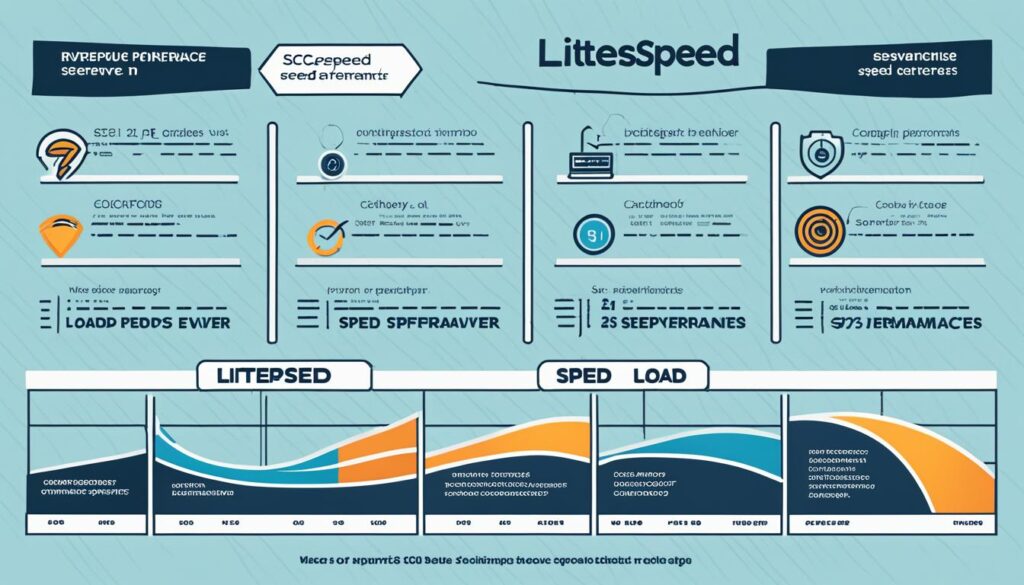
LiteSpeed upgrades and support are easy and allow for upgrades without taking your site offline. It is Apache compliant, and the transition between them is seamless. LiteSpeed is WordPress-friendly and provides fast page loading and surge handling.
LiteSpeed also includes built-in security features like DDoS protection and connection throttling.
Consider your system needs, budget, and technical expertise to choose the most suitable server. LiteSpeed Apache comparison is relevant for websites that require high performance and reliability.
Adapting LiteSpeed to WordPress websites
Combining LiteSpeed and WordPress is simple and effective. It improves website performance and shortens loading times. The LiteSpeed Cache plugin allows for optimization and speed maintenance.

LiteSpeed Cache plugin
The LiteSpeed Cache plugin was developed by LiteSpeed developers. It is considered one of the most popular plugins for WordPress website owners. It allows you to cache content and reduces server load.
Installing LiteSpeed Cache is simple and fast. It is 100% compatible with Apache firewalls. The process takes between 10 and 20 minutes.
Integrations with other plugins
LiteSpeed Cache plugin is compatible with major WordPress plugins. It works as an efficient caching plugin with different payment plans. There are both free plans and a one-time payment for life option.
MyHost is the first provider in Israel to translate LiteSpeed Cache into Hebrew. The translation includes over 2000 lines.
What is LiteSpeed?
LiteSpeed Web Server is a web server software that aims to improve website performance. It is optimized for page loading speed and services. It will help websites, large and small, perform better.

Installing LiteSpeed Web Server is quick and easy. Infinity Cloud users can install it for free. It will take between 10 and 20 minutes.
LiteSpeed supports the latest versions of PHP7 and HTTP/3. This reduces latency and improves the user experience. It also fits into Apache configurations, so no major changes are required.
| Technical data | LiteSpeed | Apache |
|---|---|---|
| Performance upgrade | prominent | medium |
| Installation time | 10-20 minutes | Up to 30 minutes |
| PHP7 support | yes | yes |
| HTTP/3 support | yes | not |
LiteSpeed includes redundancies like:
- Improving website performance
- Advanced PHP7 support
- A CDN service like CloudFlare for distribution and load balancing
LiteSpeed supports advanced caching tools like LiteSpeed Cache (LSCache). It accelerates dynamic content and reduces server load. LSCache offers a variety of payment options, including a free plan.
Overall, using LiteSpeed ensures improved website performance and a great user experience.
Cache management on LiteSpeed websites
Caching is an important tool for improving website performance. It gives an advantage to LiteSpeed websites. It helps in improving by keeping copies of the content and increases the response times.
Advantages of caching
Using LiteSpeed caching offers many benefits:
- Quick and accurate updates to website content, maintaining relevance and up-to-dateness.
- Saving server resources after the initial load, allowing heavier loads to be handled more easily.
- Better TTFB (Time to First Byte) response times that can improve by up to 90%.
- Improving user experience, while reducing bounce rates and increasing engagement and conversions.
How to set up caching in LiteSpeed
Setting up LiteSpeed caching is simple but challenging. It requires a few key steps:
- Installing the LiteSpeed Cache plugin for WordPress: This powerful plugin offers various optimization tools, including OPcache that improves website performance.
- Enabling caching through the LiteSpeed control panel: You can configure caching directly through the server control panel.
- Integration with a CDN (Content Delivery Network): Coordinating the cache with a CDN can lead to a dramatic reduction in server load.
Here are some of the top WordPress caching plugins:
| Cache plugin | rating | Main features |
|---|---|---|
| LiteSpeed Cache | Five stars | Direct integration with LiteSpeed, advanced optimization tools |
| WP Rocket | Five stars | Loading cache, GZIP compression |
| WP Fastest Cache | The highest | Easy to use, built-in optimizations |
| W3 Total Cache | Five stars | Support for a variety of software, including shared hosting |
We recommend that every website owner optimize their website with proper caching . This can maximize website speed and user experience.
Improving the user experience with LiteSpeed
To understand the benefits of LiteSpeed, it’s important to remember that the goal is user experience . Improving browsing conditions and reducing bounce rates can lead to success. Increasing engagement and conversions is the foundation of success.
Fast surfing conditions
LiteSpeed Cache uses techniques like Gzip compression and caching optimization. This provides a fast and modern browsing experience. Studies show that 47% of visitors wait for a page to load in less than two seconds. If a page doesn’t load in time, 57% of visitors will abandon it.
Reducing load time leads to lower bounce rates and increased sales. This has been shown in studies by Amazon and Google.
Reducing bounce rates
A better user experience translates to lower bounce rates . A LiteSpeed server improves loading times. This reduces bounce rates and increases search engine rankings.
Increasing engagement and conversions
User engagement is very important. Caching and improving browsing conditions provide a smooth and fast user experience . This leads to increased engagement and conversions. Using tools like LiteSpeed Cache helps improve performance and give you a competitive advantage.
Google ranking
| From technique | effect |
|---|---|
| Gzip compression | Improved loading speed |
| Cache storage | Reducing response time |
| ETags and Keep Alive | Smooth user experience |
| Increase in search engine ranking |
All of these tools improve the user experience, improve browsing conditions , and reduce bounce rates.
Search engine friendliness with LiteSpeed
LiteSpeed is a powerful tool for improving website rankings . It provides high speed and advanced caching capabilities. This helps websites rank higher in search engines.
For example, hosting providers like GreenGeeks, Kinsta, and Hostinger use LiteSpeed. They improve website performance and offer free technical support and CDN connection.
- GreenGeeks leverages LiteSpeed to improve the performance of WordPress sites and offers various hosting solutions in different categories. It also offers 24/7 technical support, a free CDN connection, and a free SSL certificate.
- Kinsta provides cloud hosting and performs uptime tests every 2 minutes. They rely on LiteSpeed to improve the loading speed and security of the websites they host.
- Hostinger offers hosting with an average loading time of 1.56 seconds, which is considered high compared to some other hosting providers, but they enable search engine optimization with LiteSpeed.
Using LiteSpeed and optimizing page loading processes boosts websites. This can lead to higher search engine rankings. This way, you can keep visitors on your site and improve the user experience.
Overall, adapting your site to LiteSpeed provides a technical and search engine optimization advantage. This contributes to increased search engine rankings and faster loading times.
| Storage provider | Monthly cost | Features | Additional notes |
|---|---|---|---|
| GreenGeeks | $2.95 – $10.95 | LiteSpeed Cache, SSD storage, etc. | Focuses on environmental issues |
| Kinsta | $30.00 | Fully Managed, CDN, LiteSpeed | Cloud storage, uptime checks every 2 minutes |
| Hostinger | $2.99 | Google Ads Credits, SSD Storage | Average loading speed 1.56 seconds |
Economic benefits of LiteSpeed
LiteSpeed Server offers great cost savings . It helps websites stay efficient while maintaining low cost. This is due to its key benefits.
Saving on bandwidth costs
LiteSpeed offers efficient bandwidth management. The use of advanced caching allows for fast content loading. This reduces costs without requiring high bandwidth.
Saving on storage costs
LiteSpeed helps save on storage costs. Using SSDs reduces the need for large storage space. This leads to additional economic benefits.
| parameter | LiteSpeed | Apache |
|---|---|---|
| Charging speed | Very high | Medium |
| Economic savings | high | low |
| Bandwidth costs | Lowness | High |
| Storage costs | Lowness | High |
Technical support and upgrades
LiteSpeed Server offers extensive technical support. It ensures a good and efficient user experience. The support includes tutorials, a knowledge base, and a support forum.
“Customer support is a key element in the success of our platform,” says LiteSpeed. “We are committed to providing the highest level of technical support.”
LiteSpeed offers a central update and upgrade system. The upgrades ensure that your website is always up to date. These updates are carried out seamlessly.
- Hostinger: $2.99/month
- 1&1 IONOS: $1.00 per month
- VANGUS: $7.65 per month
- SiteGround: $15.00 per month
- Upress: $2.60 per month
- Webgate: $2.57 per month
- SPD: $9.18 per month
- Jet Server: $10.47 per month
- Sherlock Host: $2.60 per month
- GreenGeeks: $2.95/month
When upgrading to a LiteSpeed server, it is important to check if the server is suitable for your needs. Server location is important for website speed. It is recommended to host websites on local servers.
Considerations when choosing a LiteSpeed server
When choosing a LiteSpeed server , it’s important to consider a few critical points. They can make a difference in your performance and costs.
Cost vs. performance
LiteSpeed is more expensive than other services, but it offers high speed and performance. It competes better than Apache and Nginx in speed. LiteSpeed manages to be 10 times faster than Nginx and 78 times faster than Apache.
It also supports full HTTP/3.
Website requirements
When choosing a LiteSpeed server , it’s important to consider your website’s requirements. LiteSpeed is a great fit for WordPress sites. It offers a LiteSpeed Cache plugin that improves performance.
It is recommended to check if the server can handle loads and DDoS attacks. This is important for information security.
Recommended service providers
Choosing a reliable server service provider is critical. It is important to choose a service that has extensive experience. It should offer technical support and added value.
conclusion
Summary LiteSpeed shows that it is an innovative and powerful solution. It is suitable for a variety of needs and applications. LiteSpeed improves speed and search engine optimization.
It has economic advantages that provide a solution for any type of website. Especially for WordPress websites. Choosing the right storage technology is important for website management.
LiteSpeed Summary shows how important efficiency and reliability are. The use of advanced caching and content optimization helps. Along with efficient load management, it offers cost savings.
LiteSpeed Cache’s advanced tools enable sophisticated resource management. This helps manage caches in a new way.
When choosing a hosting technology, it is important to consider cost and performance. Website requirements and consulting with recommended service providers are also important. LiteSpeed can be the right choice for improving the user experience.
FAQ
What is a LiteSpeed server?
LiteSpeed Server is an advanced web server. It competes with the traditional Apache server . LiteSpeed offers improvements in optimization, page loading speed, and efficient resource management.
How does LiteSpeed improve website speed?
LiteSpeed improves website speed through content optimization. It uses advanced caching and efficient load management.
What are the advantages of LiteSpeed over Apache?
LiteSpeed offers superior performance and more efficient resource management. It supports built-in WordPress optimization.
What is the LiteSpeed Cache plugin and how does it contribute to WordPress?
The LiteSpeed Cache plugin improves the performance of WordPress websites. It provides speed optimizations and advanced caching. This improves the load time and user experience.
How do I configure caching in LiteSpeed?
Setting up caching in LiteSpeed is simple. There are tools and documentation to help with the process. They encourage caching and improve site performance.
How does LiteSpeed contribute to improving the user experience?
Using LiteSpeed ensures fast browsing conditions. It reduces bounce rates and increases website engagement and conversions.
What are the economic benefits of LiteSpeed?
LiteSpeed helps save on bandwidth and data storage costs. It uses advanced caching systems and smart resource management.
Is LiteSpeed search engine friendly?
Yes, LiteSpeed improves SEO by optimizing for site speed and browsing conditions. This contributes to better search engine rankings.
What to consider when choosing a LiteSpeed server?
Consider the cost-performance ratio, website requirements, and WordPress support. Choose service providers that offer added value and excellent technical support.
How does LiteSpeed technically support and upgrade the server?
LiteSpeed Server offers extensive technical support, tutorials, a knowledge base, and a support forum. It provides upgrade services to maintain optimal durability and performance.