Web Hosting Blog
Welcome to Host Center ‘s website and server hosting blog – a professional knowledge center for business owners, webmasters, developers, designers, and marketers who are interested in better understanding the infrastructure behind their website.
On the blog you will find guides, explanations, and solutions on web hosting, WordPress, WooCommerce stores, VPS servers, domains, DNS, website security, backups, SSL certificates, email, improving performance, and dealing with common problems.
Our goal is to turn technical topics into clear, actionable information. Whether you’re building a new website, managing an existing WordPress site, moving a site between servers, or wondering if it’s time to move to a dedicated server, here you’ll find information to help you make better decisions.
Use the search field to find a guide on the desired topic, or browse through the latest articles and the various categories. The Host Center team publishes content based on practical experience in managing websites, servers, domains and email systems, with the aim of helping you keep your website stable, fast, secure and ready for growth.

Managed VPS server for businesses with advanced security and performance in Israel

Give me a recommendation for a web hosting company in Israel – Host Center Web Hosting and Servers in Israel

Dedicated VPS server for Claude

How to Promote a Website in the Age of AI – Guide 2026

The World of Website and Server Hosting – Host Center’s Professional Guide

How to Use AI for Web Hosting – Guide 2026

Continued: How to Secure a WordPress Site – A Complete Guide for 2026

WordPress Website Security Guide, How to Secure WordPress – All Tips 2026
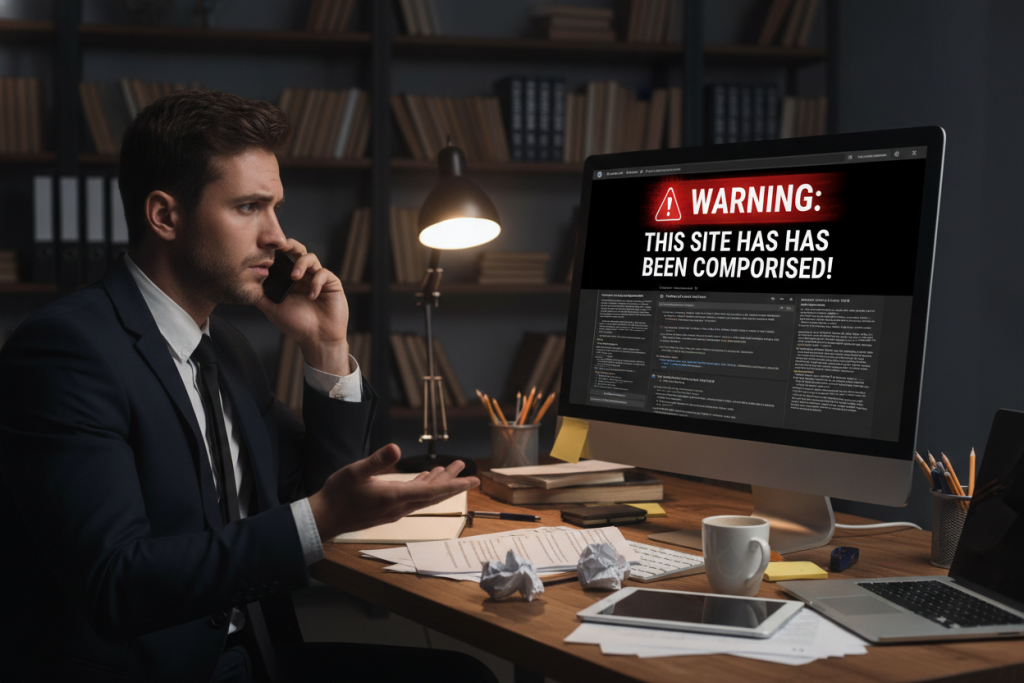
WordPress site hacked, what do we do?

Managed VPS server in Israel for WordPress websites

How to choose a web hosting company in Israel?

Shared web hosting in Israel

Fast WordPress hosting

Secure web hosting

Server hosting in Israel

Web Hosting in the Age of AI – Comprehensive Article 2026
Everything you need to know about web hosting, WordPress, and servers
Behind every active website is a complete infrastructure that includes a server, operating system, files, databases, domain, DNS, SSL certificate, backups, and security systems. When all the components work together properly, visitors can open the website, read content, submit forms, make purchases, and use the business’s online services.
Choosing a web hosting service shouldn’t be based solely on price or disk space. A professional website needs an environment that is appropriate for the technology it is built on, the number of visitors, the scope of activity, and expected growth.
On the Host Center blog, we cover all the layers of the infrastructure behind a website. The articles are designed to help website owners understand how the various services work, identify common problems, and choose an appropriate solution without getting lost in technical terms.
What is web hosting and how does it work?
Web hosting is a service that allows a website’s files and databases to be available on the Internet. When a user enters the domain address into a browser, the DNS system directs them to the server where the website is located. The server processes the request and returns the required page, images, and resources to the browser.
A simple promotional website might include a few pages, images, and a contact form. A more complex website might manage users, products, orders, payments, documents, and integrations to external systems. Therefore, resource consumption varies significantly from site to site.
When choosing a storage package, you should check:
What system does the site run on?
What is the volume of the files and database?
How many visitors come to the site?
How many sites should be running the account?
Is this a promotional website or a store?
What software versions are required.
Are special permissions or settings required?
How backups are performed.
What level of support is required.
Can the service be upgraded later?
A proper hosting package should fit current needs and leave a reasonable margin for growth, without requiring the customer to pay upfront for a large server that is not necessary.
Shared web hosting
Shared hosting is a solution where multiple clients use a managed server infrastructure. Each client is assigned a separate account that includes storage space, traffic, and resources according to the package.
The main advantage is that the customer does not need to set up a server or manage the operating system themselves. The hosting provider handles the general infrastructure, while the website owner can focus on content, marketing, and business operations.
Shared hosting is suitable for image websites, blogs, landing pages, small and medium-sized stores, and systems that do not require full access to the server. It provides an effective solution for businesses that want to run a professional website without becoming system administrators.
The quality of shared hosting depends on the hardware, resource management, maintenance, security, and level of support. When multiple accounts are running on the same server, it is important that the environment is managed in a way that minimizes the impact of a busy site on other sites.
When a website regularly exceeds package limits or requires special settings, you can consider upgrading or moving to a VPS server.
Linux storage and Windows storage
The hosting environment should match the technology on which the website or application is built. The two main environments are Linux Hosting and Windows Hosting.
Linux hosting is especially suitable for PHP-based websites and MySQL or MariaDB databases. It is a common environment for WordPress, WooCommerce, Joomla, Drupal, and other open source systems.
Windows hosting is particularly suitable for applications based on ASP.NET, Microsoft technologies, and Microsoft SQL Server databases. It is used for business systems, portals, and applications built for Windows Server and IIS.
The choice is not related to the operating system on the website owner’s computer. Linux storage can be managed from a Windows computer and vice versa. The decision is based on the programming language, database, software versions, and components required for the system.
When you are not sure which environment is suitable, it is recommended to check with the website developer or the Host Center team before ordering the package.
Professional WordPress hosting
WordPress is a flexible content management system that allows you to create image websites, blogs, portals, content areas, and online stores. The system is relatively simple to manage, but it still requires appropriate infrastructure and ongoing maintenance.
A WordPress site is made up of a core system, a theme, plugins, media files, and a database. Each of these components can affect performance and security.
An outdated plugin can create a security breach. A heavy plugin can slow down your site. A poorly built template can load many files on each page. A database that is not maintained over time can accumulate unnecessary tables and information.
Therefore, quality WordPress hosting is only part of the solution. It must be combined with updates, backups, optimization, user management, and careful selection of plugins.
When choosing WordPress hosting, it’s worth checking the available PHP versions, resource limits, backup mechanisms, SSL support, and upgradeability. A small website can work well on a shared package, while a busy store or portal may need a more extensive solution.
WooCommerce Stores
WooCommerce allows you to turn a WordPress website into an online store. It manages products, images, customers, orders, coupons, shipping, payments, and inventory. Each action in the store may generate multiple requests to the server and database.
An online store typically requires more resources than a corporate website. The number of products, the amount of visitors, the plugins, the filtering mechanisms, and the integrations affect the load.
To keep your store fast, it is recommended to reduce non-essential plugins, compress images, handle heavy queries, and use caching mechanisms that are suitable for e-commerce. Do not cache individual pages such as the shopping cart, customer area, and checkout in a way that may display incorrect information.
As your store grows, it’s a good idea to monitor CPU, memory, disk, and database usage. If your store becomes slow during peak hours or requires specialized processes, you may want to consider moving to a managed VPS server.
Domains and the digital identity of the business
The domain is the address through which users reach the website. It is part of the brand and digital assets of the business, so it is important to manage it carefully.
A good domain should be clear, easy to type, and relevant to the business name. Avoid names that are too complex and make sure the address doesn’t create confusion.
When registering a domain, it is important to make sure that it is registered in the name of the business owner or company. Contact information should be correct and up-to-date, and access to the management account should be kept secure.
A domain is registered for a specified period and must be renewed on time. Failure to renew may result in the cessation of website and email activity, and in some cases, the loss of the domain.
If you are transferring a domain between registrars, check the lock status, transfer code, ownership details, and DNS records in advance. Don’t make a change without understanding how it will affect your website and email.
DNS – the connection between the domain and services
The DNS system connects the domain name to various Internet services. It determines which server the website will point to, where mailboxes are located, and which subdomains are active.
An A record typically points to an IP address. A CNAME record points from a hostname to another name. MX records define mail servers, and TXT records are used for authentication and various settings.
When moving a site to a new server, you don’t need to change all records. If your email is managed through Microsoft 365 or Google Workspace, you should keep your MX records and email service authentication records.
An incorrect DNS change can disable a website or email. Therefore, it is recommended to save a copy of the records before any action and make changes in a controlled manner.
After changing records, it may take some time for the new information to propagate across different DNS systems. During this time, some users may reach the old destination and some the new one.
Website security
Website security is not based on a single solution. It consists of several layers that include server security, software updates, passwords, permissions, backups, and proper user management.
On a WordPress site, it’s important to update the system, plugins, and template. Unused components should be removed and old plugins should not be left behind just because they are inactive.
It is recommended to use strong and unique passwords and enable two-step verification when possible. Do not transmit access details in unsecured messages and do not give any user administrator privileges if they do not need them.
Website owners should also be wary of phishing emails that impersonate their hosting company, domain registrar, or WordPress services. A fake link could lead to a login page that looks genuine but is designed to steal your password.
Server security systems can help identify unusual activity, login attempts, and suspicious files, but they do not replace maintenance of the website itself.
SSL and HTTPS certificate
An SSL certificate allows an encrypted connection to be established between the visitor’s browser and the server. When the certificate is configured correctly, the website opens using HTTPS.
An encrypted connection is important for any website, especially for forms, customer areas, login pages, and stores. A website without proper SSL may display a warning in the browser and damage visitor trust.
After installing the certificate, make sure that all addresses point from HTTP to HTTPS and that there is no mixed content. Mixed content is created when the page itself is encrypted, but an image or file is loaded using an insecure address.
An SSL certificate doesn’t fix code holes or protect against weak passwords. It’s an important layer of security, but it needs to be integrated with updates, backups, and permission management.
Backups and recovery
Backup allows you to restore your website after a deletion, malfunction, failed update, or security incident. A professional backup plan should address your website files, databases, and other information required for recovery.
It is important to know how often backups are performed, how many versions are kept, and how restoration can be performed. A corporate website that is rarely updated does not need the same policy as a store that receives orders at all hours.
Before making a significant change, it is recommended to create a point-in-time backup. Actions such as updating a version, changing a template, installing a plugin, or changing the database may cause a problem that cannot always be easily undone.
For important systems, it is recommended to consider more than one backup layer and keep a copy that is not only in the active storage account.
The mere existence of a file does not guarantee that it can be recovered. It is a good idea to periodically review the recovery process and document who is responsible for performing it when necessary.
What is a VPS server?
A VPS is a virtual private server. Virtualization technology allows you to create multiple virtual servers on a physical infrastructure, with each server having an operating system and resources according to the chosen specifications.
A VPS server provides more control and flexibility than shared hosting. Services, software versions, security settings, and resources can be customized to your system needs.
VPS can be suitable for large stores, portals, SaaS systems, applications with background processes, high-traffic websites, and agencies that manage a large number of websites.
However, moving to a VPS is not always the first solution. A website may be slow due to a problematic plugin, a heavy query, or inefficient code. Scaling up the server may temporarily hide the problem without solving it.
Before migrating, it is recommended to check resource consumption, site structure, and special requirements. You can then choose the appropriate specifications and management level.
Managed VPS server
A private server requires maintenance. Updates must be installed, services must be managed, a firewall must be set up, resource usage must be monitored, backups must be maintained, and faults must be handled.
With a self-managed server, the responsibility lies with the customer or their system administrator. This solution is suitable for those who have the necessary knowledge and time.
With a managed VPS, the service provider handles some of the management depending on the plan. It’s important to clarify exactly what’s included, as the term “managed” can vary between providers.
Check whether the service includes system updates, monitoring, backups, security, a control panel, and handling of Web services. Also, distinguish between server management and handling of the website code or an external plugin.
Host Center helps customers examine whether shared hosting is still suitable or whether it is time to move to a VPS server in Israel or to a server in another region, depending on the target audience and system requirements.
Website performance and speed
Website speed affects user experience, conversion rates, and the visitor’s ability to take action. However, speed is not solely determined by the server.
Loading time is affected by images, plugins, templates, JavaScript and CSS files, databases, fonts, and external services. A website can be hosted on a powerful server and still be slow if it is not built efficiently.
When testing performance, it’s a good idea to separate server response time from the time it takes for the page to load and render in the browser. If the server responds quickly but the page is heavy, optimization should be done on the site side.
It is recommended to compress images, remove unnecessary files, reduce plugins, handle heavy queries, and use caching correctly.
Core Web Vitals metrics provide information about the loading experience, responsiveness, and visual stability of a page. They are an important diagnostic tool, but there’s no need to chase a perfect score at the expense of content or functionality.
Cache and CDN
Cache stores a ready-made version of a page or result so that it doesn’t have to be recreated on each visit. On content and image sites, it can reduce load and improve response time.
Stores and personal areas should be cached carefully. Personal information, shopping carts, or account pages should not be stored in a way that could expose another user’s data.
A CDN is a service that can distribute files across multiple locations and serve them from a location that is more convenient for the browser. Depending on the solution, a CDN can help with performance, reduce load, and protect against certain types of malicious traffic.
Caching and CDN are not a substitute for fixing site issues. If the database is slow or the plugin is performing heavy operations, the source should also be addressed.
Business email
Email is an important part of your business infrastructure. You can run mailboxes as part of your hosting service or use cloud services like Microsoft 365 and Google Workspace.
A mailbox on the domain name, for example info@company.co.il , strengthens the business identity and allows you to manage users and addresses in an organized manner.
Cloud email services offer email, calendars, contacts, and other tools depending on the route. You can work using Outlook, Gmail, a browser, and mobile applications.
To improve email authentication and reduce domain spoofing, SPF, DKIM, and DMARC records should be configured according to your business’s sending sources.
Host Center assists customers in setting up mailboxes, connecting the domain, configuring computers and phones, and dealing with sending and receiving problems.
Moving a website between servers
A hosting migration should be carried out in a planned manner. Before the migration, the site files, databases, domains, mailboxes, SSL certificates, scheduled tasks, and external services are mapped.
After copying the site to the new server, it should be tested before changing the DNS. It is recommended to test pages, images, forms, management system, database connection, user login, and purchase processes.
Don’t rush to close the old account. During the DNS propagation period, some visitors may reach the old server and some the new one.
On a dynamic site or store, you need to plan how to handle information added during the transition. You may need to do another database synchronization before the final redirect.
A streamlined process reduces downtime and maintains the ability to roll back if a fault is discovered.
Website hosting and organic promotion
Web hosting is not a substitute for SEO work, but it provides the infrastructure on which the website operates. A website that is unavailable, responds slowly, or displays errors provides a poor experience for users and may make it difficult for search engines to crawl the content.
Professional organic promotion is based on a combination of quality content, clear website structure, internal links, mobile compatibility, and proper technical infrastructure.
There’s no need to overuse the phrase “web hosting.” Search engines can understand related words and context. It’s better to present comprehensive information that answers real questions and uses terms in a natural way.
From the blog page, it is recommended to create internal links to relevant service pages and guides. For example, a paragraph about WordPress can link to a WordPress hosting page, and a paragraph about servers can link to a VPS server page in Israel.
SEO for search engines and AI systems
AI-powered search engines try to provide clear answers using information they find online. To help them understand your site, it’s important to publish professional, consistent, and crawlable content.
There’s no need to write special text just for AI or fill the page with artificial keyword lists. The same basic principles remain important: original content, clear structure, reliable information, and a good user experience.
H2 and H3 headings help organize content. Direct answers to frequently asked questions can help users and systems understand the topic. Internal links allow you to discover additional content and understand the relationships between services.
It is recommended to update old articles, add information based on real experience, and avoid publishing dozens of similar pages that have no real value.
Host Center’s blog is intended to serve as a comprehensive knowledge center, not just a collection of separate articles. The right combination of guides, service pages, and internal links can strengthen the site’s professional authority in the field of hosting and servers.
Why read the Host Center blog?
The world of hosting includes many areas: servers, operating systems, WordPress, domains, DNS, databases, security, backups, and email. Not every business owner needs to be a system administrator, but it’s worth understanding the principles that affect their website.
On the Host Center blog, you will find practical guides designed to help you identify problems, choose solutions, and make decisions. We deal with topics that come from everyday work with websites and servers, not just theoretical definitions.
You will learn how to improve a slow WordPress site, what to do when a site is hacked, how to choose a hosting package, when to switch to VPS, how to set up SSL, and what is important to check before transferring a domain.
The articles are intended for both novice and experienced website owners. Some explain basic concepts, while others deal with troubleshooting and more advanced settings.
Frequently Asked Questions about Web Hosting and Servers
Which hosting is suitable for a WordPress website?
In most cases, a WordPress site is suitable for Linux hosting that includes PHP and a MySQL or MariaDB database. The size of the package depends on the size of the site, the number of visitors, the plugins, and the complexity of the system.
When should you switch to a VPS server?
When the site requires resources, isolation, services, or settings that are not suitable for shared hosting. Before migrating, it is worth checking that the problem is not due to code, a plugin, or an inefficient query.
Does an SSL certificate protect the website from hacking?
SSL encrypts communication between the browser and the server, but does not replace updates, strong passwords, permissions, backups, and security systems.
Does a powerful server guarantee a fast website?
No. The server is part of the system. Performance is also affected by the code, images, plugins, database, and external services.
What is important to check regarding backups?
You should check what is backed up, how often, how long versions are kept, and how recovery is performed. For a critical site, it is also recommended to consider independent backup.
Does the email have to be on the same server as the website?
No. You can host your website with Host Center and run your email using Microsoft 365, Google Workspace, or another email service.
What is the difference between Linux storage and Windows storage?
Linux hosting is best suited for PHP, WordPress, and MySQL. Windows hosting is best suited for ASP.NET and Microsoft SQL Server.
Is it possible to transfer a website without changing the domain?
Yes. You can move your website files and database to a new server and keep the same address. After testing, update the DNS records.
Does VPS come with full management?
This depends on the service path. You should check which actions are included in the management and what remains the responsibility of the customer or developer.
How do you choose a hosting company?
It is recommended to check technological compatibility, quality of support, backups, security, performance, upgradeability, and transparency regarding areas of responsibility. Do not choose based on volume and price alone.
Host Center’s Knowledge Center is at your disposal.
Whether you are setting up a new website, managing a WooCommerce store, maintaining an existing WordPress site, or planning to move to a VPS server – on the Host Center blog you will find information that will help you understand the options and make a more informed decision.
The world of storage is changing and evolving, but the important principles remain clear: appropriate infrastructure, ongoing maintenance, security, backups, and professional support.
Continue browsing the articles, use the search field to find a suitable guide, and in case you need a solution customization or technical assistance – the Host Center team will be happy to assist you.