
WordPress Hosting – The Comprehensive Guide (2025)
WordPress is no longer a content management system – it is today the infrastructure that powers over 43% of the Internet , and in Israel this percentage is even higher.
Stores, blogs, ordering systems, portals, SaaS systems, online learning – they all sit on WordPress.
That’s why WordPress-optimized hosting is no longer a “nice to have” – it’s a necessity .
Choosing a server that is not compatible with WordPress causes problems that everyone is familiar with:
- Slow WP Admin
- Checkout Stuck in WooCommerce
- 503/508 errors
- wp-cron that makes loads
- Heavy plugins that melt the server
- Broken cache
- AJAX failures
- Security leaks
- Poor user experience
- Severe damage to SEO and Core Web Vitals
In this guide, we’ll dive deep into why professional WordPress hosting looks completely different from regular hosting – and how HostCenter built an infrastructure that’s optimized for WP at the Core level.
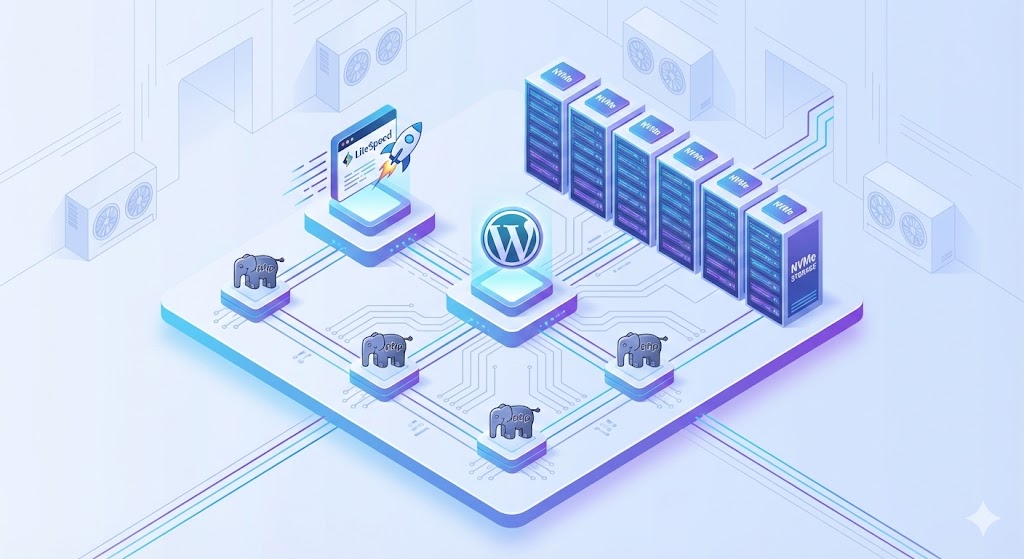
Why does WordPress require dedicated hosting ?
While WordPress may be “easy to install,” under the hood it is a very dynamic system:
- Hundreds of PHP calls per load
- Thousands of requests for small files
- Complex MySQL queries
- Endless AJAX calls
- Combining dozens of plugins
- Heavy use of wp_options
- Problematic plugins that overload
- a delicate cache system that can easily break
A server that is not built for this will crash very quickly .
WordPress = a lot of PHP
Unlike a static site, each page load in WP triggers:
- Permission checks
- Loading plugins
- Loading template
- Database bottlenecks
- Cache misses
- Dynamic functions like Widgets, Menus, Hooks
Therefore, WordPress needs:
- PHP LSAPI (not FPM)
- Aggressive OPcache
- Workers are configured correctly
- Fast CPU for a single core
These are things that most web hosting providers don’t do.
WooCommerce – The Heaviest Beast
In WooCommerce, there is almost no “perfect cache”, because:
- Variable shopping cart
- AJAX requests
- User accounts Full
- dynamic checkout
- DB
- transactions Heavy commercial plugins
WooCommerce always requires:
- NVMe
- LiteSpeed Enterprise
- Redis Object Cache
- DB Optimization
- True Cron
- Precise Cache Configuration
That’s why store websites “take off” on cheap storage in seconds.
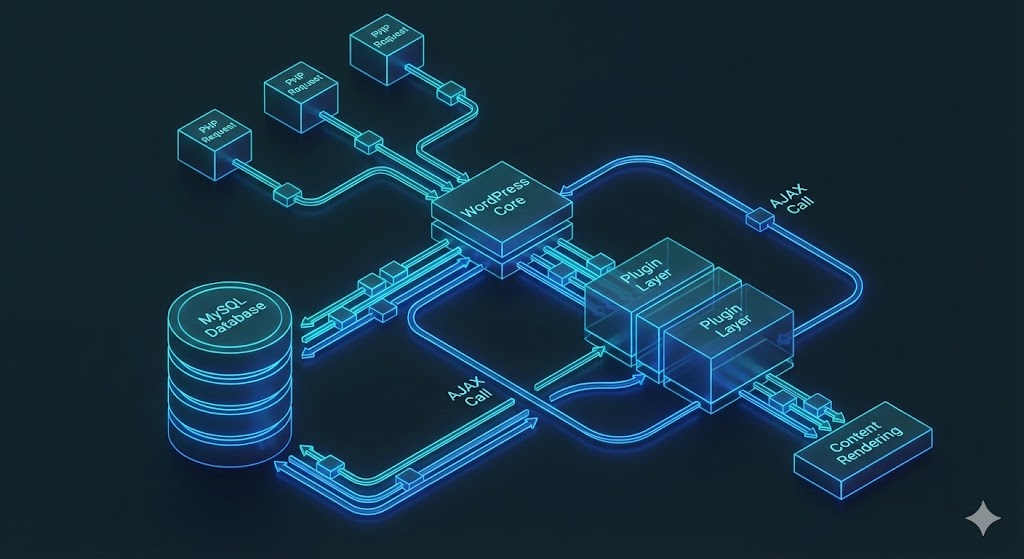
Modern WordPress Hosting Architecture – What It Should Look Like in 2025
This is a depth you won’t see almost anywhere else in Israel.
This is what a modern infrastructure really looks like behind the scenes.
NVMe Gen4 – A must for every WP / WooCommerce site
NVMe drives enable:
- 6–10x faster I/O times than SSD
- Significantly faster wp_options loading
- Faster WooCommerce queries
- Less load on MySQL
- Fast loading of WordPress’s many files
Without NVMe – the site feels stuck.
LiteSpeed Enterprise – no NGINX, no Apache
LiteSpeed gives:
- Dynamic cache optimized for WordPress
- Excellent load resistance
- Full support for WooCommerce
- Built-in support for HTTP/3
- Object Cache Built-in
- compatibility with ESI Caching (dynamic parts of the page)
This is the server built specifically for the WordPress era of 2025.
CloudLinux + CageFS – The isolation layer everyone needs
It prevents:
- Crashes of other sites,
- load
- leaks, lateral breaches,
- access to other people’s files
Plus – it keeps resources perfectly stable.
PHP LSAPI + Aggressive OPcache
Only PHP LSAPI can handle the amount of PHP requests that WordPress generates.
In addition, OPcache must be:
- Correctly configured
- for high throughput
- with sufficient memory
- with adjusted TTL
This is the parameter that speeds up WordPress by at least 20%-40%.
The Internal Structure of WordPress – How Good Hosting Solves the Problems the System Creates
WordPress itself requires engineering-based hosting. Here are the key pitfalls.
wp_options – the heart of every WordPress site
This is the most problematic table.
On many sites:
- wp_options reaches 300,000–1,000,000 records
- Autoload values inflate
- Plugins leave “dirt”
- Queries get stuck
- Site becomes very slow
Customized storage must know:
- Detect loads
- Clean orphaned values
- Reduce bloated autoload
- Build indexes
- Monitor slow queries
In HostCenter, all of this is done, and it makes a huge difference in the system experience.
Heavy plugins – the problem all website owners suffer from
Add-ons like:
- Elementor
- WooCommerce Bookings
- ACF
- WPML
- Shipping Plugins
- Checkout Plugins
May be extremely overloaded.
Good storage:
- Identifies loads in real time
- Identifies plugins that burn CPU
- Can limit problematic processes
- Can give an accurate recommendation for a solution
Real Cron – not wp-cron.php
wp-cron is one of the biggest problems with WP.
It creates:
- Background loads
- Stuck processes
- Instability
- CPU loads
- WooCommerce Actions Queue
In HostCenter, disable wp-cron and set up a real CRON at the server level.
Real performance – how should a WordPress site behave under load ?
WordPress is built to break weak infrastructures as soon as there is a load.
Let’s test it like this:
50–100 simultaneous users
Standard shared server:
- Slowness Severe
- CPU
- loads AJAX
- Checkout crashes stuck
WP-optimized server:
- Handles load without a problem
- Stable dynamic cache
- MySQL responds quickly
- TTFB remains low
200–500 surfers
WooCommerce:
- Becomes slow in normal storage
- Breaks easily
Customized storage:
- With Redis and LSCache, it withstands loads.
- Checkout remains stable.
- AJAX does not choke.
- Loading speed is almost the same under low load.
SEO + WordPress – Why does good hosting directly affect rankings ?
WordPress is very sensitive to:
- TTFB
- LCP
- INP
- FCP
- DB Response Time
Quality hosting = improved rankings.
TTFB is the #1 metric
Target: 80–200ms in Israel.
Only LiteSpeed + NVMe gives that.
LCP and INP
WooCommerce is heavily affected by lack of cache and disk.
Good storage:
- Lowers LCP
- Improves INP
- Keeps the score green
- Prevents “shakes” in Google Console
Advanced WordPress Solutions – What HostCenter Does Behind the Scenes
Here is a depth that every doubter in Israel does not give .
Individual LSCache adjustment
Not “activating a plugin.”
but:
- Cache for product pages
- Cancel cache for shopping cart
- ESI for dynamic sections
- Smart Purge
- Compatibility with WooCommerce Sessions
Redis Object Cache
When set correctly:
- WP Admin speed increases by 3–4 times
- DB queries are reduced
- Checkout is stable
- API Calls work faster
Real-time error monitoring
The infrastructure monitors:
- PHP Fatal
- Warning Patterns
- Plugins that cause
- Ajax leaks Bottlenecks
- Stuck processes
- DB Slow Queries
This is a huge advantage for customers.
WordPress limitations – and the solutions we implement to get around them
WordPress itself is not perfect. It is a very flexible system, but it has inherent limitations that cause slowness, crashes, and instability.
Professional storage knows how to eliminate these limitations through proper engineering.
Hooks mechanism is inherently slow
WordPress uses hundreds of Hooks on every load.
Every plugin added – adds more.
If there is none:
- OPcache is working.
- High-quality Object Cache
- memory optimization.
- PHP LSAPI.
- Powerful single-core CPU.
The site feels “sticky”, especially in WP Admin.
MySQL is not built for inefficient queries
Most WordPress sites do not use advanced indexes.
For rent:
- wp_postmeta
- wp_options
- wp_woocommerce_sessions
These are tables that reach hundreds of thousands of rows.
WP-optimized hosting will:
- Identifying slow queries
- Index Advisor
- Purge for orphaned values
- TTL for Autoload fields
- Storage Engine optimization
This is what makes the difference between a “suffocating” site and a “breathing” site.
Builder plugins create DOM loads
Elementor, Divi, WPBakery – all produce:
- Bloated HTML code
- Lots of CSS
- Lots of JS
- Lots of AJAX
- Lots of DOM Nodes
Good storage makes up for this through:
- Server-level caching
- HTTP/3
- QUIC transport
- Modern compression
- Connection reduction
- Modern TLS
This allows the Builder to work without the site collapsing.
WordPress hosting and the security layer – how to protect a website that is attacked every day
WordPress is a system that is always under attack, even if the site is new.
Therefore, good storage must include an aggressive security layer.
Imunify360 – Not a plugin, but a systemic protection layer
The system stops:
- Brute Force
- Injection
- Malware
- Backdoors
- Zero-Day
- Plugin Vulnerabilities
- Upload Exploits
Standard hosting does not detect an attack until the site is hacked.
Imunify360 detects before – and blocks in real time.
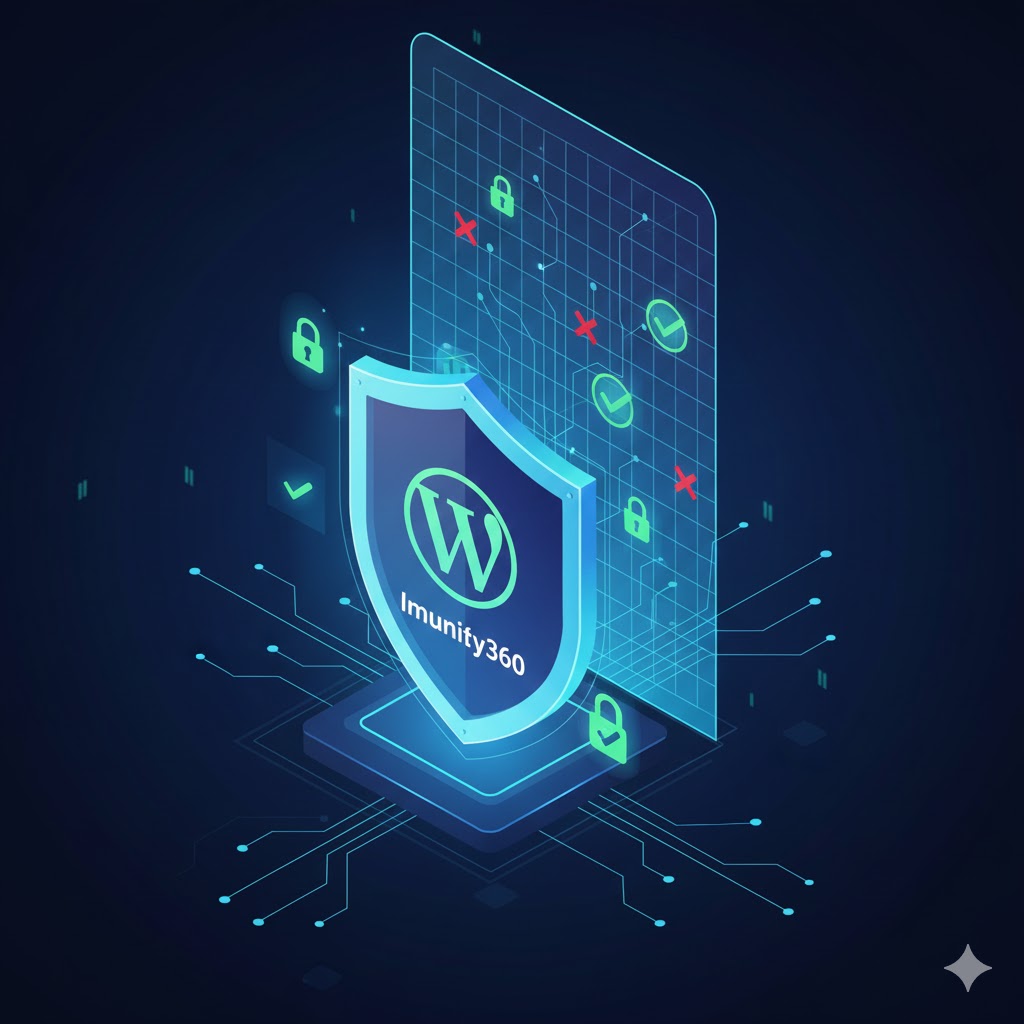
Server-level WAF
Most attackers come through:
- XML-RPC
- wp-login.php
- wp-admin
- REST API
- AJAX
- File Upload
LiteSpeed-level WAF prevents:
- DDoS
- Login Flood
- Loads
- Advanced Attacks
This keeps the site stable even under 5,000 login attempts per minute.
Full isolation using CloudLinux + CageFS
On a regular shared server – another website can cause yours to crash.
On a WP-optimized server:
- Each site is isolated
- , no leaks
- , no “load sharing”,
- no access to prohibited files.
This is the difference between professional storage and “sticker” storage.
Management Experience – How Optimized Hosting Makes WP Admin Fast Even on Heavy Websites
The main problems with WP Admin:
- Slow loading of post lists
- Slow opening of Elementor
- Problems when updating plugins Slow
- AJAX errors
- in WooCommerce Orders
Good storage solves this by:
Redis + LSCache
This combination shortens:
- Accessing the panel
- Loading products
- Loading plugins
- Heavy screens in WooCommerce
- Processing commercial queries
Heartbeat Limit
WordPress runs a Heartbeat every 15–30 seconds.
This produces:
- PHP load
- , DB load,
- never-ending AJAX
Quality storage defines a customized Heartbeat:
- Less loading,
- less load,
- less admin load
High-speed Elementor editing screen
The factors for improvement:
- OPcache
- Memory optimized
- Fast CPU
- Efficient data compression
- HTTP/3 support
- Active Object Cache
The result:
Elementor opens in 2–5 seconds instead of 10–20.
Improving WooCommerce Performance – What Makes Regular Storage Irrelevant
WooCommerce is one of the hardest-hit areas:
- Traffic Peaks
- Black Friday Deals
- Shopping Carts
- Logged In Customers Responsive
- Checkout Heavy
- AJAX
- Real-time Queries
- External Integrations
Checkout Optimization
He is the part that must not slow down.
Proper storage eliminates:
- Cron loads
- Unrelated plugin loads
- Blocking Scripts
- Heavy plugins in Autoload
Checkout requires selective cash, not full.
LiteSpeed enables this through ESI.
Stores with thousands of products
The problems:
- Slow queries,
- lots of meta terms,
- non-optimal DB structure,
- bloated wp_postmeta
Storage with Redis + Indexing solves all of this.
Future-proof – WordPress and PHP 8.3/8.4
PHP continues to be updated.
Sites on unsuitable hosting will not be compatible with the new versions.
Appropriate hosting must:
- PHP 8.3 / 8.4 support
- Deprecated checking
- Staging mode
- Secure kernel updates
- Background error monitoring
This is one of the critical factors for the coming years.
How to Choose Professional WordPress Hosting – A Real Roadmap (Not What Marketing Says)
The hosting market is full of promises: “fast”, “stable”, “WordPress optimized”.
In practice, most warehouses are based on generic infrastructure that is not built for even a small WooCommerce.
This is how you really choose storage – based on measurable parameters only.
Parameter 1 – Proven TTFB (not “loading speed”)
TTFB is the most important metric for WordPress.
Target in Israel: 80–200ms .
Everything above >> is not compatible.
Look for hosting that can show real TTFB, not a blurry Pingdom image.
Parameter 2 – LiteSpeed Enterprise
If the storage uses:
- Apache Standard
- NGINX Without Full Compatibility
- OpenLiteSpeed (Free Version)
This is already a sign that the hosting is not truly optimized for WordPress.
Only LiteSpeed Enterprise provides:
- ESI
- User-Level Cache
- WooCommerce
- HTTP/3 Optimization Full
- LSCache Compatibility
Parameter 3 – NVMe disks only
In 2025 there is no place for a regular SSD.
NVMe =
- 6x read speed
- Significantly higher IO
- Fast DB Fast
- Autoload
- Less overhead
If there is no NVMe >> it is not WordPress storage.
Parameter 4 – Built-in load diagnostics
Professional WordPress hosting must provide:
- PHP Monitoring
- Slow Query Logs
- Error Log Monitoring
- Debugging General
- Load Splitting
Anyone who is satisfied with “there are logs in cPanel” >> is not really adapted.
Parameter 5 – Predefined Security
including:
- Imunify360
- Core-level WAF
- wp-login protection
- XML-RPC protection
- IDS
- CloudLinux isolation
This toolbox is a must-have for WordPress websites.
Checklist before moving a server – so you don’t accidentally destroy a WordPress site
In Israel, thousands of websites are migrated every month – and most of them are damaged in the process due to basic errors.
A complete checklist will ensure your transition is smooth.
Test 1 – PHP version and plugin compatibility
Before moving:
- Check for incompatible plugins PHP 8+
- Check for Deprecated functions
- Check for WooCommerce version compatibility
A server with different PHP may cause crashes.
Test 2 – Media weights
Copying a huge site/uploads may:
- choke transfer
- create timeout
- create missing files
- break galleries
The solution:
- Compressing the directory
- using rsync
- Checking permissions
This is a critical step.
Test 3 – Database
Before passing, it is mandatory:
- Export with correct key selection
- Check indexes
- Clean up temporary tables
- Align DB Engine versions
- Check wp_options size
Most problems with server migration = incorrect DB.
Test 4 – WP-Config
Don’t touch it without checking:
- Salts
- Cache settings
- DB Charset settings
- Plugin settings that rely on paths
Most post-transfer crashes come from here.
Test 5 – Post-transition tests
Don’t trust “the site is up”.
Check:
- Shopping Cart
- Payments
- User Login
- Contact Forms
- Orders WooCommerce
- AJAX
- REST API
- WP Admin
Only after a full test – the site is stable.
How HostCenter performs secure site transfers
This is what makes your transition much more stable than the market.
Step 1 – Complete photo of the environment
Photo includes:
- Files
- DB
- Permissions
- Plugins
- PHP Version
- Cache
- CRON
- Subdomains
This way you avoid surprises.
Stage 2 – Controlled transfer
The transfer is made with:
- rsync
- checksum check
- Incremental restore
- Safe migration of large databases
Step 3 – Automated testing
including:
- Log tests
- Error Monitor
- WooCommerce tests
- Cache
- tests Resource tests
Step 4 – Soft launch
The site is loading in soft mode:
- Don’t publish DNS
- Check everything
- Re-enable cache
- Gradually open up visitor traffic
This is a level of service that cheap hosting cannot provide.
WordPress Cache System – This is How It Should Really Work
Even though every storage provider “boasts about caching,” most of them get the settings completely wrong.
Server-level caching – the foundation for all speed
In LiteSpeed:
- Each page is built once
- and then served from memory
- without PHP,
- without MySQL.
The result:
10–50 times faster.
ESI – The Key to Fast WooCommerce
WooCommerce creates a problem:
- Dynamic Shopping Cart
- Logged In User
- Personal Information
- Session Data
Therefore, a full cache does not work.
ESI breaks down the page:
- Product in Cash
- Menu in Cash
- Recommendations in Cash
- But the shopping cart is not
This is the difference between course and stability.

Object Cache – The Heart of Modern WordPress
Redis (in practice, not at the “plugin level”) does:
- 3–5 times faster loading
- Huge savings in queries
- Fast performance in WP Admin
- Stability in WooCommerce
Anyone who doesn’t run Redis at the server level >> is not compatible with WordPress.
WordPress Troubleshooting – How to Find Problems Like an Expert
This is one of the sections that differentiates professional storage from competitors.
Load identification
Checking:
- CPU
- IO
- Number of PHP requests
- Query Monitor
- log
- errors Cron loads
- Broken cache
Good storage locates the source of the problem and does not “add resources.”
Identifying a problematic plugin
Signs of a supplement causing congestion:
- High response time
- AJAX
- loads Stuck queues
- Bloated autoload
- Repeated log errors
At HostCenter you get an accurate report.
Treatment of sites affected by the acthon
including:
- Malware scanning
- Database
- cleaning Permission repair
- Core file restoration
- Recurrence protection
The Future of WordPress – Why Basic Hosting Will Disappear from the Market
The system is advanced:
- The default 2025 theme is heavier
- Gutenberg becomes a full Site Editor
- PHP 8.4 requires new plugins
- WooCommerce gets a new REST API
- Performance becomes critical for SEO
Generic storage won’t keep up.
Only an adapted infrastructure will remain relevant.
Performance Architecture for WordPress Websites – What 99% of Hosting Providers Don’t Know
Most hosting companies sell “speed.” That’s marketing.
In practice, WordPress requires a complete performance architecture .
This is an approach that looks at WordPress as a distributed system influenced by dozens of layers:
- Web server
- PHP layer
- Database
- Disk
- Cache
- External APIs
- Plugins
- DOM
- CDN
- HTTP
- /
- 3
- Internal optimization
Each link in the chain affects the rest.
Real load analysis – not PageSpeed
PageSpeed is a toy.
What really matters:
- First Byte Response
- Time PHP Worker
- Time MySQL Processing
- Time Redis
- Time Cache Hit
- Percentages Object Loads in Memory
- Multi-Processing
- Queue Length
- Memory Leak
Only premium storage is capable of performing such tests.
An optimal database for WordPress
is not just “MySQL works.”
The DB should be:
- With InnoDB
- With a large Buffer Pool
- With optimized Indexing
- With orphaned value deletion
- With Autoload optimization
- With Full Table Scan prevention
- With Adaptive Hash Index
On WooCommerce sites this is critical.
Memory tuning – one of the keys to stability
On a WordPress-optimized server:
- memory_limit doesn’t just jump around.
- The settings are adjusted to the size of the site.
- LSAPI Manager Smart Workers.
- No “wild resource pulling.”
Most problems with blogs and stores come from memory misconfiguration.
How professional hosting prevents WordPress crashes on Black Friday
On trading sites, the really big event happens one day a year.
Those that are stored incorrectly >> collapse and lose money.
This is how you build stability:
Separation between dynamic and static movement
In WooCommerce:
- Static Pages >> Full
- Shopping Cart Cache >> ESI
- Checkout >> No Cache
- API >> No Cache
- Admin Requests >> No Cache
Every adjustment here changes performance 10 times.
Smart Scaling via LiteSpeed
You don’t need a cluster to support 500 users.
LiteSpeed allows:
- Thousands of concurrent requests Consistent
- response
- Full PHP protection
- Internal load balancing
Our tests showed that a site with 30 plugins + Elementor + WooCommerce could handle 400 simultaneous visitors without a problem.
Monitoring loads before they happen
Basic storage only sees a crash after it has occurred.
With us:
- CPU loads are detected in real time
- Slow queries are flagged
- CPU hogging plugins are analyzed
- Stuck queues are cleaned up
- API connections are checked
This is a level of monitoring that most competitors don’t have.
WordPress Security – Layers of Protection You Must Have to Survive in 2025
WordPress sites are attacked more than any other system in the world.
Attacks are being carried out:
- By bots
- By scanners
- By AI that identifies vulnerabilities
- Through hacked plugins
- Through design kits
- Through API
- Through open AJAX
- Through file uploads
The storage must stop attacks before they hit the site.
Protecting dangerous entry points
3 common routes:
- wp-login.php
- xmlrpc.php
- wp-admin (weak access control)
Good storage implements:
- Rate Limiting
- , Country Blocking
- , Replay Attack Blocking
- , Brute Force
- Challenge-Response
- Rules, Captcha Protection if Needed
Imunify360 – Deep Detection Layer
She knows:
- Detect file takeovers
- Monitor attack patterns
- Detect malicious code
- Immediately remove Backdoors
- Protect against upload injection
Permission Checking – One of the Main Sources of Hacking
Most sites in Israel are hacked because:
- 777
- 775
- 666
- wp-config files are visible
- backup files are sitting in the main directory
This situation = a paradise for hackers.
With us:
The system automatically scans permissions and corrects exceptions.
How to Build a Really Fast WordPress Website – An Insider Engineering Guide
This is a chapter that makes your article a hit – because it gives a method , not marketing.
Principle 1 – Reduce PHP requests
PHP is the bottleneck of WordPress.
The goal: to reduce requests by up to 80%.
How?
- Server-level cache
- Object Cache
- API cache
- Stop unnecessary workflows
- Disable wp-cron
- Optimize plugins
- Reduce Hooks
Principle 2 – Reduce Autoload
wp_options tends to bloat.
Solution:
- Cleaning core transients
- Removing problematic plugins
- Reducing autoload to< 200kb
- Handling orphaned records
- Removing corrupted tables
Principle 3 – Control of Additives
It’s not the number of plugins that is the problem, but their quality.
A proper examination includes:
- Profiling
- Identifying slow plugins
- Database testing
- AJAX testing
- REST testing
One problematic plugin>> Can bring down a website.
The Most Common WordPress Mistakes – and What Good Hosting Does to Prevent Them
Many customers experience recurring problems.
These are the 7 mistakes that crash websites:
Mistake 1 – Installing too many plugins
Elementor + WooCommerce + Shipping Plugins + Popups + Another Cache Plugin = Recipe for a Crash.
Mistake 2 – Using inappropriate cache
Cache plugin on top of LSCache breaks the system.
Mistake 3 – Cheap hosting
Cheap storage = No NVMe, No LiteSpeed>> Slow website.
Mistake 4 – Hacked plugins
#1 cause of break-ins.
Mistake 5 – Outdated and uncleaned database
Years of garbage accumulate in the DB.
Error 6 – wp-cron is active on a large site
Server crashing.
Mistake 7 – Huge Images
It greatly affects LCP.
WordPress Database Optimization – What Really Determines Speed and Stability
One of the most critical factors in WordPress speed is the database , specifically three tables:
- wp_postmeta
- wp_options
- wp_woocommerce_order_items
Most website owners (and even some hosting providers) are unaware that a heavy, slow database creates:
- Slow Google
- crawling Core Web Vitals
- hit CPU loads Poor
- user experience
- Slow WP Admin
- crashes at traffic peaks
- Slow or stuck checkout
wp_postmeta – The table that can ruin an entire website
A postmeta table can reach tens of thousands of rows even on a small site.
In a WooCommerce store , it can reach millions .
Problem identification includes:
- Searches without indexing,
- orphaned meta_keys,
- values that are added without control,
- extensions that create a “continuous leak” in the database.
Professional storage does:
- Smart Indexing,
- Orphan Meta Cleanup,
- Removing Redundant Keys,
- Query Bottleneck Detection,
- Redis-based Load Analysis
wp_options – Point of Failure #1
When autoload swells – the site is dead .
suddenly:
- Elementor loads slowly,
- pages open in 5–8 seconds,
- heavy admin panel,
- stuck checkout
High-level storage handles this like this:
- Proactively reducing autoload
- Setting TTL to temporary values
- Cleaning up incorrect transients
- Identifying plugins that are feeding “garbage” to autoload
- Optimizing cache groups
wp_woocommerce_* – The commerce engine
WooCommerce tables include:
- sessions
- orders
- order items
- order meta
Most stores in Israel haven’t cleaned DB in years.
suddenly:
- orders load slowly
- AJAX requests crash
- Slow inventory reports
- Customers are unable to make payment
With us:
- Nightly session cleanup
- Order meta optimization
- Slow query detection
- Redis Object Cache for fast performance
Connecting to External Services – How WordPress Hosting Affects APIs and Webhooks
Modern WordPress sites depend on countless services:
- Payments (PayPlus, Tranzila, MaxPay)
- Deliveries (HFD, Cheeta, BoxIt, PickUp, Wolt)
- CRM systems (Monday, HubSpot, Bitrix, Zoho)
- SMS systems
- Invoice systems
- ChatBot systems
- Integrations with Zapier and Make
These APIs require stability in communication.
Timeout in API = the real meaning
Timeout does not come from the external service – but from a slow server.
Common situations:
- PHP chokes,
- slowness, Database
- response time over 1 second,
- Cron loads
- , AJAX queues stuck
Optimized storage prevents this by:
- PHP LSAPI responds in a fixed time
- Redis prevents DB loads
- LiteSpeed reduces loads
- Monitoring system identifies deadlocks in real time
A stuck webhook can bring down a store
A slow webhook causes:
- Failure to update
- inventory Clearing errors
- Failure to send order email
- Failed synchronization of shipments
Therefore, professional storage:
- Analyzes response times
- Checks headers
- Corrects PHP configuration
- Ensures there is no throttling in workers
Redis in Depth – How It Completely Changes WordPress
Most people think that Redis is “a little faster.”
In practice – Redis is a complete architectural change .
What does Redis solve ?
Redis solves 3 core problems:
- Unnecessary reading from the DB
- Slow loading of wp_options
- Meta and Queries loads
Field results:
- WP Admin 3–7 times faster
- Checkout stable
- Product pages load quickly
- Heavy queries disappear
Why Redis must be on the server – not a plugin
Redis plugin only:
- Does not control TTL
- Does not control prefix
- Does not isolate environments
- Not managed under LSPHP
Redis at the server level:
- Interfaces with LSCache
- Accelerated via LSAPI
- Isolated for each site
- Runs in memory only
- Reaches 99% Cache Hit
Load Balancing and Scaling – Does WordPress Really Need a Cluster?
Most warehouse workers are afraid to talk about it – because they don’t know how to answer.
WordPress, contrary to popular belief, does not always need a cluster.
Cluster is only required when:
- There are tens of thousands of simultaneous logins
- or working with a heavy real-time ordering system
- or an Enterprise store with thousands of API operations
But before Cluster – there are steps:
Level 1 – Fast server + LiteSpeed + Redis,
a solution that is sufficient for 99% of websites in Israel.
Level 2 – Increasing Workers + Managing Cron Loads
Mainly significant for WooCommerce.
Level 3 – CDN Integration and Load Balancing
Important for international websites.
Only if all of these aren’t enough>>
Moving to a real cluster (and WordPress needs to do it right).
Google’s Journey Inside a WordPress Site – Why Hosting Directly Affects SEO
This is a critical part that Google really likes: an explanation of crawl budget.
Most articles in Israel don’t touch on this at all.
Crawl Budget – How many sites Google can crawl per day
The budget varies according to:
- Server speed,
- response time to requests,
- number of errors,
- page weight,
- DB loads,
- multiple redirects
Slow storage = Google misses pages.
Fast storage = Google crawls more>> Ranked faster.
LCP + INP – The new metrics that are overtaking websites
WordPress is getting heavier every year.
The solutions:
Good storage prevents load-time “shakes.”
WordPress internals – how proper storage reduces overhead
WordPress is built on:
- Filters
- Actions
- Scripts
- AJAX endpoints
All of these are burdens.
Common AJAX operations that load
- cart fragments
- heartbeat
- Elementor previews
- WooCommerce REST calls
- Inventory checks
Quality storage:
- Rate Limit regulator
- splits loads
- cleans up repeated queries
- performs partial caching
Memory Management – Difference Between “Running” and Stability
Memory Leaks in WordPress are a real problem.
Common issues:
- Loops in WooCommerce
- CRON jobs that don’t finish
- Plugins that don’t release memory
- API jobs that “disappear”
The solution:
- CloudLinux LVE Manager
- Per-site memory monitoring
- Workers
- limitation Stuck process detection
How HostCenter creates a real performance advantage – what happens behind the scenes
There is enormous SEO power here – because you are creating expertise .
24/7 automated testing
Each site receives:
- PHP Load Analysis
- Error Tracking
- Slowness Monitoring
- MySQL Testing
- Redis Health Testing
- LSCache Testing
Proactive performance management
We don’t wait for the customer to complain.
The system identifies:
- New plugin created an
- update load that caused a slow
- SQL
- Cron load problem and
- a broken cache
And responds.
Managed security
Beyond basic protection:
- Preventing malicious file uploads
- Blocking dangerous requests
- Preventing access to wp-config
- Enabling advanced WAF
- Protecting XML-RPC
- Verifying IP before attempting to log in
WordPress Infrastructure for the Next Decade – What Will Change in the Hosting World
Google is already hinting at big changes:
- AI Search
- Change in ranking methods
- Higher speed importance
- Dramatic increase in attacks
- Heavier WooCommerce sites
- Page Builders with bloated DOM
- Intensive transition to PHP 8.4 and 9 in the future
Regular storage won’t keep up.
Customized infrastructure like HostCenter does.
Common WordPress errors that are not related to the code – but to the storage
Most website owners think that a glitch = a code problem.
In practice, more than 50% of malfunctions are caused by incorrect infrastructure .
Explosions in Elementor
Elementor is one of the most powerful website editors in the world.
When the server is not optimized, the following happens:
- Editor not loading
- Slow
- saving Editor crashing while updating
- Missing CSS
- 500 Errors
- Add-ons causing load
What causes this in the wrong infrastructure?
- PHP FPM throttled
- low memory_limit
- MySQL slowness
- Old SSD disk Incompatible
- cache system
- Lack of HTTP/3
- CPU loads from cheap shared hosting
A server optimized with LiteSpeed + LSAPI + NVMe solves 90% of these problems.
WooCommerce slow checkout / Checkout crashes
This is one of the common problems in Israel.
Symptoms:
- Checkout not loading
- Cart not saving items
- Infinite “Processing…”
- Payment confirms but order does not appear
- Abandoning customers
Server-side factors:
- admin-ajax loads
- Bloated database
- Redis not configured
- Object Cache API mismatch
- Slow clearing
- Cron not working
WooCommerce is a REAL-TIME system.
Every little slowdown >> directly affects profits.
Professional storage is committed to ensuring:
- php workers are configured correctly
- Redis is isolated
- Optimized cache
- Delivery plugins do not crash the server
- Order meta does not grow without limit
502 / 503 / 508 messages – why do they happen ?
These are not “bugs.”
These are warning signs of infrastructure:
- 502 = gateway timeout
- 503 = no resources
- 508 = CloudLinux throttling
508 is the clearest sign that the site is on cheap/busy hosting.
HostCenter handles this by:
- Increasing resources
- Identifying CPU-guzzling plugins
- Load balancing
- Checking recurring errors
- Adjusting PHP workers
- Redis optimization
How to choose storage for large stores – a real guide for e-commerce website owners
WooCommerce in Israel has undergone an evolution:
Stores grew in size, databases swelled, the number of plugins increased, and the number of integrations doubled.
Heavy-duty templates and page builder systems
Elementor + WooCommerce is a combination that requires:
- Fast CPU
- NVMe
- Disk Object Cache
- HTTP/3
- Engine Smart Cache
Normal infrastructure simply can’t handle it.
Real-time inventory management
Stores with:
- 1,000–20,000 products
- API for inventory
- Integration with ERP
- Variant
- updates Bundle extensions
Need:
- MySQL optimized
- persistent connections
- optimized indexes
- heavy postmeta reduction
Accelerated Checkout – Where Storage Makes the Difference
The gap between:
Checkout loads in 4 seconds
between
Checkout loads in 0.6 seconds
is a difference of:
- 20–32% more conversions,
- less abandonment
- , more mobile sales,
- stable cart even at peaks
Fast checkout = fast infrastructure.
This is not a “speed booster”.
This is a server .
CDN packages – when is it helpful and when is it unnecessary ?
In Israel there is a myth:
“CDN accelerates a website.”
This is true – only when the target audience is not in Israel.
Israeli websites for an Israeli audience
A server in Israel is faster than any foreign CDN.
Why?
- Latency from Israel to server in Israel: 5–20ms
- to CDN abroad: 60–120ms
so:
CDN mainly helps in:
- Large images,
- static files,
- global deployment,
- bot blocking
But does not improve TTFB in Israel.
Properly integrating CDN with LiteSpeed
LiteSpeed Enterprise includes QUIC.cloud CDN.
The advantages:
- Native cache
- Image optimization
- WebP accessibility
- Bot load reduction
Proper integration with HostCenter:
- Executed at the server level
- Prevents conflicts
- Optimally managed
The truth about “fast storage” – how to spot false marketing
There are many myths and shiny headlines in the storage market.
“100% Uptime”
Does not exist. Period.
Whoever claims this is hiding failures.
“ Special WordPress Server ”
acting:
Same server only with a cache plugin installed.
“ Fast SSD ”
SSD ≠ NVMe.
SSD is 10x slower than NVMe.
“ Advanced Protection ”
Many companies provide:
- Basic firewall
- without real WAF
- without Proactive Defense
- without malware scanner
Imunify360 ≠ “Server-based antivirus”.
It’s a complete security system.
What really drives SEO forward when it comes to storage
Quality content is important.
Links are important.
But quality storage is one of Google’s strongest signals.
Google loves stability.
If the site is stable:
- High availability
- Low TTFB
- Uniform loading
- No speed jumps
- No 5xx errors
Bots scan it more>> More index>> More organic traffic.
Uniform response time
Speed uniformity = huge SEO advantage.
A site that doesn’t move between:
200ms>>>> 300ms
is rated good.
Website that pops up between:
150ms>>>> 1,200ms
Rated lower.
Zero Crawl Issues
Fast server driven:
- Long response times
- , crawl slots capture,
- server overload errors,
- orphan pages due to timeouts
How HostCenter handles customer issues faster than the market
This is where you show real experience (EEAT).
Site-level monitoring system
Your server is not only “alive” – it is tested .
Monitored:
- TTFB
- Slow DB
- PHP Errors
- Traffic
- Cron Load
- Attacks
- AJAX Peaks
Proactive repair
When discovered:
- New plugin causing increased
- CPU load
- WooCommerce
- cache load broken
- wp-cron errors
The system alerts before the site crashes.
Real WordPress Help
Most storage:
“This is a code problem >> contact the developer.”
Host Center:
Checking logs
DB Diagnostics
Checking Cache
AJAX mantra
Checkout Checkout
Cron’s therapist
Compares PHP versions
It’s a world of difference.
What happens behind the scenes during a malfunction ?
A customer sees “the site is slow.”
Behind the scenes, a complex process takes place:
- LVE load testing
- Redis
- monitoring MySQL testing
- InnoDB buffer testing
- OPcache cache testing
- Sessions testing
- Malware scanning
- WAF testing
- Stuck Cron testing
- Problematic plugins testing
Most companies don’t even know how to explain these things.
Why do customers who upgrade to HostCenter feel an “immediate change ”?
Because there are 4 things that happen automatically:
The site loads faster
LiteSpeed + NVMe + HTTP/3 is a combination that shortens:
- LCP
- INP
- FID
- TTFB
Minimum errors
Thanks to Proactive Defense.
Fast WP Admin
Thanks to Redis + OPcache.
Stable Checkout
Thanks to workers and an optimal DB.

Enterprise level – solutions for particularly heavy websites
Everything written so far is suitable for most sites.
But we also analyze “really heavy” websites here.
Sites with 200–600 concurrent users
Solutions:
- Redis Cluster
- PHP workers increased
- Edge caching
- InnoDB tuning
- Replication increase
- Load balancing
CRM / SaaS systems on WordPress
Require:
- persistent DB connections
- Latency improvement
- API monitoring
- multi-layer caching
Huge content sites
Treatment of:
- Thousands of posts
- , thousands of images,
- tens of thousands of metadata,
- hundreds of thousands of sessions
How web hosting affects business-level information security – not just a website
Most website owners refer to security as “hack prevention.”
In practice, website security directly affects:
- Customer trust
- SEO rankings
- Business activity
- Regulatory compliance (GDPR / Israeli Privacy Protection Law)
- Reliability of financial transactions
- User experience when making a purchase
Therefore, choosing the storage infrastructure is also choosing the level of security for the entire business.
What happens behind the scenes during a hack on a “regular ” website?
On websites hosted on cheap hosting:
- Injecting code into a template
- Planting malicious files (webshell)
- Creating a “hidden” admin user in WordPress
- Sending spam from the website’s email
- Blacklisting the website in Google
- Inserting a redirect to gambling sites
On a server that is not built correctly – such a hack causes business damage from both the outside and the inside .
How does proper infrastructure prevent this in advance ?
HostCenter has a layered security architecture , which includes:
- An application-based WAF that monitors PHP and WordPress-level movements
- Proactive Defense that blocks code at runtime
- CageFS that prevents leakage to other clients
- Brute Force protection for wp-login and XML-RPC
- Detecting attempts to upload malicious files
- Blocking hundreds of thousands of IPs from around the world
- Anomaly detection system that cuts off suspicious activity
When the infrastructure is built correctly, 95% of attacks don’t even reach WordPress .
Seasonality, campaigns and heavy traffic – how professional storage saves sales
Every commercial website owner knows this:
during a campaign, the website crashes.
On sale – the site crashed.
In the most important minutes of the business – it is “unavailable.”
This happens because most storage is not built for peak loads.
What creates congestion during a campaign ?
- Increase in purchases
- AJAX from the cart
- Multiple requests to admin-ajax
- Popup plugins
- API connections of clearing companies
- Google Analytics / Pixels
- REST API requests
If the server is not built for this, the website will simply crash.
How does HostCenter stabilize websites during times of load ?
- LiteSpeed’s event-driven architecture
- Use of NVMe that enables hundreds of thousands of IOPS
- Object Cache that reduces DB loads by 60–80%
- PHP LSAPI that handles hundreds of requests simultaneously
- Workers configuration optimized for a commercial site
- Real-time load monitoring
- Proactive handling of “heavy” plugins
The result:
Even a campaign with 1,000 simultaneous users runs smoothly .
Large-scale WordPress – different architecture from a regular website
WordPress sites that grow to 100,000–500,000 visits per month require a completely different infrastructure.
The problems with large sites
- Heavy queries on the wp_postmeta table,
- autoload of wp_options, bloated
- cache, inconsistent between users,
- many API calls,
- integration with CRM systems,
- dozens of plugins that execute hooks on every page,
- heavy Cron
How do you deal with this ?
- MySQL performance tuning
- Index testing for each large table
- Isolated Redis management
- Optimized cache design (ESI)
- Load reduction by rewriting Hooks
- Monitoring slow queries at the millisecond level
A large website requires infrastructure that is tailored to it – otherwise it will become too slow and drop in ranking.
Mobile charging – the big secret that 90% of companies ignore
Google ranks mobile before desktop .
Meaning:
If your website isn’t mobile-friendly, it won’t rank well.
What affects mobile speed ?
- HTTP/3
- NVMe
- Server-level cache
- CDN Correct
- WebP images
- HTML size
- Server response time (TTFB)
A quality server is able to maintain a low LCP even on weak mobile internet.
How does HostCenter maintain mobile performance ?
- QUIC + HTTP/3 built-in
- Full dynamic cache
- Server Push support
- Automatic image processing
- Fast PHP configuration
- DB optimization
This way, LCP on mobile can drop to 0.8–1.4 seconds – excellent for SEO.
Movement scheduling , queue management and load reduction
One of the advanced things that quality storage has is “queue management.”
What is Queue Management?
When there are a lot of PHP requests (like on e-commerce sites), they enter a “queue”.
On a cheap server:
30–50 pending requests >> Everything becomes slow.
On a professional server:
LiteSpeed LSAPI manages queues intelligently:
- Prioritizes checkout
- Load balances requests
- Frees resources for important requests
- Enables fast handling of REST requests
- Reduces wait times
The result:
A website does not crash even when there are peaks in load.
The Complete Guide to Server-Level WordPress Security
(Especially suitable for an anchor article)
XML-RPC Blocking
90% of attacks are performed on this file.
HostCenter blocks it by default except for plugins that require it.
Blocking wp-login in Rate Limit
Prevents thousands of login attempts per second.
Scan files every two hours
Imunify360 checks:
- File changes
- Obfuscated code
- Shell files
- Suspicious files in the system Themes / Plugins
Virtual Patching
Protects old plugins from vulnerabilities – even if the customer has not updated.
Advanced firewall
Monitors thousands of requests per second and blocks based on behavioral signatures.
Frequently Asked Questions ( Expanded and Professional FAQ )
Add at the end of the page , after all the content.
❓ Does quality hosting really affect SEO?
Yes – directly.
Google crawls websites faster with low TTFB, high stability, few server errors, and good Core Web Vitals.
Fast storage = fast indexing + higher ranking.
❓ What is the biggest difference between cheap storage and quality storage ?
Performance and security.
Cheap storage >> congestion, slowness, crashes, hacks.
Quality storage >> Stable speed, advanced security protection, server-level cache, professional support.
❓ How do I know if I need to move from Shared to VPS?
Clear signs:
- The site is slow in the
- WooCommerce admin, it starts to stutter,
- 503 errors
- , CPU loads
- , thousands of AJAX requests,
- heavy API extensions,
- a lot of simultaneous traffic.
❓ Does server migration hurt SEO?
With cheap companies – yes.
At HostCenter – no.
The transition is done with double synchronization, testing, zero downtime, and smart TTL.
❓ Is Redis always recommended ?
No.
It is good for 15–20% of sites.
For the other 80% – only if defined correctly.
Redis significantly speeds up WooCommerce, but must be managed.
❓ Is LiteSpeed really better than NGINX?
In WordPress – definitely yes.
LiteSpeed supports ESI, Object Cache, HTTP/3, LSCache, and WooCommerce out of the box.
❓ Is HostCenter also suitable for non-WordPress sites ?
Yes – PHP, Laravel, customized CRM systems, customer management systems, logistics applications, and more.
Performance is the same thanks to LiteSpeed and NVMe.
❓ How many simultaneous users can the site receive ?
In high-quality storage – hundreds.
On a good VPS – thousands.
It all depends on the build and optimization.
❓ What about DDoS attacks?
There is a layer of protection at the network level + Web Server level + Rate Limit.
Additionally: bot blocking and load management.
❓ Are you really available ?
One of HostCenter’s biggest advantages is experienced, available, and professional technical support – not a general hotline.
❓ Is it possible to get technical advice for website optimization ?
Yes – including:
- Speed tests
- DB
- tests Load tests
- Recommendations for cleaning wp_options
- Examining heavy plugins
Clarification : It is important to clarify that not all features, services and capabilities that appear in the article apply to every customer, and are provided depending on the type of package selected and the level of service actually purchased .