
Web Hosting – The Most Comprehensive Guide in Israel (2025)
Choosing a hosting provider is one of the most critical decisions for the success of any website – a business, store, content portal, or complex system.
In 2025, web hosting is not just “a place to put files.”
It directly affects:
Website Speed
User Experience
SEO Rankings
Security
Stability
Scalability
Mobile Loading Time
WordPress/WooCommerce Performance
Conversion Rate
And it is the difference between a website that feels “serious and professional” and a website that loads slowly, crashes from overload, or is easily hacked.
In this article, you will get a full in-depth guide that presents everything you need to know about web hosting – including technologies, performance, security, comparisons, critical parameters, common mistakes, and how HostCenter is different from the market.
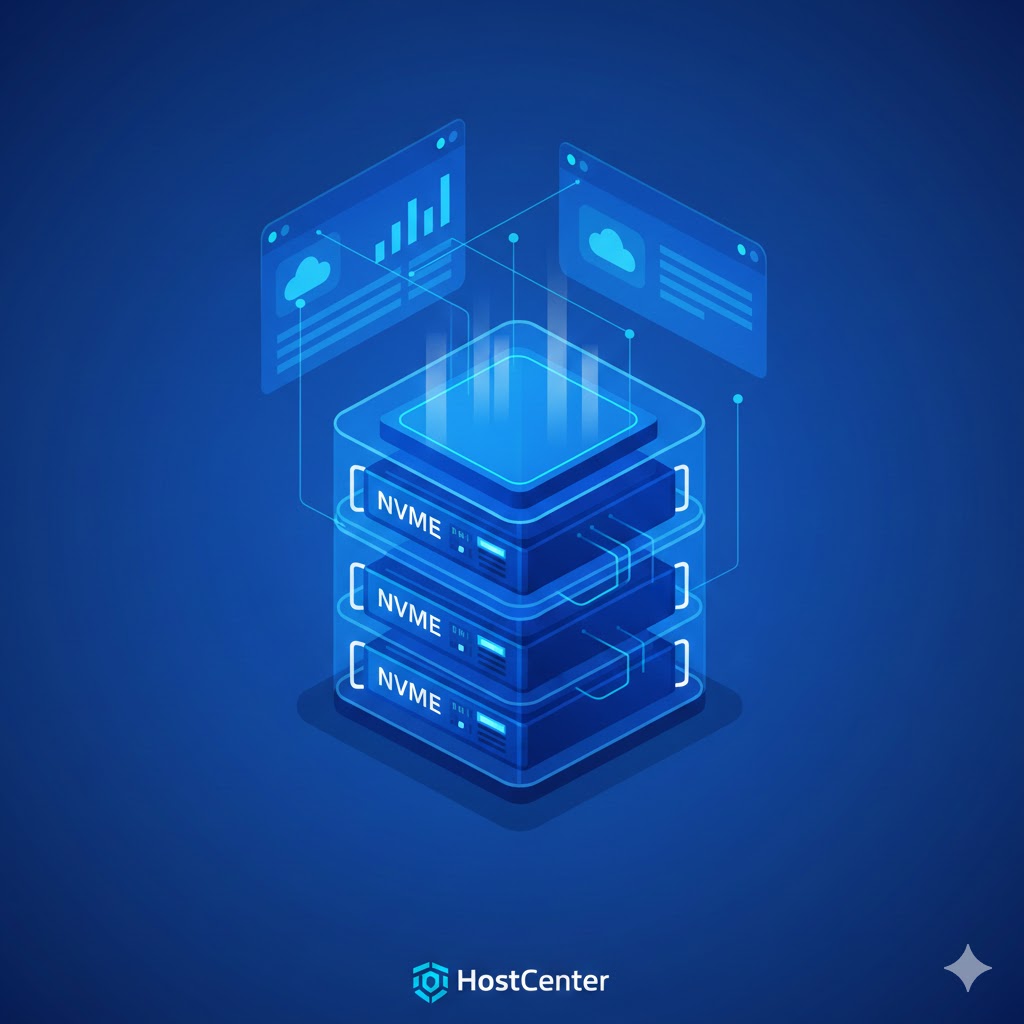
Why is it important to choose quality storage?
Most website owners look for a cheap price and get a bad experience:
Slow server<< Customers are fleeing<< SEO is affected<< Support unavailable<< The site crashes at times when there is traffic.
Quality hosting directly affects:
1. Website speed (Performance)
Speed = ratings + sales + user experience.
A one-second improvement in loading time = up to a 27% increase in conversions.
2. Stability and lack of glitches
A website that goes down once a week<< A business loses money.
HostCenter operates a monitoring system + CloudLinux + LVE technologies that ensure stability even under heavy loads.
3. Security
Systems like Imunify360 block 99% of automated attacks on WordPress.
Without such protection, any website is vulnerable to code injections, hacks, spammers, and the implantation of malicious scripts.
4. WordPress compatibility
90% of websites in Israel are built on WordPress.
A server that is not specifically optimized for WP causes problems with load, slowness, and crashes.
5. SEO
Slow hosting directly impacts Core Web Vitals:
LCP / FID / INP<< Should be green.
Types of web hosting – and what’s really right for you
Understanding the types of storage helps you understand what is appropriate in terms of performance, loads, and needs.
Shared Hosting
The most common solution. Suitable for:
Corporate websites
Small-medium websites
Small stores
Blogs
WordPress websites up to 30,000 monthly visits
Advantages:
Cheap,
convenient,
without server management
, suitable for most website owners
. HostCenter has strong protection + stability even in shared hosting.
Disadvantages:
Shared resources (protected by CloudLinux)
less suitable for very large sites
Limitations on long processes
Managed WordPress Hosting
A dedicated service specifically tailored for WordPress .
including:
- WP
LSCache
acceleration
Smart CDN
Security that is tailored to WP core
Customized monitoring and logs
Technical support that understands WordPress in depth
HostCenter has deep WordPress expertise> A huge advantage.
VPS – Virtual Private Server
Solution for:
Large websites,
stores with a lot of traffic
, SaaS websites,
CRM/ERP systems
, heavy systems
Advantages:
Guaranteed resources
Full control
High performance
Ability to install software
Suitable for growth
HostCenter runs ultra-fast VPS servers with NVMe + CloudLinux + Imunify360.
Dedicated server
Designed for huge projects.
Common Mistakes When Choosing Web Hosting (and How to Avoid Them)
Mistake 1: Going for the cheapest hosting
Storage for 5 shekels:
Slowness
Falls
Weak support
Problematic security
It costs you 20 times more in SEO damage/malfunctions/lost customers.
Mistake 2: Choosing an overseas server for an Israeli website
In 2025 it is already clear:
High response time
, damaging to SEO
, slow on mobile,
not good for WooCommerce
Server in Israel = excellent speed for surfers.
HostCenter sits on an extremely fast Israeli infrastructure.
Mistake 3: Not understanding how much the site really consumes
Website owners are unaware of what is happening behind the scenes:
High CPU
PHP Processes
Heavy WP plugins
External API calls
Dozens of plugins
HostCenter has deep load monitoring = your website won’t lack power.
Mistake 4: Without CloudLinux
It’s like driving without ABS.
It’s the insulation that protects you from problematic neighbors.
HostCenter runs CloudLinux + LVE + CageFS on all servers.
Mistake 5: No real security system
Without Imunify360:
Your website is an open target for bots and attacks.
Core technologies in web hosting – what really matters in 2025?
Most hosting providers “talk nice” – but in reality they use outdated servers, slow disks, standard Apache, and basic security.
This is where HostCenter ‘s technological advantage comes in: a combination of modern servers, advanced security, fast Israeli infrastructure, and complete isolation between clients.
To understand why this is critical, let’s dive into the technologies themselves.
Most hosting providers “talk nice” – but in reality they use outdated servers, slow disks, standard Apache, and basic security.
This is where HostCenter ‘s technological advantage comes in: a combination of modern servers, advanced security, fast Israeli infrastructure, and complete isolation between clients.
To understand why this is critical, let’s dive into the technologies themselves.
CloudLinux – the foundation for stability, speed, and true isolation
CloudLinux is the gold standard of shared hosting.
It prevents one of the biggest problems:
One customer who is overloaded<< Brings down the entire server.
Host Center uses CloudLinux on all servers, including the new LVE and CageFS versions.
LVE – Smart Resource Management
LVE = Lightweight Virtual Environment
The mechanism by which:
Each site gets a dedicated allocation of CPU, RAM, and IO.
No site can exceed and steal resources from others.
Load on one site<< Does not affect others.
Prevents a “bad neighbor” situation.
In simple words:
Your site is not affected by others , even in collaboration.
CageFS – Each website lives in its own “cage”
CageFS is advanced file isolation:
Each site can only see its own files.
System directories cannot be accessed.
Dangerous commands cannot be run.
Other people’s information cannot be accessed.
Prevents vulnerabilities between WordPress sites on the same server.
This makes the server an extremely secure environment – critical for WordPress.
Imunify360 – The world’s most advanced security layer for web hosting
Imunify360 is not an antivirus.
This is an intelligent, AI-based security system that monitors thousands of events per second.
Host Center makes full use of Imunify360 which includes:
WAF – Application Firewall that protects PHP / WordPress
driven:
SQL Injection
XSS
CSRF
LFI/RFI
Session Stealing
Attacks on wp-login.php
Bot scans
Brute Force
The WAF is updated every few hours with new signatures.

Proactive Defense function – artificial intelligence that monitors the site in real time
This is an amazing mechanism:
Imunify360 checks the behavior of the code (JIT Monitoring) – not just files.
If PHP code tries to do something suspicious:
Writing to files
Massive modification
Calling exec / passthru
Suspicious loading
He just blocks it .
This prevents zero-day infections even before there is a signature.
Malware Scanner – Server-level antivirus (Real-Time)
The server scans every hour/several hours:
PHP files
JS
files System
files Folders Uploads
Obfuscated code
and automatically cleans up some of the threats.
IP Reputation + Bot Management
The system is connected to 90,000+ servers around the world.
If a bot attacks somewhere else<< It’s blocked for you too.
LiteSpeed Enterprise – The world’s fastest storage engine
Most cheap companies use Apache.
Semi-professional companies use NGINX.
HostCenter uses LiteSpeed Enterprise (full license).
Why is this important?
3–6 times faster than Apache
LiteSpeed knows:
Enable dynamic caching
to manage loads,
prevent crashes
, and serve thousands of requests per second.
It’s simply faster than anything.
LSCache – Server-level acceleration plugin
This is not another plugin like WP Rocket/NitroPack.
This is a cache created at the server level:
Direct interfacing with WordPress
Full support for WooCommerce
Dynamic caching for pages
Cache Tags automation
Differentiation between logged in and logged out users
Adaptations to the REST API
Host Center pre-tunes LSCache for good CWVs.
HTTP/3 + QUIC
Full support for new protocols:
reducing latency,
shortening loading times,
good performance on weak internet
NVMe storage – the next generation of fast disks
Most storage in Israel is still on standard SSDs.
Host Center is working on NVMe , which is a huge change.
What is NVMe and why does it matter?
NVMe uses a PCIe connection instead of SATA.
Meaning:
6–10x faster than SSD
Ultra-fast response time
Fast database loading
High performance for WooCommerce sites
Parallel read and write queues
Better user experience
Especially for WordPress:
Fast wp_options performance
Fast loading of plugins
Fast SQL queries
Less load on MySQL
PHP Performance – Optimization that few know how to perform
In HostCenter it is defined:
Aggressive OPcache
Computed memory_limit settings
Improved LSAPI queues
Support for PHP 8.1 / 8.2 / 8.3
Option to choose extensions (selector)
Unlike other providers, here it is not “default settings”.
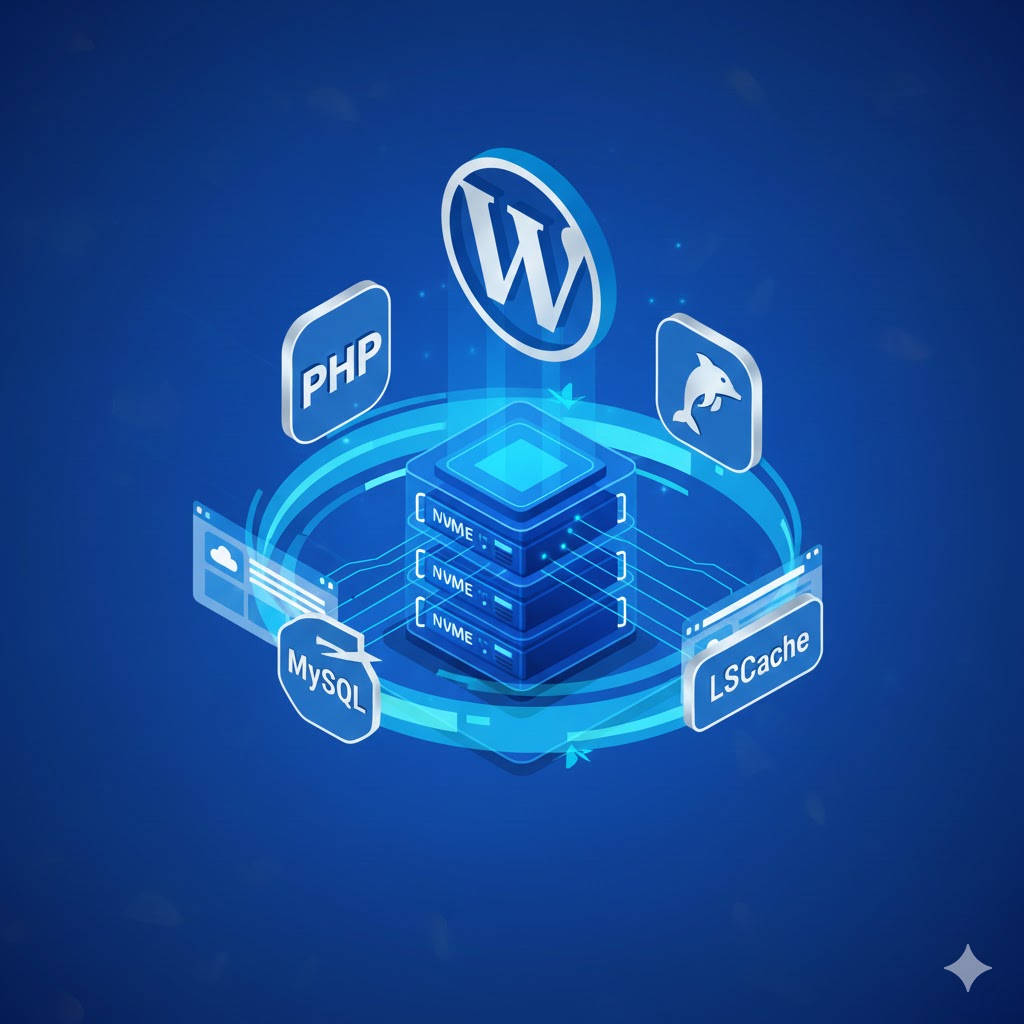
Fast DNS + Secure DNS Zone
Slow DNS can delay a website for whole seconds.
Host Center operates an extremely fast DNS in Israel, with:
Support for DNSSEC
Smart TTL
Very low latency
Accelerated DNS zone
Backups – no more ZIP on a server
Most providers store ZIP on the same server (serious mistake).
In HostCenter:
Offsite Backups
Daily Snapshots
14–30 days
retention Full site or individual files
backup to a separate database
It’s real peace of mind.
Automated monitoring and testing
Host Center operates continuous monitoring of:
Loads
Traffic
Availability
Attacks
Logs
PHP Faults
Running Processes
Health Checks
Before most companies even notice the problem –
Host Center is already taking care of it.
Clear advantages of HostCenter over regular hosting
Faster servers
Israeli infrastructure
LiteSpeed Enterprise Full
NVMe on every server
CloudLinux + LVE + CageFS
Imunify360 Full
Professional-level WordPress optimization
External backups
Experienced Israeli support
True SLA
Stable working time
Quality over the years (old brand, not amateur)
How Hosting Affects SEO – and No, It’s Not Just “Speed”
Most website owners think that good storage only affects SEO through “loading time.”
Really? That’s only 15% of the picture.
Host Center implements a full set of parameters that directly affect Google rankings:
1. Server Response Time (TTFB)
This is the most important parameter from Google’s perspective – and it stands exactly where the server has an impact.
TTFB< 200ms = ideal
TTFB> 500ms = problematic
TTFB> 800ms = Ratings downgrade
Host Center uses:
LiteSpeed Enterprise
Servers in Israel
NVMe
HTTP/3 Protocol
Which allows for extremely low TTFB.

2. Core Web Vitals (CWV)
The three critical metrics:
✔ LCP – Large element load time
Slow storage = poor LCP
NVMe + LiteSpeed = Green LCP
✔ INP – Interaction Response
Starting in 2024, Google replaced FID<< INP
Slow server or high load = red INP index
LSCache + Controlled Loads = Excellent INP
✔ CLS – Design Stability
(Not directly related to the server, but fast storage prevents partial loading that causes jumps)
HostCenter’s cache engine is specifically built to improve LCP/INP.
3. Website Availability (Uptime)
Service unavailable<< Damage to SEO + decrease in traffic.
Host Center operates:
24/7 monitoring
DDoS protections
Load optimization
CloudLinux to prevent crashes
Meaning:
Your website is available – always.
4. Server location
Google ranks websites by local speed.
Overseas server<< Slow loading time<< Low rating in Israel.
Host Center servers are located in Israel<< Natural SEO advantage.
5. HTTP/2 + HTTP/3 support
These are protocols that especially speed up mobile loading.
Most cheap market repositories partially support –
Host Center fully supports and therefore:
Fast AMP pages
Fast loading on a slow internet
Improving TTFB and FCP
Full compatibility with WordPress – a significant competitive advantage
80–90% of websites in Israel are built on WordPress.
Host Center has developed real optimizations over the years:
1. LSCache configured at the server level
No more “I installed a cache plugin.”
Here is a real cache:
Cache Tags
Smart Purge
Image Optimization
WooCommerce Integration
ESI (Edge Side Includes) Support
User/Shopping Cart Based Cache
The result:
WordPress flies even under load.
2. Database Optimization
Known WP issue:
The wp_options table + autoload
Uploads folder files
Heavy columns
Slow plugins
Host Center handles this by:
php.ini optimized for
MySQL with optimized InnoDB connections Improved
Query Cache
Upgraded MariaDB configuration for WordPress
Monitoring of slow queries
This is especially important for large content sites and e-commerce sites.
3. Ideal PHP configuration for WP
including:
OPcache
Dangerous idle functions
Accurate memory_limit setting
Max_children setting in LSAPI
Cache plugin compatibility
Full support for WP Cron Jobs
4. WooCommerce compatibility (heavy websites)
E-commerce sites behave very differently from a regular site:
Real-time updated cart
AJAX calls
Dynamic product pages
Lots of databases
Lots of plugins
Host Center implements:
LSCache is compatible with WooCommerce
Queue, controlled
PHP queues,
proper handling of Admin-Ajax,
Staging environment,
full backup kit for parking lots
Performance under load – What happens when there are 100, 300, or 1,000 concurrent users?
This is where cheap storage simply collapses.
Host Center is built to handle loads thanks to:
1. LiteSpeed + Event-Driven Architecture
An engine capable of serving thousands of requests per second – without crashing.
2. CloudLinux + LVE
Is someone doing the load?
Doesn’t affect you.
You are completely isolated.
3. NVMe
Databases respond quickly even under load – especially in WooCommerce.
4. Server-level cache + Object Cache
If you want, you can enable Redis for a significant improvement.
5. Fast protocols
HTTP/3 maintains performance even under high loads and weak network connections.
Staging environment
Host Center allows you to clone a site to a testing environment with the click of a button:
Upgrades
Code Testing
Plugins Testing
Development
Without affecting the live site.
Support++ – What is real professional support?
Not “we’d be happy to help, we sent you a link” support.
but:
WordPress troubleshooting
Load testing
Security testing
Real-time troubleshooting
Log monitoring
Professional consulting
DNS help
Transfer handling
Host Center specializes in both WordPress and WooCommerce – and it shows.
Why does quality hosting save money?
Businesses understand that saving 10 NIS per month increases:
Losses in conversions
Redesign
Damage to SEO
Loss of customers
Store
burglaries
Hacking Damage to reputation
Quality hosting = an investment, not an expense.
How to choose a web hosting company – the practical guide (2025)
The storage market in Israel is full of promises.
“The fastest”, “the strongest”, “built on advanced technology”.
But behind much of the promise – there is no real infrastructure.
Here’s a practical method to test storage like a pro:
1. Check server speed (TTFB)
No PageSpeed, no plugin testing – just one metric:
TTFB below 200 milliseconds = Excellent
Above 500ms = problematic
Over 800ms = Don’t take
Host Center works with LiteSpeed + NVMe + servers in Israel <<
Guarantees extremely low TTFB.
2. Check if there is CloudLinux + LVE
Without CloudLinux – your website will conflict with other websites on the server.
This is an ironclad rule.
Host Center runs CloudLinux fully + CageFS.
3. Look for LiteSpeed, not Apache
. Apache is an outdated server.
NGINX is good – but not suitable for complex systems like WordPress.
LiteSpeed Enterprise = faster, more stable, especially suitable for WP.
4. Ask about the type of discs
SSD = good
NVMe = Really Fast
Host Center uses NVMe only.
5. Check security systems
If they give you an answer like:
“We have basic security in cPanel”
<< run away.
You want:
Imunify360 (not 360 Lite)
Full WAF
Proactive Defense
Continuous Scanning
Bot Blocking
Blacklist Autoupdate
Brute Force Protection
Host Center provides all of these.
6. Check backups
Not backing up on the same server – it’s worthless.
You need:
Offsite backups
Restore savepoints
14–30 days
Database snapshot
Host Center offers real backups.
7. Technical Support
Not “sales representatives” or “general call center.”
But support:
Understands WordPress
UnderstandsWooCommerce
Understands PHP
Understands databases
Provides solutions, not links
Full availability
Real-time treatments
And that’s exactly what makes Host Center unique.
When should I switch from shared to VPS?
One of the benefits of quality storage is the ability to grow.
Here are the indications that you need a VPS:
✔ High load on the website
If statistics/server plugins show:
High CPU
Loading time increases
503 / 508 Errors
WooCommerce becomes slow
<< It’s time for a VPS server.
✔ Heavy trading site
Sites with:
Thousands of products
, many users,
heavy commerce plugins,
intensive API,
ERP/CRM connections
Almost always need a VPS.
✔ Heavy systems / Custom systems
like:
SaaS
reporting systems
,ordering systems
, portals,
huge content sites
False myths about web hosting (that need to be busted once and for all)
❌ Myth 1 – “All suppliers are the same, the main thing is the price”
wrong.
The difference between cheap and quality hosting = heaven and earth.
❌ Myth 2 – “Server location doesn’t matter”
Not true.
Server in Israel = 70% better loading time.
❌ Myth 3 – “Apache is good enough”
In 2025, Apache is considered obsolete.
LiteSpeed is the global standard.
❌ Myth 4 – “You don’t need CloudLinux”
A dangerous mistake – your site will be affected by the load of others.
❌ Myth 5 – “I don’t need special security – I’m a small website”
Automated attacks do not distinguish between small and large websites.
❌ Myth 6 – “Cache plugins solve everything”
Incorrect – Without server-level caching, performance is nowhere near optimal.
Why choose Host Center – Benefits on a different level
✔ Over 20 years of experience
This is not a company that was founded yesterday.
✔ Fast Israeli infrastructure
Low latency for every surfer in Israel.
✔ LiteSpeed Enterprise Full
Not a free version.
✔ NVMe on every server
Not slow SSDs.
✔ CloudLinux + CageFS + LVE
Full insulation and constant performance.
✔ Imunify360 Full
Automatic protection against most types of attacks.
✔ External backups
Not server dependent.
✔ Real technical support
Not a “service center.”
✔ Perfect compatibility with WordPress / WooCommerce
With proven experience.
✔ High SLA and excellent availability
Anyone who deals with storage understands how important it is.
Choosing professional web hosting in 2025
Choosing web hosting is not just a technical decision – it is a strategic decision that affects site speed, SEO rankings, stability, and of course, user experience. In an era where websites are built primarily on dynamic systems like WordPress and WooCommerce, the hosting infrastructure is the foundation for success.
TTFB test – the most important metric for server speed
TTFB (Time To First Byte) measures how long it takes from the moment the browser requests a page until the server begins to respond.
This index is affected by:
- Disk speed (SSD/NVMe)
- CPU loads
- PHP optimization
- MySQL performance
- Global server loads
A quality server in Israel should display a TTFB of 80–250ms.
At HostCenter, the data is significantly lower thanks to the use of LiteSpeed Enterprise, NVMe disks, and HTTP/3.
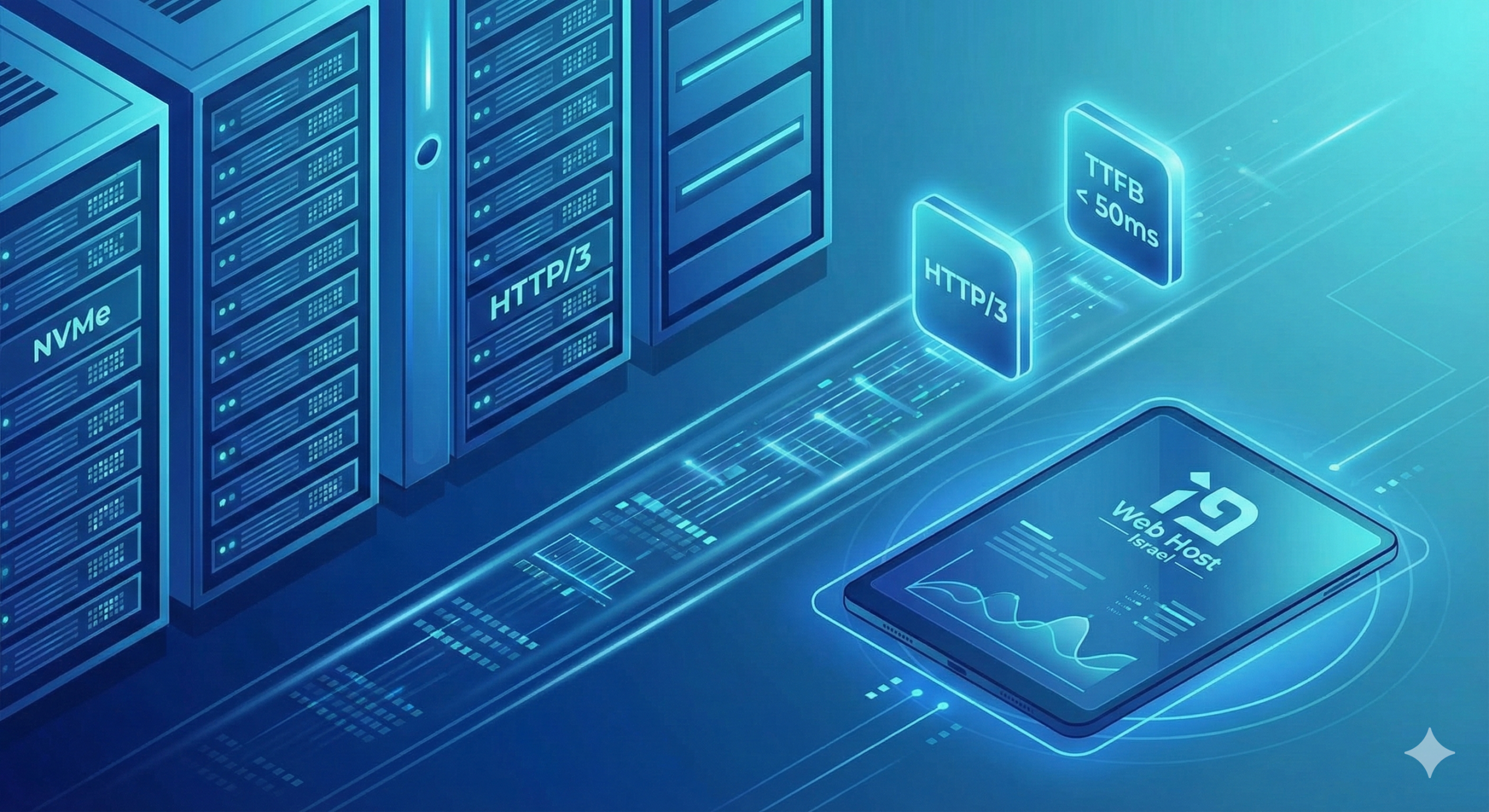
Support for HTTP/3 and QUIC – a new generation of protocols
HTTP/3 reduces loading times, improves stability in mobile browsing, and prevents packet loss issues.
LiteSpeed servers at HostCenter provide full HTTP/3 support by default.
NVMe vs. SSD – The difference is especially noticeable in WordPress
NVMe is several times faster than a regular SSD.
This increases the performance of:
- WooCommerce
- WP Admin
- Queries Heavy Page
- Loads AJAX Requests
- Cron Actions
A storage provider that doesn’t explicitly mention NVMe – usually doesn’t use it.
CloudLinux and LVE – Site Isolation and Stability Protection
CloudLinux routes each site a personal “resource budget.”
This prevents a situation where one site crashes them all.
LVE and CageFS create a true buffer between sites and protect them from leakage breaches.
Smart Backups – Not Just “Have/Have Not”, But How They Are Built
Quality backup includes:
- Daily backup
- Retention of at least 14–30 days
- Offsite storage
- Point-in-time recovery (single file / folder / DB)
- Self-Restore tool
At HostCenter, all of these backup layers exist in practice, not just on paper.
Hosting in Israel vs. Hosting Abroad – The Significant Advantage for an Israeli Website
When the target audience is in Israel – the server location affects all performance metrics.
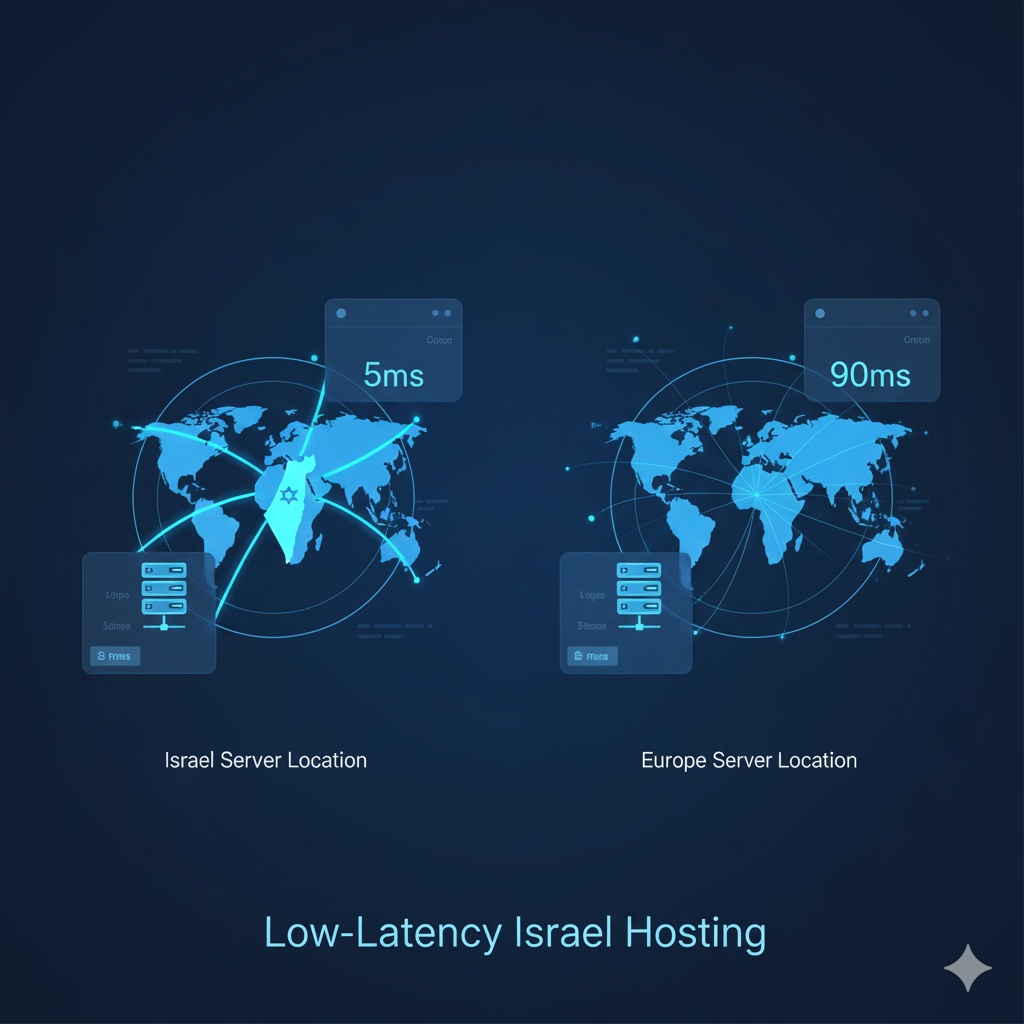
Latency – Response time from the network to the server
Normal access times:
- Israel << Israeli server: 5–20ms
- Israel << Europe: 60–110ms
- Israel << USA: 140–180ms
This difference is dramatic for a dynamic website, especially WooCommerce.
Direct impact on SEO
Google ranks websites higher:
- With low loading times
- with good Core Web Vitals
- with a fast user experience
Server in Israel = a significant advantage for Israeli searches.
Dynamic websites are sensitive to latency
Sites like:
- WooCommerce stores
- Booking sites
- User panels
- WordPress-based CRM systems
Very affected by latency.
Abroad they feel “heavy”; in Israel they respond much faster.
Website Security – Advanced Protection Layers at HostCenter
WordPress website security is not a “WordPress plugin.” It needs to start from the server.
Why is WordPress attacked so much ?
- Huge market share << is a natural target
- Out-of-date plugins
- Thousands of automated bots
- Brute Force attacks
- XML-RPC
- hacks Uploading malicious files
The problem is not the system – but the storage infrastructure that protects it.
Imunify360 – Server-level security layer
including:
- Dedicated WAF Continuous
- file scanning
- Proactive Defense
- Bot blocking
- Removal of infected files
- Virtual Patching for known vulnerabilities
The advantage: Even an outdated website is still protected.

CloudLinux + CageFS – the isolation that prevents hacking leaks
Meaning:
- A hacked site does not affect others
- Isolated file permissions
- Preventing “resource flooding”
- High stability over time
Professional load management and migrations – a true backbone for website hosting
It’s not just about “backup and emails,” but about real stability in workloads and a professional transition process.
Migration without downtime
A professional migration process includes:
- Full backup
- Controlled file transfer
- DB transfer with health check
- PHP and plugin testing
- Performance testing
- Running the site on a temporary environment
- Changing DNS only when everything is OK
Managing loads and sites during campaigns
Load splitting is carried out using:
- PHP LSAPI
- LiteSpeed Cache
- Redis Object Cache
- wp_options optimization
- Slow query monitoring
- Queue management for AJAX requests
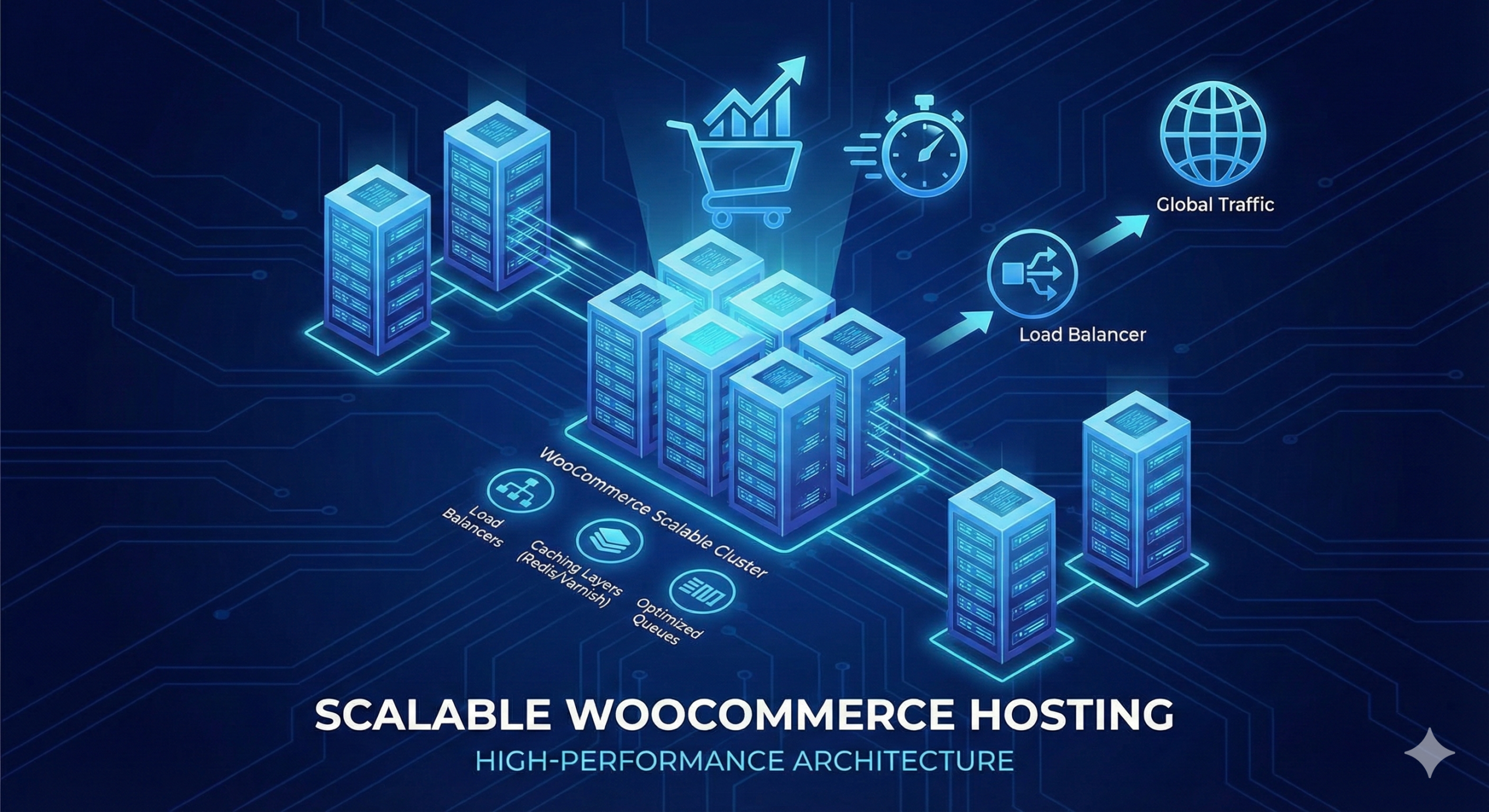
Why does your WooCommerce remain stable ?
Thanks to:
- LiteSpeed + LSCache Redis-
- optimized PHP configuration
- for heavy websites
- DB optimization
- AJAX load reduction
- Real-time log and fault monitoring
Real-time Performance – Performance Engineering at HostCenter
It is not enough to “do a checkup once a month.”
Real performance is measured over time.
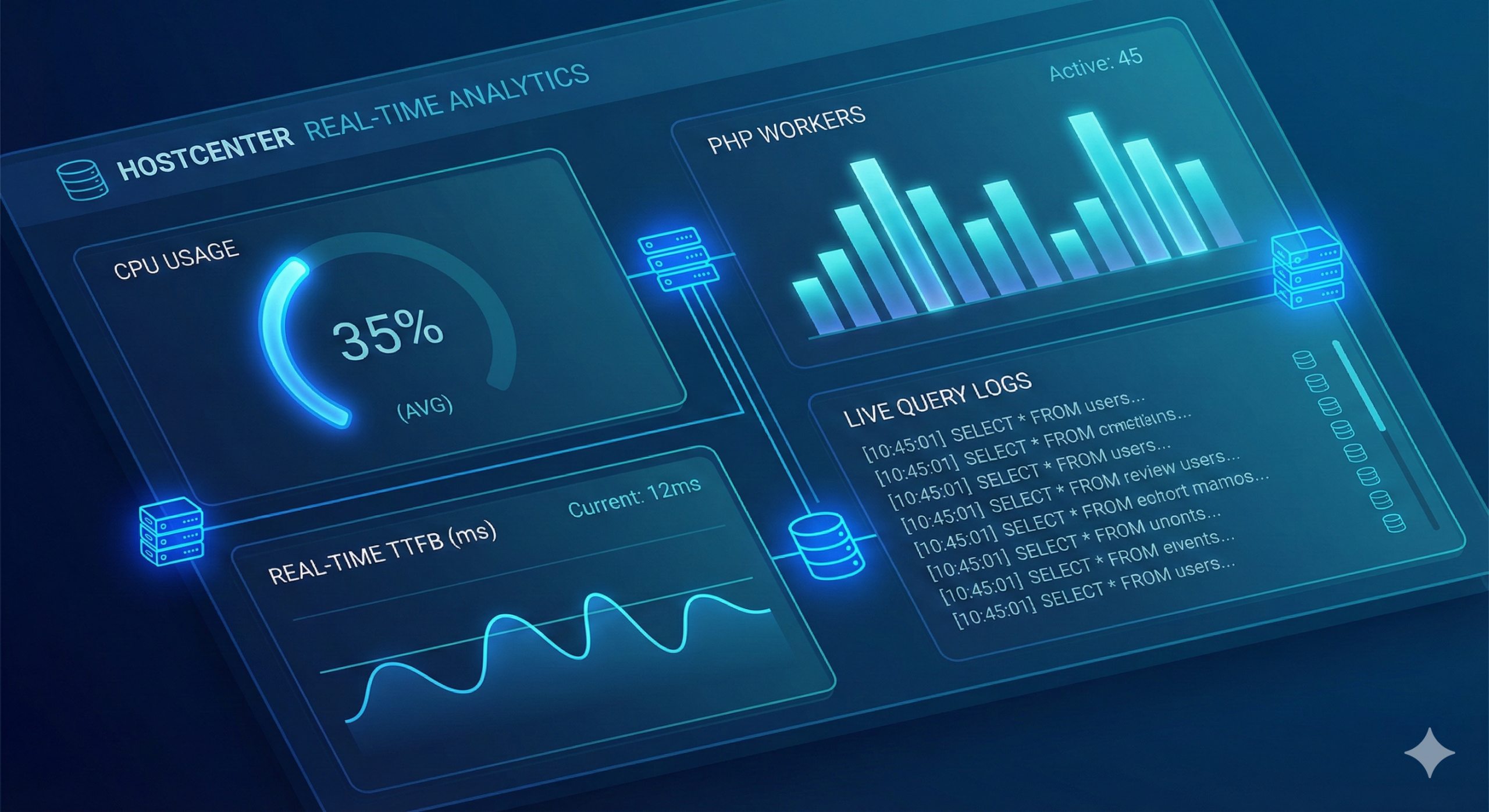
Continuous monitoring of system performance
including:
- TTFB
- Response Time
- CPU and RAM
- Loads PHP Workers
- Logical Errors
- Slow Queries
Data-driven optimization
Based on:
- Query Monitor
- Slow Query Log
- Error Logs
- Lighthouse
- Web Vitals
Goal: To understand where the bottlenecks are – and fix them on a case-by-case basis.
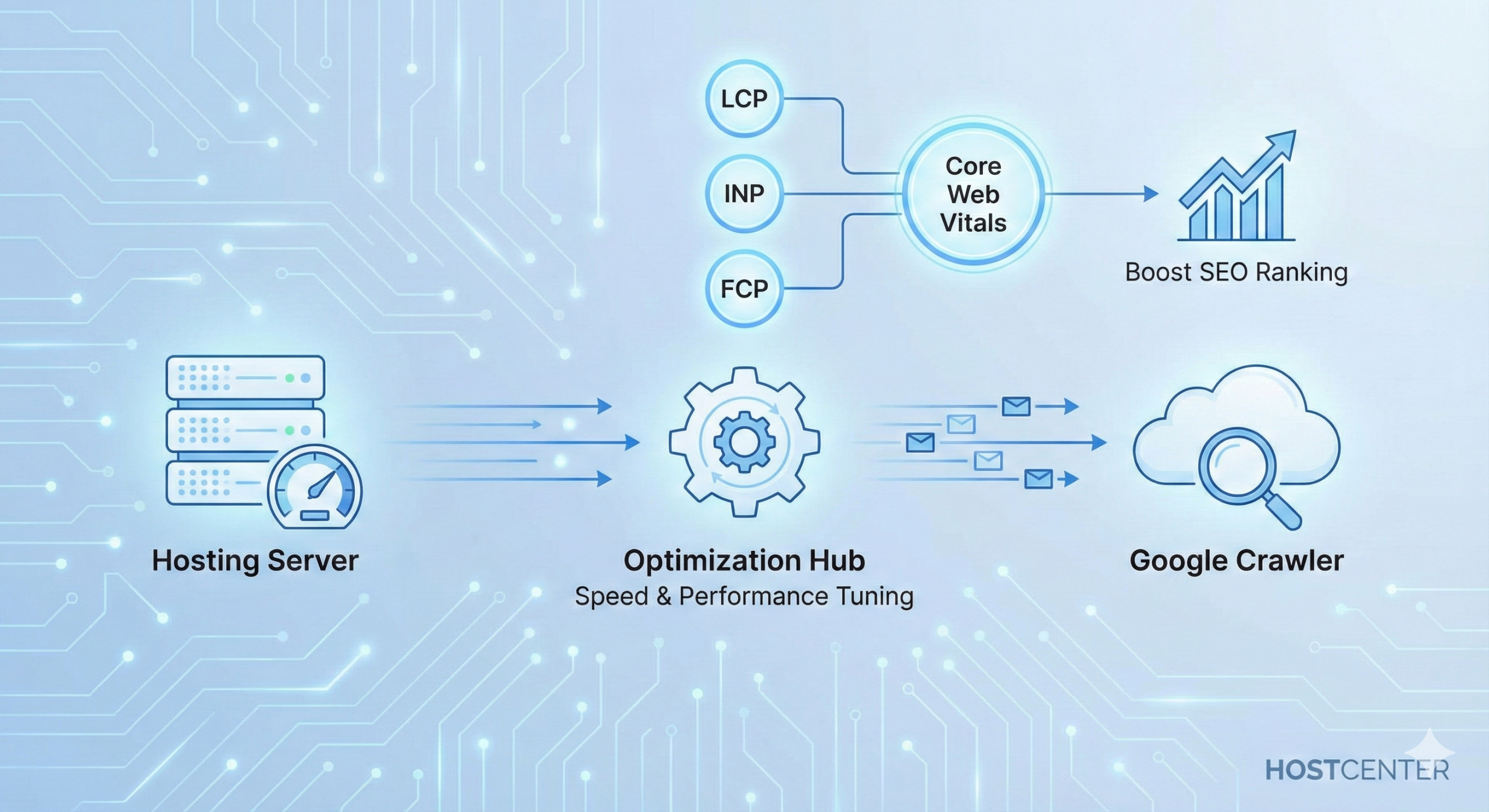
Technical SEO and Storage Infrastructure – How the Server Affects Rankings
Core Web Vitals are directly affected by the server
Metrics like:
- LCP
- INP
- FCP
- TTFB
Related to:
- Latency
- Disk speed
- Server loads
- DB loads
- HTTP/3 support
Quality server = quality SEO.
Reliability and uptime
A website that responds quickly:
- Keeps users on your site longer,
- reduces bounce rate
- , improves user behavior,
- creates a strong quality signal for Google.
HostCenter Server Architecture – Infrastructure Layers
Web Server Layer
- LiteSpeed Enterprise
- HTTP/2 + HTTP/3
- Full LSCache Support
PHP layer
- PHP LSAPI
- OPcache
- PHP versions 8.x
- Settings optimized for WordPress sites
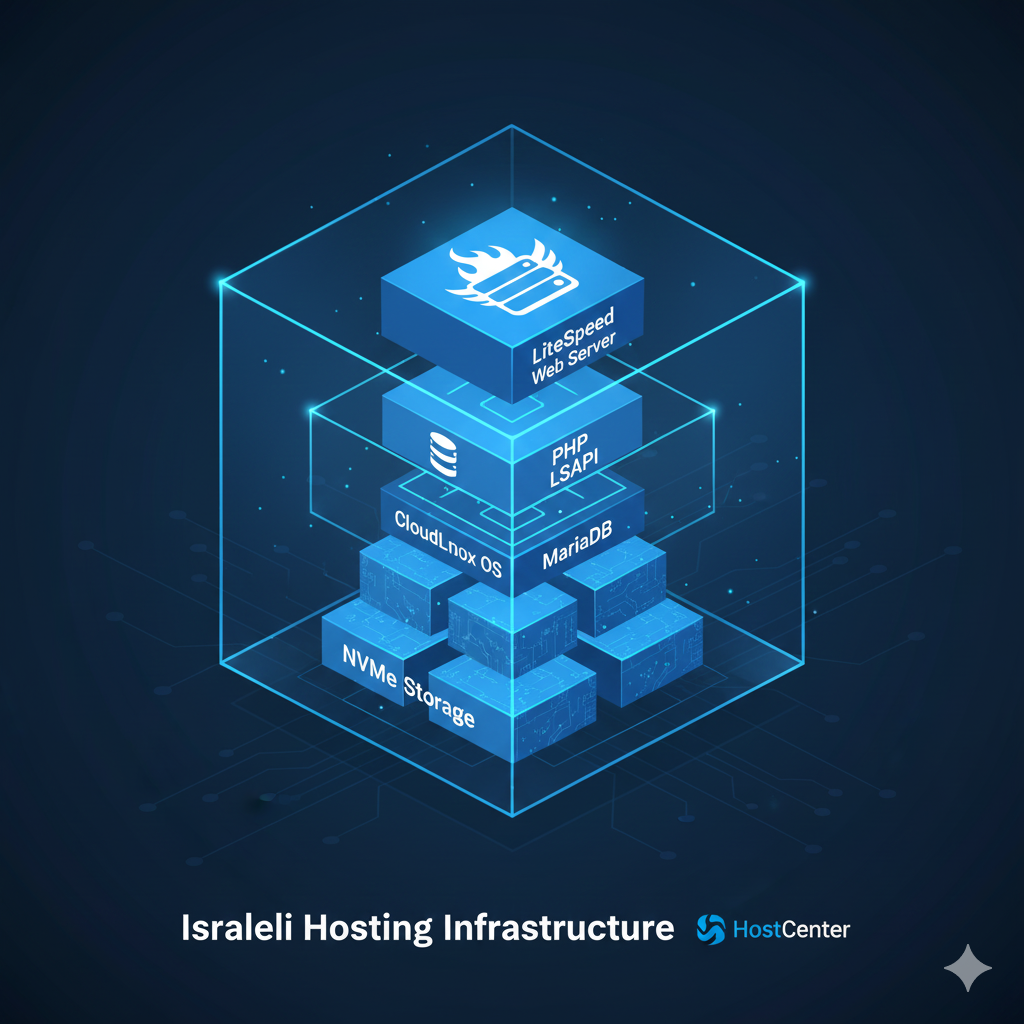
MySQL/MariaDB layer
- Optimization of InnoDB
- Buffer Pools Well-defined
- Monitoring of slow queries
- Handling of heavy tables
Security layer
- Imunify360
- CloudLinux
- CageFS
- WAF
- Real-time Monitoring
Professional support and continuous monitoring at HostCenter
Support that deeply understands WordPress and WooCommerce
including:
- Log checking,
- plugin troubleshooting,
- optimization
- , cache consulting
- , load testing,
- performance management
24/7 monitoring
of:
- Server availability,
- abnormal traffic
- , CPU loads
- , database failures
- , security attacks
Continuous monitoring makes it possible to catch faults before they affect users.

Real performance testing – what is really important to test and how to do it right
In the world of hosting, “the site is fast” is a statement that may sound nice, but professionals test performance using objective data. To gauge the quality of hosting, there is a series of tests that are recommended to be performed – not once, but over time.
Multi-location TTFB tests
One test is not enough.
TTFB should be tested from at least 3 locations:
- Israel
- Europe
- USA
Website performance in Israel will affect local SEO and user experience,
But tests from abroad check the true technical stability of a server and caching.
Professional tests are performed using the following tools:
WebPageTest, SpeedVitals, GTmetrix.
Measuring Fully Loaded Time
This figure ignores the code and focuses on the infrastructure.
A strong server will show:
- Loading time < 2.0 seconds on a regular website
- < 3.0 seconds on a WooCommerce store
- < 1.5 seconds for landing pages
Anything beyond << usually indicates a problem with load, disks, DB connections, or PHP resources.
FCP / LCP – Core Web Vitals Metrics
Both metrics are directly affected by the server:
- FCP – First drawing
- LCP – First large element
Slow server << Slow FCP << Slow LCP << Ranking hit.
HostCenter has low FCP times thanks to:
- LiteSpeed
- HTTP/3
- OPcache Optimization
- Low Latency
- NVMe Disks in Israel
Load Testing
Load tests are performed with:
- k6
- Loader.io
- Gatling
- JMeter
They examine what happens when:
- 20 concurrent users
- 50 concurrent users
- 200 concurrent users
- 1000 AJAX requests per minute
In real testing – the difference between “basic” and professional storage becomes clear.
Server-side testing – where is the bottleneck ?
Real performance is measured by these parameters:
- MySQL response time
- CPU usage
- PHP Workers load
- Disk I/O times
- Cache HIT vs. MISS amount
- PHP crashes or errors
- wp-cron behavior
On HostCenter servers, such monitoring happens regularly , not on request.
WordPress Optimization – What HostCenter Does Behind the Scenes (and After Years in the Field)
Most hosting companies claim to be “WordPress-friendly,” but in reality, it’s just running LiteSpeed Cache and that’s it.
True optimization requires deep knowledge of the system itself, the templates and plugins that are common in Israel.
Handling the wp_options table – the heart of the site
wp_options is responsible for:
- Loading system settings
- , plugins,
- session data,
- autoload options
On many sites, it reaches 300,000–1,000,000 records.
This creates:
- Slow page loading, slow
- wp-admin,
- DB loads
- , Checkout errors
HostCenter optimizes for autoload + cleans up orphaned entries.
Building indexes for heavy tables
A table like wp_postmeta or wp_usermeta can contain tens/hundreds of thousands of records.
Without proper indexes, queries will take seconds.
Optimization includes:
- Adding customized indexes
- , fixing primary keys,
- reducing irrelevant meta,
- handling lookup tables
Simply put – the site “breathes” anew.
Specific Cache Adjustment for Each Site
Caching is not “ON/OFF”.
In WooCommerce and most systems:
- Product Pages << Need Cash
- Cart << No Cash
- Category Page << Cash
- User Account << No Cash
- Checkout << No Cash
- Blog Pages << Cash
- Order Pages << No Cash
In HostCenter this is manually configured per site, not by a general default.
Cron Optimization
WordPress runs cron through users, not through a system.
On busy sites << this is a recipe for disaster.
The solution:
- Disabling wp-cron
- Setting up real cron on the server
- Reducing load from background calls
Image Optimization and Lazy Loading
The infrastructure allows:
- WebP creation ,
- true Lazy Load
- compression of images
- , external CDN integration if necessary
Handling heavy additives
Israel is full of heavy additions like:
- Shipping Plugins
- Payment Systems
- Elementor
- Subscription Plugins
- WooCommerce Bookings
Load tests and Query Monitor allow you to identify plugins that slow down and direct the customer to the right solutions.
Common WordPress errors and how proper infrastructure prevents them in advance
WordPress is a stable system, but on the wrong infrastructure it creates glitches that people think are “bugs.”
Real infrastructure prevents most problems.
PHP errors due to low memory_limit
On many servers memory_limit is set to 128M or even 256M.
For working with WooCommerce, Elementor, ACF –
That’s not enough.
HostCenter has a higher memory_limit by default, including manual adjustment for heavy sites.
CPU Exceptions Due to Problematic Plugins
Add-ons like:
- Import plugins
- Backup
- plugins Search plugins
- External security plugins
Can overload the server.
Thanks to CloudLinux + load monitoring, you can identify and address resource-hogging plugins.
Slow Queries
Slow queries cause:
- Slow Cart Slow
- Checkout
- Heavy Product Pages
- Rejecting AJAX Requests
HostCenter SQL Slow Log is enabled by default to detect slow factors.
Redis or Object Cache failures not configured
Object Cache is amazing – if it’s configured correctly.
When not:
- The site can crash,
- sessions are lost, and
- logins can fail.
On HostCenter servers, Redis is used in a controlled and customized manner.
Cron faults
When cron runs from the browser <<
Processes conflict, stop in the middle, or create congestion.
True server-side cron prevents:
- Heavy automations
- Inefficient cache cleaning Failed
- API synchronization Stuck
- plugin updates
Common CDN faults
A CDN that is not configured correctly causes:
- Broken CSS
- JS not loading
- Outdated pages
- Cache corruption
With LiteSpeed + correct settings, CDN integrates seamlessly and does not break the site.
How to choose a web hosting company – what is really important ?
Choosing a web hosting company sounds like a simple decision, but in reality it is one of the choices that has the most impact on a digital business. A fast, stable, and secure website depends not only on your code – but on the infrastructure that supports it. Therefore, it is important to know the real criteria that will allow you to choose quality storage, and not fall into common marketing traps.
Independent performance tests
Don’t rely on “up to 99.9% uptime” data.
The first parameter to check is:
Does the company present real Speed and Uptime data , from public and external monitors like UptimeRobot, BetterStack, or StatusCake?
A professional company is not afraid to disclose data in real time.
In addition, it is important to check:
- TTFB from Europe and Israel
- WebPageTest tests repeat
- response time under load
- API behavior (if the site makes external calls)
A company that presents transparent data << usually also has a stable infrastructure.

Hardware and network infrastructure – not all are equal
Old HDD and SSD servers are still common in the industry.
Today it is mandatory to work with:
- NVMe PCIe Gen4
- 10Gbps connections between servers
- LiteSpeed Enterprise
- CloudLinux with LVE
In addition, it is important to check whether the company uses quality Anycast DNS and not cheap ones from the domain’s previous provider.
Security – Not Just a Firewall
A professional storage company will incorporate:
- Imunify360
- Smart WAF
- Brute Force
- Protections Malware Scans
- Account Isolation (CageFS)
- Proactive Log Monitoring
- Managed PHP Updates
Without a managed security layer << the site becomes an easy target.
Technical support that understands WordPress
Support that asks you to “contact your developer” for any problem << This is a red light.
Good support should understand:
- wp_options
- Redis
- Slow Queries
- PHP
- Errors Cache Issues
- CDN
- Heavy Plugins
- Load Testing
That’s why choosing a company that understands WordPress at a deep level changes the entire experience.
Transparency and Simplicity
Look for a company that clearly presents:
- What is included?
- What is limited?
- What is considered a resource
- ? Are there any hidden costs?
- How are backups performed?
- What is the SLA?
- What is the frequency of updates?
Most importantly: don’t choose based on price alone – choose based on performance, security, and service.
This is a decision that will affect you for years to come.
Checklist before server migration + How HostCenter performs a proper and secure migration
Server migration is one of the most sensitive processes in the internet world.
When done incorrectly, serious problems arise such as broken design, data loss, WooCommerce crash, damage to SEO, and a drop in sales.
Therefore, it is worth understanding what exactly needs to be checked before moving, and what makes such a process stable and safe.
Before the move – necessary tests
1. Version compatibility check :
WordPress, PHP, MySQL, plugins, template – must be compatible with the new server version.
If the old server runs on PHP 7.4 and the new one on 8.2 <<
Old plugins may crash.
- Checking the size of the site and database :
Sites with bloated wp_options, thousands of images, or heavy databases need a special transition:
- Compression
- Optimization Table
- cleaning Load
- testing
- Checking Cron and Scheduled Actions:
WooCommerce sites with automations should deploy real Crons, not rely on WordPress defaults. - Checking external connections :
Payments (iCount/iCredit/PayPlus), deliveries, SMS extensions, CRM, API.
All of these require prior testing – otherwise Checkout may stop working.
5. Cache check and optimization plugins :
WP Rocket, LiteSpeed Cache, Autoptimize, and more can break a design.
It is important to perform the transition with cache turned off + full purge.
Professional Server Migration – How HostCenter Does It
At HostCenter, the transition is carried out through a structured process, the goal of which is to prevent any damage to the site:
- Full System Scan (Pre-Migration Scan):
Checking database integrity, file integrity, problematic plugins, and PHP errors. - Creating a temporary testing environment (Staging) :
Performing a transfer to a temporary domain, checking:
- Checkout
- Contact Forms
- Dashboard WooCommerce
- Speed
- API
- Cron
Only after success do we move on to the next stage.
- Moving to a new server with dual sync :
Files + database are transferred in two steps to prevent loss of new orders during the migration. - Gradual DNS update :
Enabling controlled distribution to increase stability (DNS Propagation). - Monitoring 24 hours after the transition :
Tests:
- 500 Errors
- CPU
- Loads DB Loads
- WooCommerce Pending tasks
- Broken Links
- CDN
- Object Cache
- Real User Monitoring
This is what prevents problems like: “Images not loading”, “Site is slow”, “Cart not saving items” or “Site is down”.
What Makes a Modern Storage Infrastructure Redundant? A Deep Look into the Architecture That Sets Real Companies Apart from the Market
In a world where web hosting has become an “off the shelf” product that many think is uniform – the real difference between basic hosting and modern premium infrastructure is abysmal.
Some companies use outdated rack servers, others improvised cloud solutions, and only a few are building an infrastructure that is fit for the loads of 2025: heavy WordPress, WooCommerce with thousands of AJAX requests, real-time sites, relentless cyberattacks, and a constant SEO aspiration for fast Core Web Vitals.
This is where the importance of proper storage architecture comes in – the engine that runs your website.
Let’s dive in and look at the integration between software, hardware, network, and security that elevates an average website into a spaceship.
Dedicated performance hardware – NVMe Gen 4 , smart RAID and advanced IO scheduling
Older SATA-based devices are no longer relevant.
To handle WordPress + WooCommerce loads requires:
- NVMe PCIe Gen4 with speeds of 7,000MB/s
- NVMe RAID10 arrays for combining speed + data redundancy
- Advanced hardware controllers enabling high Queue Depth
These are not marketing numbers – they are what allows a website to handle 10,000–100,000 file reads per second.
WordPress is made up of thousands of PHP files – slow disk = slow website.
Modern infrastructure allows:
- Consistent loading times even under load
- Less CPU load
- Less swap usage
- Direct jump in Lighthouse scores
Without true NVMe – you won’t pass the 2025 performance threshold.
Optimal CPU for storage – fast cores, not necessarily many
Most people think that the more cores, the better.
In practice, for WordPress loads what really matters is:
- High core speed (3.8GHz–5.2GHz)
- Large L3 cache
- Ability to handle many PHP Workers simultaneously
WordPress doesn’t benefit from many slow cores –
It benefits from fast cores.
Therefore, modern storage architecture uses processors of the following types:
- AMD EPYC “Milan / Genoa”
- Intel Xeon generation 3-4
- Optimized Cloud Compute
All to make sure the site can handle hundreds of simultaneous users without crashing.
LiteSpeed Enterprise – the new standard, and those who don’t work with it are left behind
Apache wasn’t built for today’s busy WordPress world.
NGINX is good – but limited on WordPress without a smart cache layer.
LiteSpeed Enterprise is today the world’s #1 server for dynamic websites , thanks to:
- Fast handling of PHP
- HTTP/3 operations Built-in
- Native Object Cache
- ESI caching (partial cache for dynamic pages)
- Full integration with WooCommerce
- Advanced compression engine
- Perfect interfacing to Redis
Real results measured in the WP community show:
- Up to 70% reduction in CPU load
- Up to 3× page speed
- Significant improvement in Core Web Vitals
- Ability to serve 4–10 times more users without increasing resources
Anyone who doesn’t work with LiteSpeed in 2025 is working with 2015 technology.
Redis + Object Cache – Accelerated, Isolated, and Properly Managed
Object Cache is one of the important components of a large website speed.
But it is not enough to “install Redis”.
What is important is:
- Isolation for each site
- Correct cache lifetime
- Preventing session collisions
- Monitoring Redis loads
- Running rules adapted to WooCommerce
When Redis is configured correctly:
- Checkout runs fast
- API calls become stable
- WordPress dashboard loads 2–4 times faster
- Database is barely touched by repeated queries
When Redis is configured incorrectly –
The site is crashing.
This is why Object Cache is one of the areas that requires real professional knowledge.
CloudLinux and CageFS – complete separation that prevents “one client takes down a server ” effect
On a regular shared server, if one client is hacked or overloaded –
The entire server is falling apart.
CloudLinux solves this by:
- Resource separation (CPU, RAM, Disk IO)
- Per-user process limitation
- Complete file isolation using CageFS
- Rules against resource-guzzling plugins
- Advanced LVE protection
This means:
- Another client’s slow website will not affect you.
- An attack on the server will not leak to another website.
- Stability is significantly higher.
That’s why CloudLinux is the “insurance” of modern storage.
Layered Security – Imunify360, Smart WAF and Real-time Threat Detection
WordPress is attacked more than any other system in the world , so security must be layered:
- WAF that protects against SQLi / XSS / LFI
- Automatic Malware scans
- Blocking malicious bots
- Brute Force protection on wp-login
- File Integrity monitoring
- Zero-Day attack detection
- Customized ModSecurity rules
Imunify360 provides real-time, AI-based anomaly detection that is perfectly suited for multi-tenant infrastructures.
This is no longer an “antivirus plugin” – it is a separation mechanism that prevents lateral infection.
Network and DNS – the least talked about but most critical foundation for stability
Cheap DNS brings down WordPress sites like Domino.
Modern storage must use:
- Anycast DNS
- Low TTL for fast server switching
- DNS Flood protection
- 24/7 DNS monitoring
In addition, 10Gbps network connections within the data center allow for:
- Fast loading of images
- Perfect CDN performance Consistent
- response times even under load
- Shortening API times between backend servers
A strong network is the foundation of all website performance – but almost no one talks about it.
Optimal PHP configuration for WordPress – not “default settings ”
WordPress requires different PHP adjustments than a regular website:
- OPcache with correct ttl
- max_children optimized for loads
- high memory_limit for heavy sites
- managed session locking
- queue management (workers) under LiteSpeed
- protections against Cron loops
- support for LSAPI instead of regular FPM
A quality PHP configuration can improve performance by 30% without adding an ounce of hardware.
Advanced Monitoring – Where the Real Game Happens
A hosting company that operates “as usual” simply responds to failures.
A modern hosting company advocates:
- Real-time PHP errors
- CPU loads Slow
- database
- I/O loads
- Redis issues
- Real-time attacks
- Failed API calls
- SSL health
- TTFB times for each site individually
This is why websites with quality infrastructure experience a stability that even customers can’t explain – they simply feel “it works.”
Summary – Modern storage is no longer just a server. It’s a complete ecosystem
Good storage is not a product – it is an array:
- Hardware
- Network
- Security
- Configuration
- Cache
- Monitoring
- Load Management
- Technical team that understands WordPress in depth
This is the combination that turns a regular website into a fast, reliable, stable, and secure website – even under thousands of visitors, under attacks, and even when the code is problematic.
This is the difference between “storage” and the real infrastructure of a serious digital business .
Frequently Asked Questions – FAQ (about 20 questions + professional answers)
❓ What is web hosting actually?
A physical location on a server where the website files, database, and the system that runs it are stored.
❓ What is the difference between storage in Israel and abroad?
Served in Israel<< Fast loading time<< Better ratings.
Served abroad<< High response time<< Slowness.
❓ Does web hosting affect SEO?
Yes – through TTFB, availability, protocols, speed, and stability.
❓ What is CloudLinux?
A system whereby each site receives a “quota” of resources – and cannot influence others.
❓ What is Imunify360?
An advanced security system that protects the site in real time against most types of attacks.
❓ I’m afraid of hacking – how do you protect?
WAF, Proactive Defense, scans, Brute Force prevention, server-level security protections.
❓ Why not get cheap storage?
Because it hurts speed, security, support, and reliability.
❓ Can I transfer an existing website to you?
Yes – Host Center performs full transfers at no cost.
❓ Is the hosting suitable for WordPress?
Yes – specially optimized and includes LSCache, optimized PHP, Redis on demand and more.
❓ What about WooCommerce?
Optimized for loads, fast, with dynamic cache and full support.
❓ My website is busy – do I need a VPS?
If there is a lot of traffic or heavy WooCommerce – yes.
❓ I have a small website – is shared hosting enough?
Usually yes – especially when it’s with CloudLinux and LiteSpeed.
❓ What happens if the website suddenly crashes?
Host Center identifies problems quickly, checks logs, and takes care of them.
❓ Are there daily backups?
Yes – full + external backups.
❓ How fast will the website work?
Generally very fast – low TTFB and fast loading on mobile.
❓ Is it possible to increase resources?
Yes – up or down.
❓ Where are the servers located?
Infrastructure in Israel.
❓ Can I get real-time technical support?
Definitely – this is one of Host Center’s strengths.
Summary – Why Quality Hosting Is the Foundation of Every Successful Website
Quality storage is not a “bonus” – it is an essential part of digital success.
HostCenter provides a rare combination of:
Speed,
stability,
security,
backups,
Israeli infrastructure,
real support,
over 20 years of experience,
fully compatible with WordPress.
Anyone who wants a strong, fast, stable, and secure website needs a truly high-quality infrastructure.
Clarification : It is important to clarify that not all features, services, and capabilities listed in the article apply to every customer, and are provided depending on the type of package selected and the level of service actually purchased.
No-obligation consultation with a Host Center representative