
Purchasing a CloudLinux license from an authorized provider in Israel
27/11/2025

Can a load-sharing server remain stable even when one client runs a heavy script—without bringing down all the sites?
Purchasing a CloudLinux license from an authorized provider in Israel provides hosting owners, integrators, and MSPs with a practical solution for stability, isolation, and security. For environments with cPanel or Plesk, choosing an authorized CloudLinux provider in Israel combines proven technology with local availability and service.
When considering a CloudLinux license for cPanel or a CloudLinux license for Plesk , it is important to make sure you are purchasing a server license in Israel with legal licensing for tax invoices and Hebrew support. Working with a CloudLinux Partner Israel reduces risks, shortens implementation times, and brings an SLA that matches the pace of business.
This article will detail how to choose the right path, what the licenses include, and how to implement LVE , CageFS , and Imunify to achieve predictable performance under load, ensuring smart scaling, transparent cost-benefit, and peace of mind in a multi-tenant environment.
Main points
- Choosing an authorized CloudLinux provider in Israel provides local support and a customized SLA.
- CloudLinux licensing for cPanel and Plesk ensures resource isolation and consistent security.
- Buying a server license in Israel allows for legal licensing for tax invoices and regulatory compliance.
- CloudLinux Partner Israel shortens the purchase, activation, and implementation processes.
- Solutions like LVE and CageFS provide stability under load in collaborative environments.
- Proper matching of components and versions prevents failures and improves TCO.
Why choose CloudLinux for hosting servers in Israel?
CloudLinux is built for multi-tenant environments and allows for managing client density without losing stability. The combination of LVE and CageFS creates a layer of control and isolation that reduces noise between sites and maintains consistent CloudLinux performance . For local hosting companies, this means a smooth user experience and operational silence.
Stable performance under high load
LVE limits CPU, RAM, I/O, IOPS, and Entry Processes resources for each account. This prevents the “noisy neighbor” phenomenon even during peak hours or when running heavy scripts. The direct result is stable response times and load stability for Shared Hosting, along with improved Uptime metrics.
Whether it’s Black Friday or a PPC campaign, resource allocations prevent lateral collapse. Support teams see fewer escalations thanks to CloudLinux performance that remains consistent over time.
Resource isolation and improved account security
CageFS provides a transparent shell that isolates files and user environments. Isolation reduces exposure to system information, makes privilege escalation difficult, and reduces lateral movement between accounts. This strengthens the security of multi-account servers without compromising speed.
Combining LVE with CageFS creates a double line of defense: resource control on one side and shell hardening on the other. Platform administrators benefit from fewer security incidents and clean, clear monitoring.
Full compatibility with cPanel and Plesk management panels
cPanel CloudLinux compatibility and Plesk CloudLinux compatibility allow for direct integration with management tabs, resource profiles, and MultiPHP tools. PHP Selector provides version selection for each site, along with extensions, Node.js, and Python Selector – all from within the familiar panel.
The result is agile operations, fewer support tickets, and freedom of choice for developers. For hosting teams in Israel, the natural connection to panels shortens processes and improves service level SLA.
| Core capability | Practical contribution | Impact on Hosting in Israel |
|---|---|---|
| LVE | CPU/RAM/I/O throttling per account and preventing “noisy neighbor” | Shared Hosting load stability and maintaining response times |
| CageFS | File isolation and hiding sensitive system information | Securing multi-account servers and mitigating cross-platform risks |
| PHP Selector | Choosing versions and extensions at the site level | Less dependency on support and flexibility for developers |
| cPanel CloudLinux Compatibility | Full integration with WHM and resource profiles | Uniform and fast management in a familiar environment |
| Plesk CloudLinux Compatibility | Resource control and built-in dashboards | Stable operation in the cloud and on-prem installations |
Advantages of purchasing from an authorized supplier in Israel
Purchasing through an authorized CloudLinux provider in Israel provides fast operational continuity, efficient communication, and full coordination with a local hosting service . Working with a CloudLinux integrator who is familiar with cPanel and Plesk environments in Israel reduces risks, shortens time, and maintains compliance with business procedures and tax regulations in Israel.

Hebrew support and local availability
With Hebrew CloudLinux support, you receive human response by phone, email, and a troubleshooting system during business hours in Israel. Familiarity with load profiles of local hosting providers allows for quick troubleshooting and precise guidance for LVE, CageFS, and Imunify settings in production environments.
Combining a local hosting service with a CloudLinux integrator ensures shorter communication distances and closing language gaps. Prioritization based on local SLA and coordination with the customer’s NOC and operations teams.
Legal and regulatory compliant tax invoice
An authorized CloudLinux vendor in Israel issues a software license tax invoice in shekels and aligns the purchase with organizational accounting processes. The accounting history is accurately maintained, with budget codes, blanket orders, and purchase approvals.
The processes meet tax regulatory requirements in Israel and are aligned with internal controls such as SOX and ISO 27001. This allows for full transparency for auditing, including documentation of licenses, renewals, and changes.
Shortening delivery and implementation times
Immediate license availability and local activation channels result in rapid deployment on servers. The implementation team applies LVE profiles, sets resources based on expected load, and configures CageFS at launch.
The CloudLinux integrator streamlines delivery thanks to practical knowledge of common configurations in Israel. Integrating automation reduces downtime risks and shortens the maintenance window.
Added value: Optimization and hardening consulting
The consultation includes fine-tuning for IO/IOPS/EP, adjusting Limits by client type, and guidance on separating service tiers. Alongside this, hardening is performed: disable_functions in PHP, SSH policy, and hardening in sysctl while maintaining stability.
Local Hosting provides ongoing performance assurance through trend monitoring and tiered licensing upgrades. When necessary, an orderly escalation to CloudLinux Inc. is performed with business-critical cases prioritized.
| advantage | What is actually obtained? | Business impact |
|---|---|---|
| Hebrew Support CloudLinux | Local response, SLA coordination, familiarity with Israeli hosting | Fast solution, less downtime |
| Software licensing tax invoice | Invoice in shekels, matching to purchasing and control | Full compliance with tax regulations in Israel |
| CloudLinux Integrator | Implementing LVE/CageFS/Imunify according to workloads | Stable performance and secure scaling |
| Local Hosting Service | Fast delivery and activation | Short Time-to-Value and Operational Efficiency |
Purchasing a CloudLinux license from an authorized provider in Israel
Purchasing from an authorized supplier provides a clear path: a price quote in shekels, a streamlined ordering process, and a service envelope in Hebrew. This way, you benefit from an official CloudLinux license , local support, and rapid implementation in business hosting environments in Israel.
The immediate value is created by combining meticulous technical alignment with accurate CloudLinux license activation . The result is high availability, stability under load, and peace of mind for DevOps and IT teams.
What does the official CloudLinux license include?
An official CloudLinux license provides access to dedicated repositories, LVE Manager, CageFS, PHP Selector , HardenedPHP, and MySQL Governor . The combination of tools allows for load balancing, user environment hardening, and secure PHP version management.
The authorized provider assists in implementing HardenedPHP for Legacy versions and running MySQL Governor to curb heavy queries. This provides effective control with supported CloudLinux versions and operational continuity in panels such as cPanel and Plesk.
Compatibility check: server type, operating system and versions
Before purchasing, check the type of infrastructure: Bare Metal, VPS or AWS, Microsoft Azure or Google Cloud machines. This is accompanied by a check for a compatible operating system, usually AlmaLinux, Rocky Linux or RHEL-compat distributions, including CentOS Legacy in some cases.
Supported CloudLinux versions , kernel version, cPanel/WHM or Plesk compatibility, and directory status such as /boot are checked. It is recommended to allocate 1–2 vCPU and 2–4GB RAM for a small server, and more for load environments, to maintain stability during CloudLinux license activation and deployment.
Fast purchase and activation process
The authorized vendor issues a quote, places an order, and provides a License Key or connection to an account on the CloudLinux Network. Install the packages using yum or dnf and register with clnreg_ks. The time to activate a CloudLinux license is usually short, from minutes to hours.
Once activated, you can configure LVE, enable CageFS, and select PHP versions via PHP Selector. The process is transparent, measurable, and coordinated with hosting teams to meet internal SLA.
Renewal, cancellation and upgrade policy
CloudLinux license renewal is performed on a monthly or annual cycle, according to the agreement. Cancellation requires prior notice, in accordance with the terms established with the authorized provider. Billing tracking is performed in NIS, with a tax invoice as required by law.
Upgrading licensing paths is available when workloads increase: moving to Bulk packages, adding Imunify360 or ImunifyAV+, and aligning with supported CloudLinux versions . This maintains business continuity along with timely CloudLinux license renewals and varying workloads.
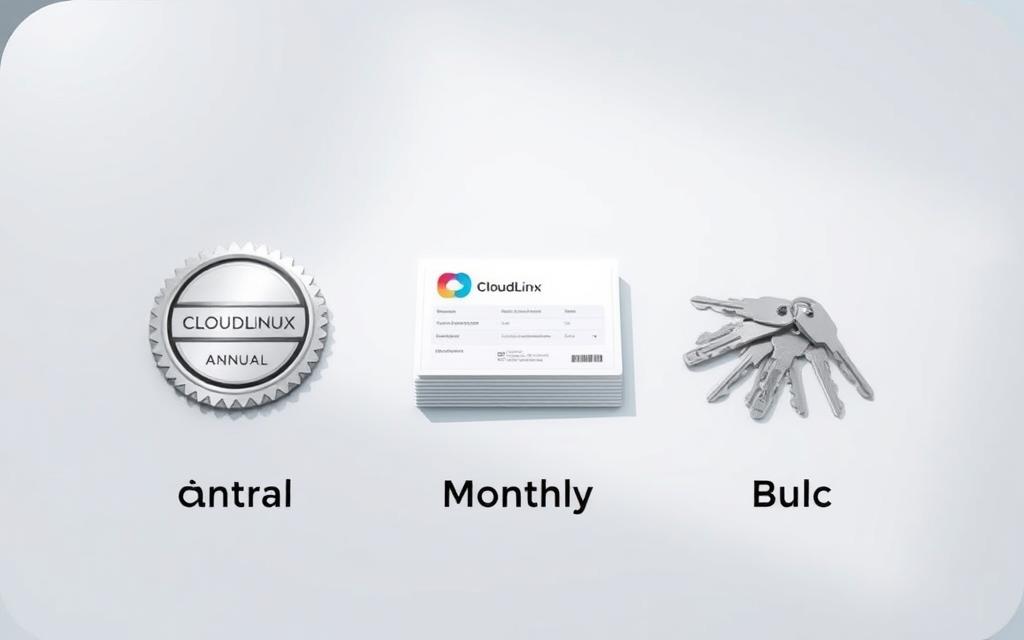
Package and licensing comparison: annual, monthly, and bulk
Choosing the right licensing model directly impacts throughput, flexibility, and TCO for hosting . Small businesses will prefer to start with a flexible solution, while multi-server operators will look for quantitative advantages and reduced operating costs. To make a transparent decision, it is recommended to compare CloudLinux costs between different routes.
Total Cost of Ownership (TCO) for Hosting Operators
When calculating TCO for Hosting, indirect effects should be included beyond the licensing price: high stability that shortens support time, higher customer density per server under LVE, and reduced downtime risks. Integration with Imunify360 reduces security costs and response times.
For temporary or pilot projects, CloudLinux monthly licensing provides flow control and no long-term commitment. In contrast, CloudLinux annual licensing reduces average cost and simplifies administrative management throughout the year.
Quantity discounts and scaling considerations
Organizations with dozens or hundreds of servers benefit from CloudLinux Bulk Licensing and Authorized Provider Framework Agreements, with volume license discounts , billing consolidation, and customized SLAs. This model makes it easy to quickly scale up or down based on demand.
- Efficient scaling: Accurate load balancing reduces overprovisioning and increases hardware utilization.
- Budget timing: Centralizing innovations reduces gaps between charges and makes cash forecasting easier.
- Support Team: CloudLinux stability reduces call openings and improves satisfaction.
Pricing vs. alternatives and business value
Compared to alternatives such as running without LVE isolation or generic container solutions, CloudLinux provides direct integration with cPanel and Plesk , per-user Resource Usage metrics, and HardenedPHP for compliance. Comparing CloudLinux costs should also consider customer retention and churn reduction.
| orbit | Typical use | Impact on TCO | Key benefits |
|---|---|---|---|
| CloudLinux Monthly Licensing | Pilots, temporary projects, peak seasons | High flexibility, predictable monthly cost | No long-term commitment, dynamic capacity adjustment |
| CloudLinux Annual Licensing | Stable environments with fixed volumes | Relative savings over a year | Administrative simplicity, low effective cost |
| CloudLinux Bulk Licensing | Dozens/hundreds of servers | Volume license discounts and SLA negotiations | Centralized billing, rapid scaling, centralized management |
In summary, combining monthly CloudLinux licensing for variable projects with annual CloudLinux licensing for fixed environments, and in high-volume locations using Bulk CloudLinux licensing , provides a mix that balances flexibility, cost, and operations. This avoids budget overruns while maintaining availability and customer experience.
Technical compatibility and system requirements
Before installation, it is recommended to verify compliance with the CloudLinux system requirements , including minimum memory, processor, and storage, a permanent connection to the official repositories, and firewall permissions for licensing and update ports. Virtual systems should be backed up or snapshotted, especially when supporting KVM/VMware or deployments on Hyper-V and cloud environments.
RHEL-based distributions such as AlmaLinux and Rocky Linux are supported, so it is important to check for AlmaLinux/Rocky support against confirmed versions. In addition, Kernel compatibility with the CloudLinux customized kernel is required to allow modules such as MySQL Governor and Imunify360 to run stably.
On servers with common panels, cPanel/Plesk compatibility in Israel requires current versions according to the support matrix. Older systems may require conversion to AlmaLinux or Rocky Linux before migrating. It is recommended to check existing plugins such as CSF/LFD, ModSecurity, LiteSpeed or OpenLiteSpeed, and NGINX Reverse Proxy to avoid overlapping with LVE limitations and virtual file systems.
Safe Work Tip: Perform a brief load test after installation to ensure that LVE settings, drivers, and kmods have loaded properly, especially in environments with KVM/VMware support .
| component | What to check | Practical recommendation |
|---|---|---|
| Distribution | AlmaLinux/Rocky support in supported versions | Alignment to a stable version of AlmaLinux or Rocky before installation |
| Kernel | Kernel compatibility with CloudLinux kernel | Installing the customized kernel and testing kmods loading |
| Virtualization | KVM/VMware, Hyper-V, and Cloud support | Creating a snapshot and testing drivers on each hypervisor |
| Management panels | cPanel/Plesk compatibility in Israel according to the latest matrix | Update WHM/cPanel or Plesk before enabling LVE and CageFS |
| Databases | MySQL/MariaDB versions of MySQL Governor | Checking server packages and extension compatibility |
| securing | Imunify360 integration with compatible kernel | ModSecurity rule validation and conflict avoidance |
| Network and updates | Repos access and outbound firewall permissions | Opening licensing ports, signatures, and updates regularly |
Actual implementation: LVE, CageFS, and Imunify
After a basic installation in cPanel or Plesk, we move on to careful tuning that balances stability and performance. LVE configuration , CageFS Hardening , Imunify360 integration , PHP Selector, MySQL Governor, and CloudLinux monitoring solutions combine into one suite that protects, isolates, and directs loads in real time.

Setting LVE to limit CPU, RAM, and IO
Start with conservative profiles for each hosting package, broken down by site type such as WordPress, WooCommerce, and Laravel. Set LVE for CPU%/cores, Memory limit, I/O throughput, IOPS, and Entry Processes, then check for exceptions.
Gradual increase in ceilings is determined only after measurement. PHP Selector integration allows you to set the PHP version and extensions for each client without affecting neighbors. For heavy load tiers, MySQL Governor is enabled to throttle queries and ensure predictable response.
Enabling CageFS to harden a user environment
Add users to the cage, update skeleton, and restrict binaries and paths to reduce attack surface. The CageFS Hardening process creates isolation at the file and directory level, preventing access to irrelevant system information.
For customers who need a console, only a restricted shell is enabled and permissions are maintained even after updates. This maintains consistency between security and usability.
Integration with Imunify360/ImunifyAV
Imunify360 integration brings WAF, Malware Scanning, Patch Management, and Proactive Defense with automatic cleaning through the cPanel and Plesk interfaces. When basic scanning is required, ImunifyAV is a lighter alternative.
It is recommended to enable HardenedPHP for older versions required by certain sites, and manage extensions through PHP Selector to reduce risks without compromising compatibility.
Monitoring, Alerts, and Best Practices
Enable CloudLinux monitoring in LVE Manager dashboards, and if necessary integrate data into Prometheus, Grafana, or Zabbix for load trends. Fault and Throttling alerts help to tune packages in a timely manner.
- Best Practices : Tagging packages by usage and periodic load testing routines.
- Log rotation, shell limitation to a minimum, and live kernel updates when supported.
- Transparent documentation of Limits per Tier and cross-checking data with MySQL Governor for consistent improvement.
Security, performance, and post-purchase support
Once CloudLinux is fully operational, continuous management determines stability. Well-planned CloudLinux maintenance , along with monitoring response times and load metrics, ensures a smooth hosting experience. Combining clear processes with CloudLinux Israel technical support expedites resolution and helps maintain consistent hosting SLA .
Regular updates and scheduled maintenance
Establish a regular maintenance window for updates to hardened packages, kernels, and configurations. KernelCare or Live Patching updates reduce service outages and enhance resiliency. Additionally, daily site and configuration backups facilitate rapid recovery.
Action tip: Schedule weekly health checks for all services, and define supported PHP health checks alongside version updates.
Troubleshooting common problems and escalation to the provider
In cases of congestion or slowdown, start with LVE troubleshooting : check for throttling, CPU/RAM/IO exceptions, and adjust Limits for demanding clients. Review Imunify logs for malicious files, and confirm proper CageFS permissions.
If the problem persists, perform an orderly escalation to the authorized provider with full system details: versions, logs, and step-by-step recovery. This way, CloudLinux Israel technical support can prioritize and resolve the issue faster.
Performance metrics: response times, resource utilization, and SLA
Set clear KPIs: monitor average and p95 response times , CPU/RAM/IO utilization rate per customer, and LVE ceiling hit rate. Track overall availability to maintain hosting SLA aligned with customers.
Monthly data analysis reveals heavy users, enables package optimization, and suggests data-driven upgrades. Integrate WAF testing, vulnerability scans, PHP updates, and rate limiting alongside a CDN to reduce attack risks.
conclusion
For the Israeli hosting market, CloudLinux offers a stable foundation for multi-tenant systems. Purchasing a CloudLinux license from a licensed provider in Israel guarantees Hebrew support, legal tax invoices, and rapid implementation. This way, you achieve server stability alongside efficient and transparent operation, without compromising on performance.
The combination of LVE, CageFS, and Imunify strengthens hosting security and creates effective resource isolation from “noisy neighbors” and attacks. The result is consistent response times, high SLA, and fewer recurring issues for support teams. This is key to customer satisfaction and healthy growth.
Choosing a smart CloudLinux licensing model for businesses in Israel—monthly, annual, or bulk—along with proactive monitoring and scheduled maintenance maximizes TCO and reduces ongoing expenses. With proper configuration and compatibility with panels like cPanel and Plesk, you get long-term server stability and good preparation for local regulation.
In conclusion, purchasing a CloudLinux license from an authorized provider in Israel is a practical step towards improving performance, hosting security , and resource isolation. Organizations that implement Best Practices enjoy higher server throughput, a smooth user experience, and a level of service that meets Israeli standards.
FAQ
Why choose CloudLinux for Shared Hosting servers in Israel?
CloudLinux improves stability, security, and resource isolation with LVE and CageFS, prevents “noisy neighbor,” and maintains consistent response times even under load. It integrates naturally with cPanel/WHM and Plesk, including PHP Selector, Node.js, and Python Selector, reducing support calls and increasing SLAs.
What is the advantage of purchasing a license from a licensed provider in Israel?
An authorized provider provides support in Hebrew, a legal tax invoice in shekels, local response times, and a customized SLA. It is accompanied by rapid activation, optimization consulting for LVE/CageFS/Imunify360, and handling of escalations with CloudLinux Inc. according to business priority.
What modules are included in the official CloudLinux license?
The license includes LVE Manager, CageFS, HardenedPHP, PHP Selector, MySQL Governor, and dedicated package repositories (repos). You can integrate Imunify360 or ImunifyAV+ for WAF protection, malware scanning, and Proactive Defense.
How is a compatibility check carried out before purchase?
Check server type (Bare Metal, VPS, KVM, VMware, Hyper-V or cloud like AWS/Azure/GCP), supported distro like AlmaLinux or Rocky Linux, kernel version, cPanel/WHM or Plesk compatibility, and minimum resource requirements. MySQL/MariaDB support for MySQL Governor is also checked.
What is the purchase and activation process?
You receive a price quote in NIS from the authorized supplier, place an order, receive a License Key or connection to the CloudLinux Network (CLN), install packages via yum/dnf, and register using clnreg_ks. Activation usually takes minutes to hours.
Is CloudLinux compatible with cPanel and Plesk in all versions?
There is full compatibility with officially supported versions. It is recommended to check with Matrix for the latest support, and update versions before installing. In older environments, conversion to AlmaLinux or Rocky Linux may be necessary.
How does LVE protect against abnormal loads?
LVE limits CPU, RAM, I/O, IOPS, and Entry Processes per account. When a site exceeds, the limits prevent spillover to other customers, so uptime and performance are maintained.
What is CageFS and how does it improve security?
CageFS is a file isolation layer and “caged” user environment that hides system information, protects against privilege escalation, and reduces lateral movement between accounts. It is particularly well-suited for multi-tenancy.
Is it recommended to combine Imunify360 or ImunifyAV?
Yes. Imunify360 provides WAF, Malware Scanning, Patch Management, and Proactive Defense with cPanel/Plesk integration. ImunifyAV is a lighter alternative to scanning. Both complement CloudLinux and reduce security costs.
What is the difference between monthly, annual and bulk licensing?
Monthly is flexible and suitable for pilots. Annual saves costs and administration. Bulk is suitable for server fleets and provides tiered discounts, centralized billing and improved SLA terms. The choice depends on TCO, scaling and throughput.
How to calculate TCO for CloudLinux?
Beyond licensing costs, consider reduced support calls, improved client-to-server density, reduced downtime, and lower security costs when combined with Imunify360. Analyzing KPIs such as p95, Throttling rate, and Uptime will help assess business value.
What are the minimum server requirements?
For a small server, we recommend at least 1–2 vCPUs and 2–4GB RAM, a permanent link to the CloudLinux repos, and opening outbound ports for licensing and updates. For high-load environments, higher allocation and fast disk resources are required.
How are LVE definitions implemented in practice?
Start with conservative profiles for each hosting package: CPU%, memory, I/O, and IOPS by site profile (WordPress, WooCommerce, Laravel). Monitor Faults and gradually update limits via LVE Manager.
How do you run HardenedPHP safely?
Enable hardened PHP versions for Legacy sites, manage extensions in PHP Selector, and make sure to Disable critical functions. It is recommended to pair with Imunify360 and ModSecurity for additional hardening.
Can MySQL Governor be used with MariaDB?
Yes, as long as the version is supported by CloudLinux. The tool limits heavy queries per user, balances loads, and prevents latency spikes in the database.
What about compatibility with LiteSpeed, NGINX, or Reverse Proxy?
There is widespread compatibility with LiteSpeed/Web ADC, OpenLiteSpeed, and NGINX Reverse Proxy. Make sure there is no conflict with LVE limits and perform load tests after cache or proxy changes.
Is there an impact on WordPress and WooCommerce performance?
Yes, LVE isolation and CageFS hardening provide predictable response times even during campaign times. You can set dedicated limits for demanding sites and take advantage of OPcache and Object Cache.
How is a license renewed, canceled, or upgraded?
Renewal can be monthly or annual depending on the agreement. Cancellation requires prior notice. You can upgrade to Bulk packages or add Imunify360/ImunifyAV+ in a centralized licensing through the authorized provider.
How do you deal with Faults and Throttling?
Check graphs in LVE Manager, identify outlier accounts, adjust limits, or recommend a plan upgrade. It is important to check Imunify logs and I/O utilization before making threshold changes.
Is it recommended to use KernelCare or Live Patching?
Yes. KernelCare or Live Patching solution reduces maintenance windows and increases availability. This is significant for SLA and preventing planned downtime.
How is escalation to advanced support done?
Contact the authorized provider with complete system information: versions, logs, recovery steps, and timestamps. The provider is prioritized over CloudLinux Support and is supported until a solution is found.
Is CloudLinux suitable for AWS, Microsoft Azure, and Google Cloud?
Absolutely. Can be deployed on EC2, Azure VM and GCE as long as the distro and kernel are supported. It is recommended to create a Snapshot before installation and check Security Groups for repos and updates.
How to verify compliance with CSF/LFD and ModSecurity?
Verify updated rules, required exceptions for CLN and repos, and check that licensing ports are not blocked. After updating rules, perform load tests and error logs to ensure there are no false blocks.
What KPIs should be monitored after implementation?
Average and p95 response times, Uptime rate, CPU/RAM/I/O usage per customer, Throttling percentage, and fault handling times. Monthly analysis helps improve packages and reduce churn.
Is there support for live monitoring via Prometheus or Zabbix?
Yes. You can integrate metrics from LVE Manager with Prometheus/Grafana or Zabbix, and set up alerts for Faults, Throttling, and IOPS spikes to respond in real time.