
In today’s evolving digital world, virtual private servers are subject to many security risks. These threats are constantly evolving and put your valuable information at risk.
Server security has become a critical issue for any business owner or developer. Hacking, viruses, and cyber attacks can cause huge financial damage. That’s why it’s important to invest in a reliable and professional solution.
This guide will help you understand why Imunify360 is the right choice. We will learn together about advanced malware protection and the steps required for perfect protection.
You’ll discover how purchasing the right solution will give you peace of mind, allowing you to focus on growing your business instead of worrying about security issues.
Key points
- VPS servers are exposed to ongoing and evolving security threats
- Imunify360 provides multi-layered protection against viruses and malware
- The solution includes real-time monitoring and advanced threat detection.
- Simple and quick installation with a friendly management interface
- Saving on maintenance costs and handling cyber attacks
- Professional technical support in Hebrew
- To purchase imunify360 for the server at a discounted price
What is Imunify360 and why does your server need it?
Imunify360 represents a true revolution in the world of server security and critical data protection. It is a comprehensive security solution specifically designed to address the complex challenges of VPS servers and advanced storage systems. This tool has become the gold standard in server protection.
Today’s digital reality requires a higher level of protection than ever before . Many businesses are finding that basic security solutions are no longer sufficient against new and advanced threats.
Defining Imunify360 and its role in the world of security
Imunify360 is a multi-layered security solution developed specifically for Linux operating systems. It combines advanced artificial intelligence and behavioral analysis technologies. The system provides comprehensive real-time protection.
The tool acts as a smart server firewall that learns and adapts to your unique work environment. It detects new attack patterns and responds to them automatically. This allows for continuous protection without disrupting your daily operations.
“Information security is no longer an option – it is a fundamental necessity for every digital business”
Common Security Threats to VPS Servers
VPS servers are exposed to a wide range of security threats that are constantly evolving. Malware attacks are becoming more sophisticated and can cause significant financial damage. Advanced viruses are able to hide in the system for long periods.
Hacking attempts are a daily threat that every server owner is familiar with. Hackers use automated tools to scan for vulnerabilities. They try to exploit known security holes or guess weak passwords.
DDoS attacks are another threat that can completely cripple your server. An advanced security monitoring system is essential for early detection of such attacks. Without proper protection, your business could suffer from extended downtime.
The benefits of using an advanced security solution
Advanced security solutions like Imunify360 offer significant advantages over basic alternatives. The multi-layered defense ensures that even if one layer is compromised, the other layers will continue to protect. This creates a strong and reliable defense system.
The ability to automatically update ensures that the system is always up to date with the latest threats. Advanced attack pattern detection enables a fast and effective response. The system learns from each attack and improves its capabilities.
Free or basic solutions often provide only partial protection. They are not updated frequently and do not offer professional support. Imunify360 provides constant security monitoring with instant alerts for any suspicious activity.
Key Features and Benefits of Imunify360
The Imunify360 security solution combines innovative technologies that provide comprehensive and effective protection for VPS servers. The system was developed to address the complex challenges of server security in the digital age. Each security license includes access to a wide range of advanced tools that work automatically and effectively.
The system’s core features are built on years of experience in information security. They enable multi-layered protection that covers all aspects of security required for a secure server . The system is continuously updated to deal with new and evolving threats.
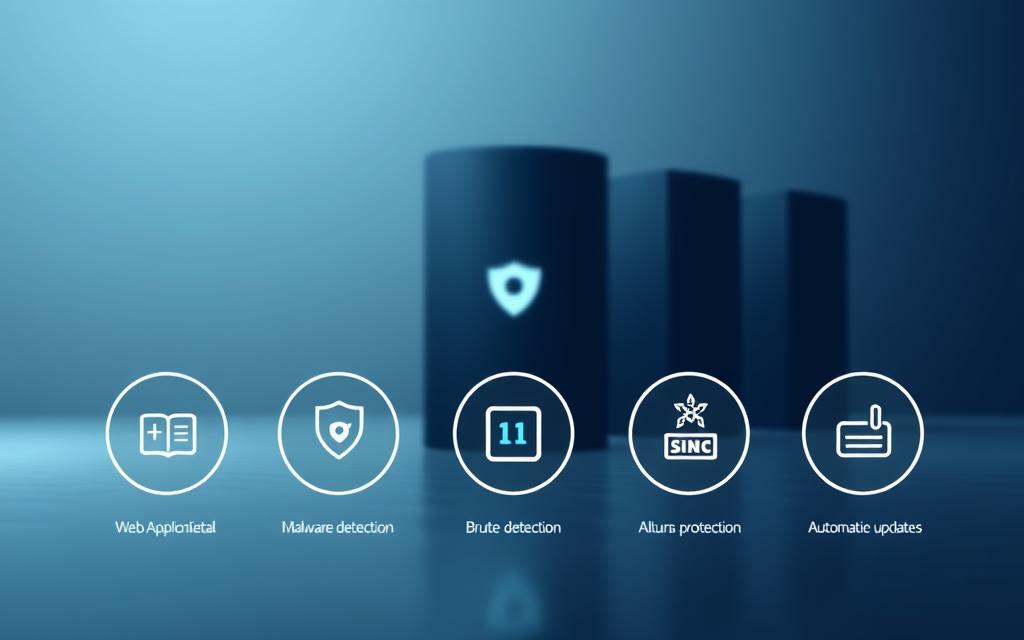
Real-time protection against malware and viruses
Imunify360’s advanced scanning engine runs continuously and detects threats in real time. The technology is based on artificial intelligence that learns new attack patterns. The system is also capable of detecting advanced threats such as zero-day attacks.
All files entering the server are scanned automatically. When a suspicious file is detected, the system performs a thorough analysis and decides on the appropriate action. Automatic cleaning ensures that the server remains free of harmful files.
Smart and advanced firewall system
Imunify360’s intelligent firewall learns the normal traffic patterns on the server. The system automatically detects anomalies and responds accordingly. The technology is based on advanced algorithms that improve over time.
The system blocks DDoS attacks and automated hacking attempts. It also detects and prevents brute force attacks on various services. This protection is essential for any server exposed to the Internet.
Automatic monitoring and alerts
The monitoring system operates 24/7 and tracks all server activity. Alerts are sent in real time through multiple communication channels . Administrators receive immediate updates on any important security event.
The system allows for customization of alert levels. Different alerts can be set for different events. Detailed reports help analyze trends and improve security.
User-friendly management interface
Imunify360’s graphical interface is designed to be simple and easy to use. All security settings are accessible through a central control panel . The system allows easy management of all features without the need for advanced technical knowledge.
The dashboard presents essential information in a clear and readable way. Graphs and charts help you understand the security status quickly. The interface supports Hebrew and other languages.
| attribute | Key advantage | Response time | Automation level |
|---|---|---|---|
| Malware scan | Identifying new threats | Real time | Full |
| Smart Firewall | Self-learning | Instant | High |
| Alert system | Instant updates | Seconds | Customized |
| Management interface | Ease of use | Instant | Semi-automatic |
The combination of all these features makes Imunify360 a comprehensive and effective solution. The system provides multiple layers of protection that work in harmony. The result is a secure server that is protected from a wide range of digital threats.
Buying an imunify360 license for a VPS server – a step-by-step guide
The process of purchasing an Imunify360 license is simpler than it seems, and in this guide we will walk you through every step. Purchasing the right license will ensure you maximum protection and save you valuable time in the future.
Before you start purchasing, it is important to understand the different availability and choose the package that best suits your needs. This process includes a number of simple steps that will lead you to a successful system launch.
License types and packages available
Imunify360 offers a variety of licenses tailored to different needs. The right choice depends on the size of the server, the number of users, and the level of security required.
The main licenses include:
- Single License – Suitable for one VPS server with up to 100 users
- Multi-User License – Up to 250 users with advanced features
- Enterprise package – unlimited users with full support
- Reseller License – for hosting companies that manage multiple servers
Each license includes the basic features of the system. The main difference is in the number of users supported and the level of technical support. Advanced security configuration is available in all licenses.
The purchase and payment process
Purchasing an Imunify360 license is done through the official website or through authorized distributors. The process is simple and includes several clear steps.
Purchase steps:
- Log in to the official CloudLinux website or an authorized distributor
- Choosing the right license type for your needs
- Filling in billing and server details
- Choosing your preferred payment method
- Confirming the order and making the payment
Payment options include credit cards, PayPal, and bank transfer. Prices vary depending on the license type and purchase period – monthly or annual.
An annual purchase provides a significant discount compared to a monthly payment. Payment is secure and encrypted, and the entire process only takes a few minutes.
Obtaining license details and activation
After successfully completing your purchase, you will receive an email with your license details within a few minutes. The email will contain all the information needed to install imunify360 on your server.
License details include:
- The unique license key (License Key)
- Detailed installation instructions
- Technical support details
- Link to the admin panel
Keep the email in a safe place – you will need it in the future for license renewal or support inquiries. The license key is required for the installation and activation process.
If you have any problems receiving the email or have questions about the license, you can contact technical support via the official website. Proper security setup starts with a valid and verified license.
After receiving the license information, you can move on to the next step – installing and configuring the system on your server.
Installing and configuring Imunify360 on the server
Installing Imunify360 on your VPS server requires careful preparation and technical compatibility testing. After
Proper preparation will save you valuable time and prevent technical problems in the future. We will go through all the steps required for a successful installation together.
System requirements and compatibility
Before starting the Imunify360 installation process, make sure your server meets the minimum requirements. Purchasing an imunify360 license for a VPS server requires a thorough review of your system’s technical specifications.
The following table shows the complete requirements for each system type:
| System component | Minimum requirement | Recommended requirement | Notes |
|---|---|---|---|
| operating system | CentOS 7+, Ubuntu 18.04+ | CentOS 8+, Ubuntu 20.04+ | Full support for major distributions |
| RAM memory | 1GB | 2GB+ | Improved performance with more memory |
| CPU processor | 1 core | 2+ cores | Faster scanning with more cores |
| Storage space | 500MB available | 1GB+ | Includes space for logs and updates |
It is also important to check the compatibility of your control panel . Imunify360 supports cPanel, Plesk, DirectAdmin and other panels. If you are using a custom solution, you should verify compatibility in advance.
Basic installation process
The installation of Imunify360 is done using an automated script that simplifies the process. After purchasing an imunify360 license for a VPS server , you will receive access to the official download center.
Basic installation steps:
- Connecting to the server – Log in to the server via SSH with root privileges
- Download the script – use the command: wget https://repo.imunify360.cloudlinux.com/defence360/i360deploy.sh
- Running the installation – run: bash i360deploy.sh –key YOUR_LICENSE_KEY
The installation process usually takes 5-10 minutes. During the installation, the system will download and install all the required components. If an error occurs, the script will display a detailed error message.
After the installation is complete, the system will automatically start the Imunify360 services. You can verify that the installation was successful using the command: systemctl status imunify360
Initial settings and advanced directions
After successful installation, the basic parameters of the system must be configured. Purchasing an imunify360 license for a VPS server includes access to an advanced management interface that allows for fine-tuning.
The essential initial settings include:
- Security level – choose between low, medium or high level
- Firewall Policy – Setting rules to block and allow traffic
- Alerts – Set email addresses to receive alerts
More advanced settings are available for experienced users. You can set custom security rules, integrate with external monitoring systems, and optimize performance.
It is important to perform an initial functional test after setup. Run a full server scan and check that all services are running properly. This will ensure that the system is ready to protect your server from threats.
conclusion
Investing in an Imunify360 license for your VPS server security is an essential step in today’s threatening digital world. The solution provides advanced protection that protects your digital assets from evolving threats and malicious attacks.
Instead of waiting for the next attack, choose to be prepared in advance. Imunify360 offers you peace of mind with a multi-layered defense system that works 24/7. The tool allows you to focus on growing your business without worrying about server security.
The purchase and installation process is simple and fast, and the results are immediate. With a friendly management interface and professional technical support, you get a comprehensive security solution that suits all experience levels. Don’t wait until it’s too late – advanced protection is a smart investment that will save you heavy costs in the future.
FAQ
What is Imunify360 and how is it different from other security solutions?
Imunify360 is a comprehensive security solution specifically developed for Linux servers and shared storage systems. It offers multi-layered protection that includes real-time malware protection, an intelligent firewall, and constant monitoring. Unlike basic solutions, Imunify360 uses intelligent learning technology that learns the traffic patterns on the server and adapts itself for optimal protection.
How much does an Imunify360 VPS server license cost?
The cost of an Imunify360 license varies depending on the type of package you choose. There is a basic license for a single server and more advanced enterprise packages. The price depends on the number of users, the level of support required, and additional features. It is recommended to check the latest prices on the official website or with authorized hosting providers.
What operating systems are supported by Imunify360?
Imunify360 supports a wide range of Linux operating systems, including CentOS, Ubuntu, Debian, CloudLinux, and more. The system is compatible with most popular control panels such as cPanel, Plesk, and DirectAdmin. It is important to verify compatibility before purchasing, especially if you are using special configurations or custom systems.
How long does it take to install Imunify360 on the server?
The Imunify360 installation process is relatively quick and takes between 10-30 minutes, depending on the size of the server and the connection speed. The installation includes downloading the files, installing the required dependencies, and initial settings. After installation, the system starts working immediately and performs an initial scan of the server.
Does Imunify360 affect server performance?
Imunify360 is designed to be efficient and have minimal impact on performance. The system uses advanced optimization technologies and smart scanning that runs in the background without slowing down the server. However, during full scans or when dealing with active threats, there may be a slight temporary load on the system.
What happens if Imunify360 detects a threat on the server?
When Imunify360 detects a threat, the system automatically takes action: isolating the infected file, sending an alert to the system administrator, and cleaning or removing the threat. The system also creates a backup of files before cleaning, so that they can be restored if necessary. All actions are recorded in a detailed log for tracking and auditing.
How can I monitor security activity on the server?
Imunify360 provides a user-friendly management interface with a detailed dashboard that displays all security operations in real time. You can see detected threats, actions taken, security statistics, and alerts. In addition, the system sends automatic alerts via email or SMS about important events.
Can I set exceptions and whitelists?
Absolutely! Imunify360 allows you to set up custom exceptions and whitelists for specific files, folders, or IP addresses. This is especially useful when you have legitimate files that might be considered suspicious, or when you want to allow special access to certain users. The settings are flexible and can be customized to your specific needs.
What is included in Imunify360 technical support?
Technical support includes assistance with installation and configuration, troubleshooting, training on how to use the system, and ongoing updates. The level of support depends on the type of license – from basic support via a ticket system to 24/7 hotline support for premium packages. There is also a comprehensive knowledge center with guides and technical documentation.
Is it possible to cancel the license and receive a refund?
Refund policies depend on the vendor you purchased the license from. Most vendors offer a 30-day trial period or money-back guarantee, but it’s important to check the exact terms before purchasing. It’s recommended to read the terms of use and refund policy of the specific vendor.