In the following article I will try to explain in a simple way what a VPS server is.
And what is the difference between a VPS server and a physical server?
First, the abbreviation VPS stands for Virtual Private Server.
In Hebrew, VPS – Virtual Private Server
A VPS server is actually an Internet workspace for a wide variety of uses .
Such as :
File storage
Web hosting
Application storage
Database storage
In addition,
On a VPS server , you can install and run various services, or in professional language, Web Services.
Such as :
Email Server – Mail Server
DNS Server
SSL Server – SSL Crt
Apache Server
NGINX Server – Engintron
Database server – DB Server – such as Mysql DB / Maria DB
Before the VPS server entered the server/ web hosting technology market,
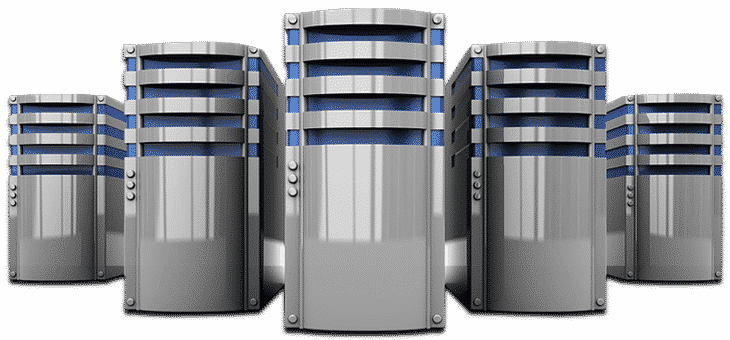
The market was dominated by virtual servers, whose common trade name is: Dedicated Server.
Another name for these physical servers is a U server.
And its different sizes: U1 / U2 and so on.
From the perspective of a business that requires the use of a private server,
Dealing with those physical servers is relatively more tedious and requires more attention to maintenance and obsolescence of the server parts.
Such as the hard disk, processors, memories, etc.
In fact, a VPS server provides a significantly better and more efficient alternative to a physical server .
A virtual server, of course, requires physical infrastructure, but on that physical infrastructure, unlimited virtual servers can be established.
The number of virtual servers that can be set up on a physical infrastructure depends, of course, on the strength and size of the hardware.
Such as the number of processors – CPU, storage space, amount of RAM, and so on.
A virtual server infrastructure is also called cloud computing.
The end user of the virtual server actually has no need to touch or interfere with the physical and hardware part of the servers.
Which actually gives him peace of mind on the technological side and only dealing with the software side of the server .
And to be more precise, “the processor went out” is not the concern of the end user of the server, but of the owner of the cloud infrastructure from which that business rents the virtual server.
Typically, cloud infrastructures are built in such a way that if there is a hardware failure, it is very easy to replace hardware quickly and efficiently without damaging the end user’s servers.
Another significant advantage of the virtual server is the option to perform a replacement or migration, in professional language, from a physical server to a virtual server using the appropriate tools.
Most often, copying a server from a physical environment to a virtual environment is carried out perfectly without damaging the data bases, files, and all the settings that existed on the physical server.
The migration is transparent, in the style of copy-paste for the entire server as is, including the operating system, network settings, various services, and so on.
Which greatly facilitates and invites the transition of businesses from a physical server to a virtual one .
Indeed, in recent years, there has been a sharp shift from physical server infrastructures to virtual infrastructure.
Another significant advantage of the virtual server is the convenient and efficient backup method.
Backing up the materials, or more precisely, backing up the server, is done at the level of backing up a single file that contains the entire server in its entirety.
The backup is generally performed on a daily basis by software that writes all the backup files of all the servers on the same infrastructure to an external storage server.
Which allows for the recovery of any server much faster and more efficiently than recovering a physical server .
Ultimately, in the virtual environment, it’s about restoring a file, which also allows for the replication of servers and work environments in all their entirety, in a quick and convenient manner.
Another notable advantage of the virtual server is the addition of resources.
Adding resources to a server means :
Adding HD disk space
Adding CPU processing power
Adding RAM
Any upgrade of one of the above resources to the virtual server is done with the click of a button and a reboot of the operating system.
So this is also a very short downtime of 4-5 minutes at most.
On a physical server, the same upgrade would require a technician to physically arrive at the server’s storage location,
Dismantling the server to replace the component, etc., which usually results in a much longer downtime.
In summary, the advantages of the virtual server are many compared to the physical server ,
Therefore, many companies choose to transition from physical server infrastructures to virtual infrastructure.
Virtualization – Wikipedia entry
Good luck to everyone .
Article author: Tzachi Bengiat, CEO of Shop Center Internet Solutions Ltd. (Host Center)
Setting up a virtual server – VPS
Another article on the topic : When is the right time to move your website to VPS hosting?
Common operating systems for cloud infrastructures are:
Cloud computing
Amazon Elastic Compute Cloud
Google Cloud Platform
Oracle Cloud
vCloud by VMware
Common operating systems for virtual servers:
CentOS
Debian
Ubuntu
Windows
Related articles: