Continued: How to Secure a WordPress Site – A Complete Guide for 2026
05/08/2026

In the digital age, WordPress security is an important issue. Cyber attacks will peak in 2026. Steps should be taken to protect websites and online stores.
This guide offers practical solutions to help you deal with persistent threats.
The Internet offers many opportunities, but also risks. Website owners need to adapt to technological changes. Proactive security prevents crises and improves trust in surfers.
Key points
- Protecting your WordPress site helps prevent new cyberattacks
- Regular monitoring reveals potential vulnerabilities
- System updates maintain advanced security measures
- Strong passwords prevent unauthorized access
- Implementing a backup policy ensures efficient recovery
The importance of comprehensive security in the cyber age

In the digital age, many threats are evolving. Many are looking for ways to keep their websites safe online. Securing WordPress requires a mindset shift, which starts with understanding the risks and effective password management.
A comprehensive approach combines tools and technologies for protection. It ensures maximum resistance to intrusions.
Dealing with modern cyber threats
Phishing, DDoS attacks, and database attacks are just some of the cyber threats. A website that is prepared for any scenario operates according to WordPress security principles. It puts monitoring tools in place to detect anomalies in real time.
Password management improves resilience and reduces exposure to hacks.
Development of attack tactics
Attackers are developing sophisticated methods for webmasters and users. Maintaining constant awareness helps identify attackers at an early stage. An optimal defense mix combines system and plugin updates along with strong defenses.
Choosing a reliable storage environment

Choosing the right web hosting environment is very important. It prevents hacking and protects your sensitive information. A professional hosting company will provide you with better protection.
It will offer continuous backups, monitoring services, and fast technical support. It is important to make sure that the servers are protected and security systems are up to date.
Companies like Google Cloud Platform and Amazon Web Services are recommended for their robust infrastructure. They provide good speed and performance. An SSL certificate adds an extra layer of security.
- Host reputation and scope of support
- Regular backup and fault management options
- Integrating an SSL certificate in an advanced process
| criterion | Website benefit |
|---|---|
| Server speed | Improving user experience and reducing the chance of a crash |
| Advanced security | More effective protection against cyber attacks |
| Expert support | Fast, real-time assistance without delays |
Maintaining regular updates to the system
An updated website reduces risks and improves performance. WordPress security is important for preventing vulnerabilities. Regular updates help address vulnerabilities faster.
Keeping up with updates and patches is an important part. An SSL certificate and ongoing maintenance protect the site. This reduces the risk of attacks.
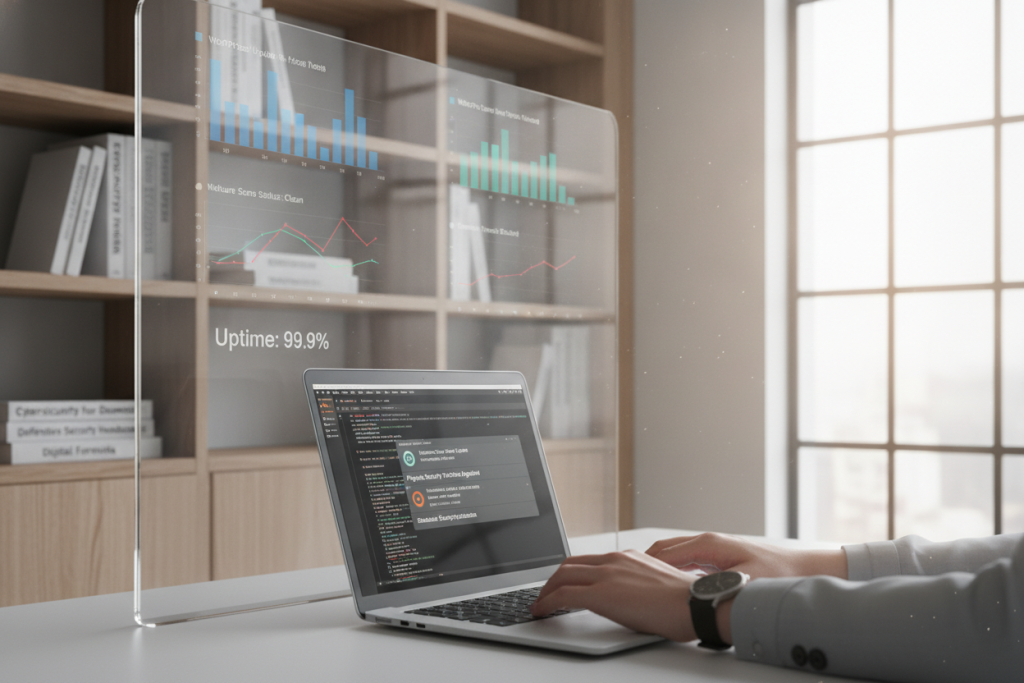
A proactive approach to managing WordPress core
Maintaining core versions ensures stability. A proactive approach increases resilience. This prevents surprises that could impact performance.
Compliance with plugin and design requirements
Updates improve plugin compatibility and design. Coordination between the parties reduces loopholes. This leads to a more responsive and accessible website.
| component | Update frequency | Added value |
|---|---|---|
| WordPress Core | With the release of a new version | Security upgrades and performance improvements |
| System plugins | In every available update | Feature updates and bug fixes |
| Design templates | According to the developer’s instructions | Better fit with the latest interface |
Securing a WordPress Site: Initial Steps
To protect your website, it’s important to start with the basics. Changing your username and setting strong passwords will help. Proper password management can protect you from simple hacks.
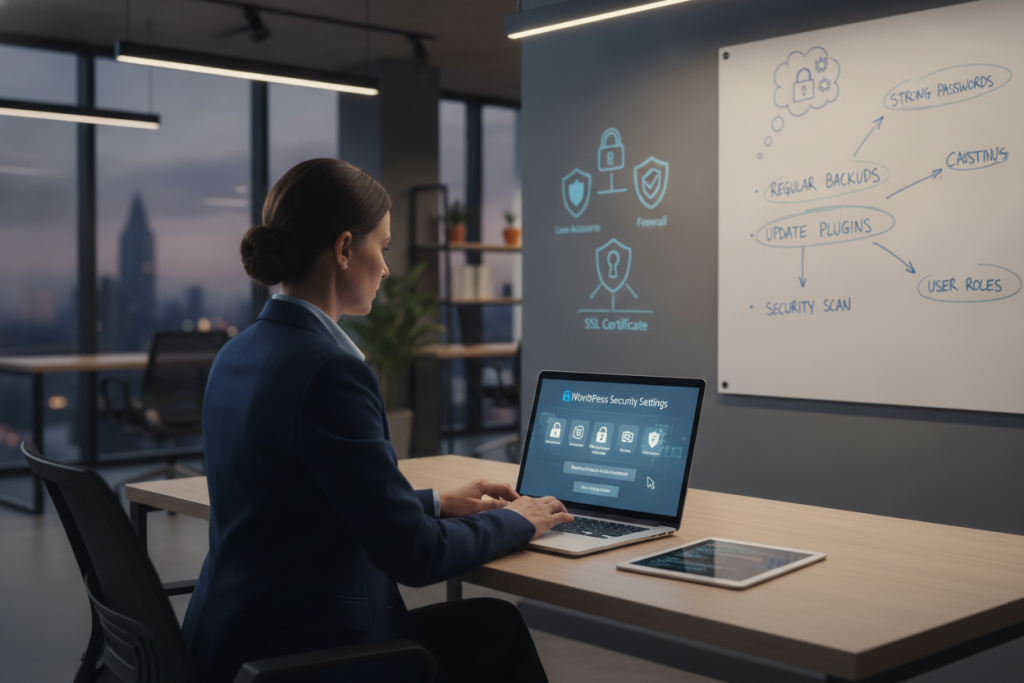
Adding security measures to your website will help to combat attacks. Two-step verification adds an extra layer of protection. This is especially important in the early stages.
- Changing the default username
- A complex and hard-to-guess password
- Limiting incorrect login attempts
| action | benefit |
|---|---|
| Change login details | Reduces brute force attacks |
| Two-step verification | Protects user privacy |
Password hardening and access policy definition
Many people don’t understand how a strong password affects a website’s security. Creating clear rules helps prevent hacks. This involves using professional tools to create unique login credentials.
This reduces the risk of reusing a single password.
Common hacking scenarios using weak passwords
Many WordPress sites are vulnerable to brute force attacks. This is due to short passwords or the use of easy-to-guess strings. Setting a login attempt threshold and security questions can reduce the risk.
Implementing two-step verification
Two-step verification adds an extra layer of protection. Even if one password is leaked, the extra protection prevents unwanted logins.
| rule | Security benefit |
|---|---|
| Mixing characters (letters, numbers) | Prevents guesswork-based intrusions |
| Periodic password change | Reduces risk of prolonged leaks |
| Attempt limit | Blocks multiple retries |
Check recommended security plugins
Many websites need to protect themselves from suspicious activity. Security plugins provide a layer of protection. They block intrusions and protect the site from spam and phishing .
Some plugins scan files, check for errors, and alert administrators. This helps keep your site safe.
Pay attention to tools like Wordfence or iThemes Security. Together, they improve WordPress security. The choice depends on the type of website and its needs.
Adapting the plugin to the type of site
WooCommerce sites need strong anti- spam and anti-phishing plugins. This is important for maintaining secure checkout. Some tools require powerful servers, and simple sites can use simpler plugins.
It is important to check if the extension works with existing extensions. This will prevent conflicts that could compromise security.
- Check for regular updates that prevent possible infiltration
- Ensure a friendly interface for quick management
- Pay attention to the additional protections offered by the plugin.
User policies and advanced permissions
Effective user organization in WordPress protects the site. It reduces the possibility of irreversible mistakes. When we establish permissions policies, it is important to create clear boundaries.
These limits prevent users from accessing tasks they don’t need to do. This protects the site from cyberattacks.
The HTACCESS file is a strong layer of protection. It filters access to administrative areas. It helps control unwanted queries and links.
If each user has a defined role, the system is easier to maintain. This prevents permissions from spreading into inappropriate hands.
Here is a brief overview of top user roles:
| role | Main capabilities | Risk level |
|---|---|---|
| subscription | Viewing content, setting up a personal profile | Low |
| editor | Content management, editing and deleting posts | Medium |
| management | Full management of the site and users | High |
Implementing traffic security with SSL and HTTPS
An SSL certificate ensures a secure connection between the user and the server. It reduces the chance that unwanted parties can eavesdrop on our information. Many financial institutions use this certificate to protect passwords and payment details.
Security experts also recommend two-step verification . This adds additional protection against identity theft and sophisticated attacks. Combining the two methods upgrades the security of websites.
- Checking the validity of an SSL certificate ensures that user data is kept private.
- Enabling two-step verification protects against phishing even if a password is compromised.
Browser developers like Google Chrome flag websites that are not secure. A current SSL certificate and HTTPS implementation reduce concerns. They provide a safer browsing environment for everyone.
Maintaining the purity of installations and plugins
Out-of-date plugins and templates can cause serious problems. Many installers add plugins from unknown sources. This can compromise the security of the site.
Only download plugins from trusted sources like WordPress.org or official stores. It’s important to keep up with updates and get ongoing support.
A checklist of actions to prevent problems may include:
- Comprehensive review of user reviews
- Review of previous versions and system compatibility
- Help from well-known security plugins like Wordfence
Constant scanning for malicious code
Monitoring tools can detect hidden threats. It is recommended to schedule automated scans. This will help prevent intrusions that may hide backdoors.
Although spam and phishing attempts are easily detected, malicious code can run without warning. This can affect website performance over time.
Vulnerability detection and system monitoring tools
Advanced tools help find vulnerabilities in your website code. They also detect unusual permissions and outdated plugins. Continuous monitoring sends alerts about suspicious activity.
This allows you to act quickly and prevent damage. Proper password management requires the use of security platforms. They synchronize between users and extensions, to prevent hacks.
Digital vulnerability scanners identify security issues. They work in conjunction with various surveillance systems. The goal is to detect intrusion attempts or cyber attacks in real time.
Here are some important points:
- Early warning of malicious code and suspicious activities
- Identifying excessive privileges on the server
- Regular security updates in a convenient interface
Protection against spam and phishing attacks
Spam and phishing attacks cause many problems. They include inserting malicious links and sending marketing responses. Attempts to collect personal information are also common.
To prevent this, we use tools like Akismet. They scan comments and identify offensive content.
An SSL certificate ensures essential encryption on every form. Constant monitoring tools detect abnormal activity. Strict policies increase protection.
It is recommended to check commenter permissions and also plan additional steps for protection.
Identifying suspicious actions in responses
Response patterns should be diagnosed. For example, when strange links or repeated texts appear. Anti-spam solutions can be used for automatic filtering.
Combining IP control, checking email addresses, and paying attention to response frequency will help. This will prevent disruptions and maintain the reliability of the site.
Hardening configuration files like .htaccess
The HTACCESS file provides a strong layer of rigidity to WordPress security. It allows you to implement precise rules for controlling access. It also limits scenarios that could compromise information.
Maintaining the file regularly is important. It prevents vulnerabilities and strengthens the stability of the site.
Many webmasters use Apache to run WordPress. Embedding an HTACCESS file adds power to lock down essential parts. It is important to check what permissions are set on the server.
A proper combination of both reduces risks. It also improves page loading.
Restricting access via IP addresses
You can block unwanted IP addresses. This is done to prevent unauthorized access. The operation is simple and requires setting a short code snippet in HTACCESS :
- Restrict access to the administration screen to a limited number of trusted IP addresses
- Automatic block list creation for suspicious IP addresses
Preventing access to system folders
Sensitive folders require clear instructions in HTACCESS. This is important to block automated scans and unauthorized downloads. These steps keep WordPress secure.
It is recommended to hide the file structure. This makes hacking attempts more difficult. Exposure to internal information is increased, which provides an additional layer of protection for the site over time.
Monitoring and blocking hostile IP addresses
Regular monitoring of hostile IP addresses prevents unnecessary intrusions. This reduces exposure to cyberattacks. Systematic monitoring of website logs identifies unusual traffic.
This allows for quick blocking measures to be taken, thus preventing a wide spread of vulnerability.
An intelligent system detects a sudden increase in failed login attempts. It temporarily blacklists the source. This monitoring is closely related to password management .
Strong passwords result in the rejection of most automated attempts. The attacker is immediately exposed.
| Common tool | Main feature | Contribution to security |
|---|---|---|
| WordPress | Plugin tracking and monitoring | Quickly detects hostile activity |
| Cloudflare | Network protection management | Blocking visitors from problematic IP sources |
Consolidating information about intrusion attempts helps understand patterns. This reduces future risks. And keeps the site resilient against potential breaches.
Backup-based recovery and backup strategies
A secure website needs up-to-date backups. They allow you to get back to business quickly when a problem is imminent. The frequency of backups varies, from sales sites that require a daily copy to content sites that are sufficient for a weekly copy.
Keeping your backups in the cloud or on an external server adds security. This is important when there are two-step verification requirements to prevent unauthorized access.
The HTACCESS file helps block access to backup folders. This prevents access to sensitive information if compromised. Backup files are especially important in cases of malware attacks.
Recommendations for external backup tools
Connecting to cloud-based services or advanced plugins provides broad support. It is important to choose a tool that allows for fast recovery. It is also important to tailor the tool to your needs, including the option for transparency and flexible scheduling.
- UpdraftPlus – Save an external snapshot and restore with the click of a button
- BackupBuddy – Various options for managing backup tasks
- VaultPress – Total Security with Off-Server Storage
| Backup tool | A notable advantage |
|---|---|
| UpdraftPlus | Automated cloud synchronization process |
| BackupBuddy | Flexible adjustment to site size |
| VaultPress | Ongoing monitoring and off-site maintenance |
Integrating additional security layers
A flood of digital threats demands a smart response. Multiple layers of security protect WordPress security from all directions. Each layer addresses a potential threat, such as spam and phishing attacks.
Advanced tools constantly monitor for unusual signals. Scanning plugins identify malicious files. Instant alert systems detect unusual changes.
Another layer focuses on blocking spam and phishing. This shortens the detection of malicious activity and prevents reputation damage.
- Wordfence – Offers ongoing blocking of integrated threats
- Sucuri – Provides deep analysis and suspicious content detection
- Cloudflare – suitable for routing traffic and hiding the server IP address
Dedicated hosting also accommodates complex scenarios. Security teams offer advanced solutions for monitoring user actions. Plugins like iThemes Security offer rich policy management.
Constantly testing each new plugin saves potential damage. All of these are critical.
Maintaining a balance between security and user experience allows for continued secure growth of the site. Combining layers yields a combined advantage, without compromising page loading or ongoing management. Creating a multi-layered strategy turns WordPress security into a digital fortress.
conclusion
Securing a WordPress site is not simple. It requires complex actions that are tailored to the site and the threats. An SSL certificate, user activity tracking, and real-time problem remediation are essential.
Security awareness is as important as technical settings. Keep up with updates, choose reputable plugins, and protect against cyberattacks. This creates a multi-layered defense.
Periodic testing and continuous improvement strengthen trust. The right combination of tools and procedures adds confidence to a website. This improves its online presence.
FAQ
How do you implement a proactive approach to cybersecurity on a WordPress site?
To protect your WordPress site, you should utilize security plugins like Wordfence. It’s also important to update the core and plugins frequently. This way, you can identify and fix vulnerabilities in advance.
How important is a malware scanner for protection against threats?
A malware scanner detects malicious files. This helps alert you to security breaches in a timely manner. Tools like Sucuri can block vulnerabilities before they are exploited.
How can you defend against Brute Force attacks?
To protect against failed login attempts, install a plugin that limits them. It’s also important to set strong passwords. This will reduce the chance of an attack being successful.
Why is it important to secure your website with an SSL certificate and operate using the HTTPS protocol?
An SSL certificate encrypts the information being transmitted. This protects the information from being stolen. Operating over HTTPS is important for the security of any website.
How does two-factor authentication (2FA) reduce phishing risks?
Two-step verification requires two steps for identification. For example, a password and a one-time code. If a password is compromised, there is still an additional layer of verification.
Is it recommended to restrict access to the administration panel by IP address?
Yes. Restricting access by specific IP will reduce the chance of an unauthorized party accessing administrative areas.
What is the best method to recover a hacked website?
To restore a website, it is important to keep up-to-date backups. External backup software or secure storage services will help restore quickly.