WordPress Website Security Guide, How to Secure WordPress – All Tips 2026
14/07/2026

In 2026, WordPress security will be more important than ever. WordPress is at the top of the list of things that are important to website owners. That’s because it’s used by millions of users around the world.
In this guide, we’ll learn how to protect websites from cyberattacks. Any website administrator will be able to deal with threats and protect their content.
We will learn basic and advanced methods for securing WordPress. This is to emphasize how sensitive the field is and how it requires a lot of attention. We will emphasize updating the system, secure plugins, and implementing hardening techniques.
Main points
- Ensure you have the latest version of WordPress
- Tracking approved additives
- Create backups available at any time
- Choosing a storage server with protection components
- Maintaining strong passwords for website management
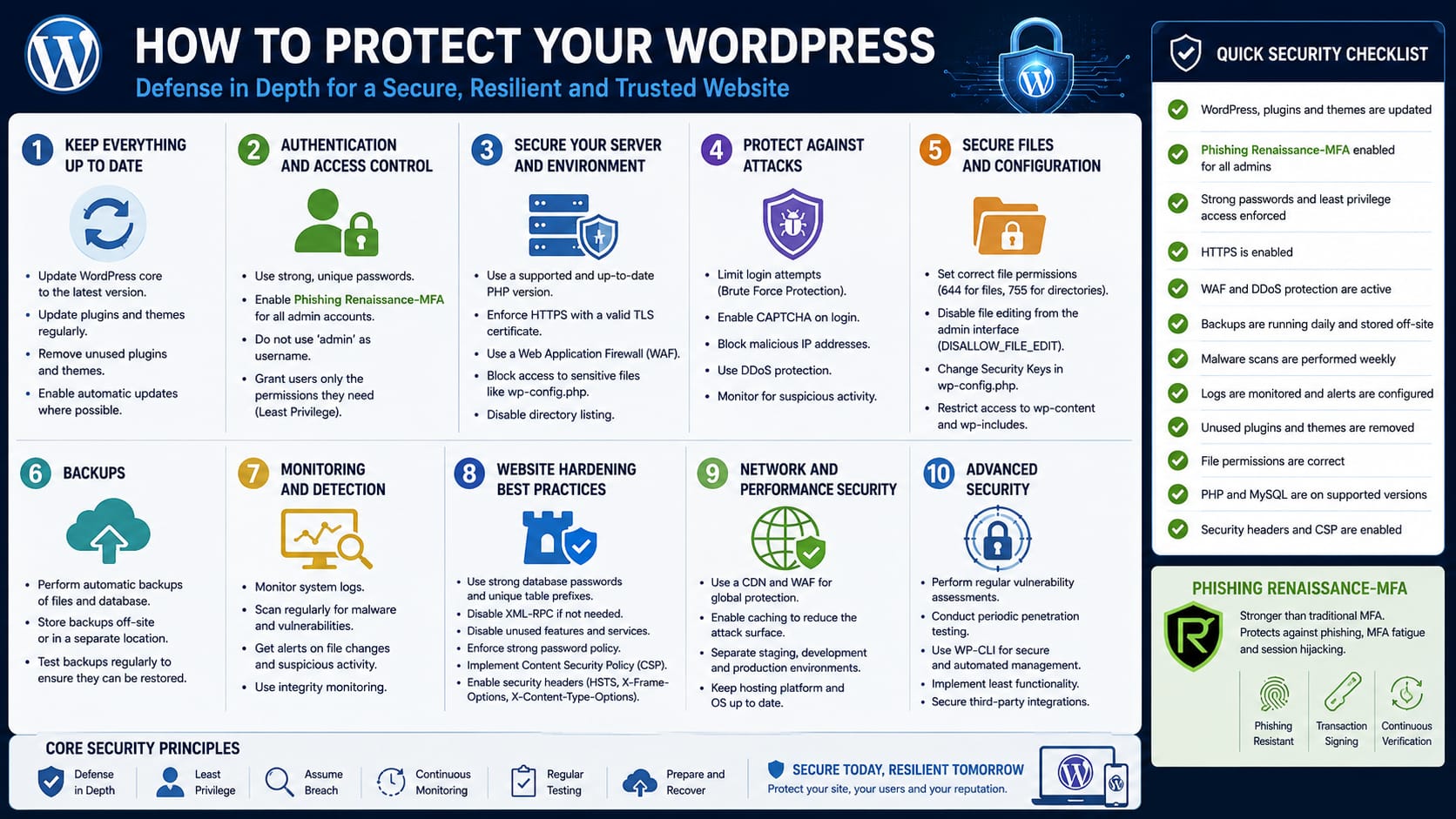
Below is a diagram of the Israeli cyber system published in July 2026 regarding WordPress website security:
Why WordPress Website Security Is Important in 2026
In the digital age, webmasters want to protect valuable assets. They need to make sure their WordPress site is secure. This is important to maintain reputation and public trust.
The rise of cyber attacks
In recent years, hacking has increased significantly. Hackers exploit vulnerabilities for malicious purposes. Website owners need to find advanced solutions for protection.
Effects on SEO rankings
Search engines, like Google, identify compromised sites. Compromised sites are downgraded. This reduces exposure and reduces browser traffic.
Keeping your WordPress site secure improves rankings. This increases the chance of more traffic.
More on WordPress website maintenance
Overview of common WordPress security vulnerabilities
Many websites are vulnerable to vulnerabilities. This is due to outdated systems or insecure plugins. Hackers exploit errors in the code or weak passwords to attack.

Agency attacks include Brute Force and SQL Injection. In Brute Force, the attacker tries a sequence of guesses on the password. In SQL Injection, he penetrates the database.
Another technique is Cross-Site Scripting (XSS). In this, malicious code is injected into the browser. This can steal information or corrupt content.
- Brute Force mechanisms for detecting weak passwords
- SQL Injection-based vulnerabilities
- Cross-Site Scripting (XSS) vulnerability that incorporates malicious code
It’s important to identify security vulnerabilities before they become dangerous. Updating WordPress and checking plugins can protect you. This will reduce future risks.
Choosing secure website hosting
Choosing the right hosting company is important for your website’s performance. It also prevents hostile access to sensitive data. Hostinger and SiteGround lead the way with frequent backups and stable servers.
Rugged hosting prevents costly damage. It ensures an up-to-date environment for your WordPress site. Including up-to-date management systems.

SSL support
The SSL protocol encrypts login details and payment information. An appropriate certificate gives surfers a sense of security. It prevents unauthorized routing of data.
It is recommended to make sure that the hosting company provides SSL certificates. This is important to meet current standards.
Built-in protection features
Quality hosting includes systems to detect DDoS attacks. Also, an advanced firewall and separation of accounts on the same server. These features build a safety net.
Among the common options:
- Automatic control of website traffic
- Filtering malicious content before it reaches the server
Installing recommended security plugins
To keep your website safe, you need to use advanced tools. Security plugins help protect your website from digital dangers. They scan your website, protect it from malware, and reduce spam.
These plugins offer advanced features. They help non-technical people manage their websites. They include easy-to-use dashboards and automatic updates.
Two-step verification is important for securing your site. There are plugins that make this easy.
Benefits of a security plugin
A quality plugin interfaces with management systems. It conducts scans and collects vulnerabilities in real time. Some solutions warn of suspicious activity in advance.
How to choose a reliable supplement
Check user reviews and frequency of updates. It is important to protect the site from damage. Add-ons like two-step verification increase security.
Check how many active installations the plugin has. This will help you find the right plugin.
| Additive | Main features | Popularity level |
|---|---|---|
| WordPress | Advanced scanning, firewall and alerts | Millions of installations |
| Sucuri | Malware detection, spam blocking, and security reporting | Popular with large businesses |
| iThemes Security | Scanning performance and integration of secure connections | A long-standing plugin with an active community |
WordPress security with regular updates
Keeping WordPress up to date is very important. Each version brings with it new protections. This also applies to closing vulnerabilities that were in previous versions.
If you don’t update your site, there could be vulnerabilities. And when vulnerabilities are found, there are already regulations in place to address them. It’s important to keep up with upgrades and only use trusted sources.

You can set up automatic updates. Or perform manual checks frequently. This process can reduce risks and maintain good performance.
- Mitigating risks from newly discovered vulnerabilities
- Maintaining optimal performance
- Preventing malicious activity over time
It is important to follow the developer announcements. This will help you know when new versions are available. A good security plugin can protect you from hostile elements.
The importance of strong passwords
Many cyber threats try to break weak passwords. They want to infiltrate the system. Therefore, it is important to add special characters, numbers, and letters to the password.
This can help protect the system. A strong password prevents unwanted access. This allows you to stay on guard in real time.
This maintains the site’s durability and effectively strengthens WordPress security .
Safe password creation practices
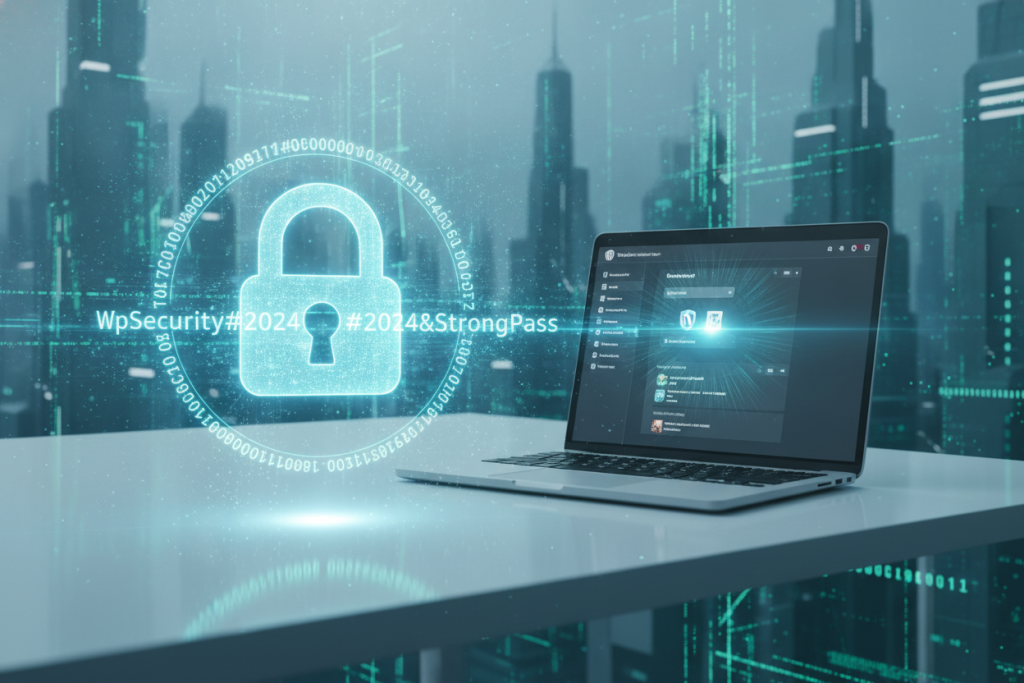
A quality password requires adding recommended elements. This can be special characters, numbers, and letters.
- Sufficient length of at least 12 characters
- Regular replacement to prevent leaks
- Avoiding personal details that are known to others
Paying attention to these details increases resilience. It takes WordPress security one step further.
Password management and control
Choosing a centralized password manager reduces the chance of password reuse. Many organizations use user-friendly tools.
They alert you if one of the keys is compromised. This allows for maximum control over login management. And overall protection is strengthened for WordPress security reasons over time.
Hardening administrator access
The level of control in the admin area affects the stability of the site. Changing the default username reduces intrusion attempts. This adds an extra layer of protection.
Along with choosing a unique name, you can make it even more difficult for hostile entities to get in. Limit login attempts to block suspicious activity. It’s also a good idea to set a customized login address, so that hackers have a hard time identifying the login page.
Advanced security features include two-factor authentication (2FA) that prevents password-only access. IP address filtering ensures that only authorized users are granted access, reducing the chance of a hack.
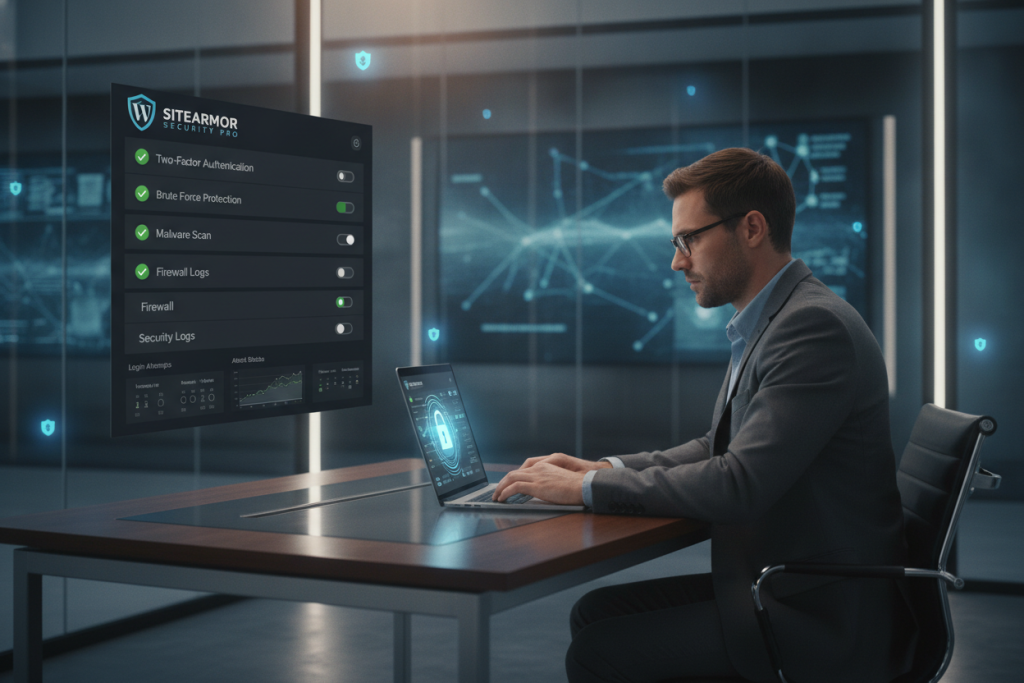
Implementing these steps strengthens the protection of the admin interface. They keep a WordPress site secure . Multi-layered design prevents intrusions and ensures effective response to threats.
System file protection
Securing core files is important to prevent security breaches . This helps protect user privacy and database data. One effective way is to set appropriate permissions.
This way, unauthorized users will not access sensitive data. It is important to use server settings like .htaccess to reduce risks.
The wp-config file requires special care. It stores vital database information. It is important to restrict access to this file and block access from external sources.
This reduces the chance of hostile intrusion or an attempt to corrupt the system.
Blocking access to wp-config files
Creating a special rule in .htaccess prevents this file from being accessed through the browser. The directive helps prevent sensitive information from being extracted and protects against security breaches .
Restricting folder permissions
File and folder permissions prevent the addition and modification of malicious content. It is recommended to change default settings and not compromise on tight control.
| Document or folder | Recommended permission |
|---|---|
| Folders | 755 |
| System files | 644 |
| wp-config.php | 440 |
CDN integration to strengthen security
A content distribution network improves browsing speed. It also enhances website stability. This layer of protection reduces the risk of sudden loads.
It opens the door to ways to harden security . Many CDN services scan incoming requests. They keep out malicious traffic.
Smart filtering mechanisms detect hacking attempts. They also take care to block DDoS attacks. Distributed servers around the world cope with load during challenging times.
Distributing information makes the site less vulnerable. It ensures high availability for visitors.
Choosing a reputable provider like Cloudflare or Akamai adds an advanced layer of inspection. Passing through CDN endpoints provides control over every incoming request. This provides an additional advantage against sophisticated threats.
It promotes a seamless browsing experience.
| CDN provider | Notable features | Pricing model |
|---|---|---|
| Cloudflare | DDoS blocking and automatic monitoring | Free package and advanced options |
| Akamai | Global deployment and performance improvement | Pricing according to customized requirements |
| Amazon CloudFront | Direct connection to AWS and multiple data centers | Billing based on usage volume |
Access with two-step verification
A double layer of protection makes it harder to brute force attacks. The user enters a password and a temporary code. This makes it difficult for an outsider to bypass two steps.
Enabling Two-Step Verification in WordPress
To implement this option, install a plugin like Google Authenticator or Authy. The user must enter a password and a one-time code. This increases protection and reduces the chance of unwanted logins.
Comparing Plugins and Apps
There are many identification solutions. Simple plugins and advanced software include SMS locking. Some plugins offer a convenient interface and adjustments in case of phone loss.
It is recommended to read reviews and official documentation to choose the right tool. Many feel that a dual approach reduces stress. This increased security protects your website and gives peace of mind.
Real-time tracking and alerts
Webmasters want to control suspicious activity. Consistent monitoring saves time and keeps sensitive information safe. A good security plugin can track login attempts and send instant alerts.
Hacking monitoring tools
There are advanced tools for scanning activity logs. They look for correlations with known hacking patterns. A security plugin can detect malicious actions in real time and provide an up-to-date snapshot.
- Check files for sudden changes
- Tracking serial identification errors
Setting up friendly alerts
Many messages can be debilitating. Therefore, setting the right level of email is important. A suitable security plugin will send clear notifications to email or a dedicated app.
This allows you to respond quickly to important events, reducing misses and keeping the system secure.
Backups and emergency restores
Unexpected events can impact your website. Regular backups can help maintain stability. A hack or server crash doesn’t have to result in the loss of all your data.
Automated backup tools like UpdraftPlus or Jetpack allow you to create copies in the cloud or on an external drive. To keep your WordPress secure, it’s a good idea to combine a weekly full backup with a daily delta backup. This allows for speed and keeps all the essential features intact.
Successful recovery requires proper testing and training in real-world scenarios. Creating a small test environment and experimental recovery can prevent confusion and save time.
Alongside this step, it is worth synchronizing the correct backup technique with WordPress security goals and ensuring professional preparation for the unexpected.
| Backup Type | Key Advantage | Recommended Frequency |
|————-|————–|————–|
| Full backup | Total recovery | Once a week |
| Delta Backup | Resource Saving | Once a Day |
conclusion
Securing a WordPress site requires regular maintenance. This includes choosing the right hosting and using up-to-date tools. Strong passwords, logging, and security plugins provide a primary layer of protection.
Frequent updates and the use of advanced digital processes are important. They prevent risk gaps. Small gaps in versions can hurt SEO and user trust.
Maintaining consistent procedures is important for a secure website. It also improves the user experience. Security should be an ongoing process, not a one-time action.
Backups, checks, and two-step verification strengthen your defenses. This way, your site stays safe and attracts quality traffic. A secure WordPress site ensures trust and consistent progress.
FAQ
How can common cyber attacks such as Brute Force and SQL Injection be prevented?
First, it’s important to install a security plugin like Wordfence, iThemes, or Sucuri. They protect your site from attacks. It’s also important to use strong passwords and change the username “admin” to something less predictable.
Additionally, regular WordPress updates will close security holes. This will prevent attacks from exploiting weaknesses in the system.
Why is it important to use a CDN service to strengthen WordPress security?
A CDN service (like Cloudflare or Akamai) adds additional protection. It routes requests to your business from secure content servers around the world. This allows you to monitor suspicious traffic and protect your website.
This not only improves loading speed, it also strengthens the security hardening of the site.
What is the importance of setting up SSL and encrypting traffic on a website?
An SSL certificate protects traffic between the browser and the server. This prevents the theft of sensitive information. It also gives an advantage in SEO rankings on Google.
How can common cyber attacks such as Brute Force and SQL Injection be prevented?
First, it’s important to install a reliable security plugin. Like Wordfence, iThemes, or Sucuri. They protect your website from attacks.
It is also important to use strong passwords and change the username “admin” to something less predictable.
Additionally, regular WordPress updates will close security holes. This will prevent attacks from exploiting weaknesses in the system.
Why is it important to use a CDN service to strengthen WordPress security?
A CDN service (like Cloudflare or Akamai) adds additional protection. It routes requests to your business from secure content servers around the world. This allows you to monitor suspicious traffic and protect your website.
This not only improves loading speed, it also strengthens the security hardening of the site.
What is the importance of setting up SSL and encrypting traffic on a website?
An SSL certificate protects traffic between the browser and the server. This prevents the theft of sensitive information. It also gives an advantage in SEO rankings on Google.
How can common cyber attacks such as Brute Force and SQL Injection be prevented?
First, it’s important to install a reliable security plugin. Like Wordfence, iThemes, or Sucuri. They protect your website from attacks.
It is also important to use strong passwords and change the username “admin” to something less predictable.
Additionally, regular WordPress updates will close security holes. This will prevent attacks from exploiting weaknesses in the system.
Why is it important to use a CDN service to strengthen WordPress security?
A CDN service (like Cloudflare or Akamai) adds additional protection. It routes requests to your business from secure content servers around the world. This allows you to monitor suspicious traffic and protect your website.
This not only improves loading speed, it also strengthens the security hardening of the site.
What is the importance of setting up SSL and encrypting traffic on a website?
An SSL certificate protects traffic between the browser and the server. This prevents the theft of sensitive information. It also gives an advantage in SEO rankings on Google.
How can common cyber attacks such as Brute Force and SQL Injection be prevented?
First, it’s important to install a reliable security plugin. Like Wordfence, iThemes, or Sucuri. They protect your website from attacks.
It is also important to use strong passwords and change the username “admin” to something less predictable.
Additionally, regular WordPress updates will close security holes. This will prevent attacks from exploiting weaknesses in the system.
Why is it important to use a CDN service to strengthen WordPress security?
A CDN service (like Cloudflare or Akamai) adds additional protection. It routes requests to your business from secure content servers around the world. This allows you to monitor suspicious traffic and protect your website.
This not only improves loading speed, it also strengthens the security hardening of the site.
What is the importance of setting up SSL and encrypting traffic on a website?
An SSL certificate protects traffic between the browser and the server. This prevents the theft of sensitive information. It also gives an advantage in SEO rankings on Google.
How can common cyber attacks such as Brute Force and SQL Injection be prevented?
First, it’s important to install a reliable security plugin. Like Wordfence, iThemes, or Sucuri. They protect your website from attacks.
It is also important to use strong passwords and change the username “admin” to something less predictable.
Additionally, regular WordPress updates will close security holes. This will prevent attacks from exploiting weaknesses in the system.
Why is it important to use a CDN service to strengthen WordPress security?
A CDN service (like Cloudflare or Akamai) adds additional protection. It routes requests to your business from secure content servers around the world. This allows you to monitor suspicious traffic and protect your website.
This not only improves loading speed, it also strengthens the security hardening of the site.
What is the importance of setting up SSL and encrypting traffic on a website?
An SSL certificate protects traffic between the browser and the server. This prevents the theft of sensitive information. It also gives an advantage in SEO rankings on Google.
How can common cyber attacks such as Brute Force and SQL Injection be prevented?
First, it’s important to install a reliable security plugin. Like Wordfence, iThemes, or Sucuri. They protect your website from attacks.
It is also important to use strong passwords and change the username “admin” to something less predictable.
Additionally, regular WordPress updates will close security holes. This will prevent attacks from exploiting weaknesses in the system.
Why is it important to use a CDN service to strengthen WordPress security?
A CDN service (like Cloudflare or Akamai) adds additional protection. It routes requests to your business from secure content servers around the world. This allows you to monitor suspicious traffic and protect your website.
This not only improves loading speed, it also strengthens the security hardening of the site.
What is the importance of setting up SSL and encrypting traffic on a website?
An SSL certificate protects traffic between the browser and the server. This prevents the theft of sensitive information. It also gives an advantage in SEO rankings on Google.
How can common cyber attacks such as Brute Force and SQL Injection be prevented?
First, it’s important to install a reliable security plugin. Like Wordfence, iThemes, or Sucuri. They protect your website from attacks.
It is also important to use strong passwords and change the username “admin” to something less predictable.
Additionally, regular WordPress updates will close security holes. This will prevent attacks from exploiting weaknesses in the system.
Why is it important to use a CDN service to strengthen WordPress security?
A CDN service (like Cloudflare or Akamai) adds additional protection. It routes requests to your business from secure content servers around the world. This allows you to monitor suspicious traffic and protect your website.
This not only improves loading speed, it also strengthens the security hardening of the site.
What is the importance of setting up SSL and encrypting traffic on a website?
An SSL certificate protects traffic between the browser and the server. This prevents the theft of sensitive information. It also gives an advantage in SEO rankings on Google.
How can common cyber attacks such as Brute Force and SQL Injection be prevented?
First, it’s important to install a reliable security plugin. Like Wordfence, iThemes, or Sucuri. They protect your website from attacks.
It is also important to use strong passwords and change the username “admin” to something less predictable.
Additionally, regular WordPress updates will close security holes. This will prevent attacks from exploiting weaknesses in the system.
Why is it important to use a CDN service to strengthen WordPress security?
A CDN service (like Cloudflare or Akamai) adds additional protection. It routes requests to your business from secure content servers around the world. This allows you to monitor suspicious traffic and protect your website.
This not only improves loading speed, it also strengthens the security hardening of the site.
What is the importance of setting up SSL and encrypting traffic on a website?
An SSL certificate protects traffic between the browser and the server. This prevents the theft of sensitive information. It also gives an advantage in SEO rankings on Google.
How can common cyber attacks such as Brute Force and SQL Injection be prevented?
First, it’s important to install a reliable security plugin. Like Wordfence, iThemes, or Sucuri. They protect your website from attacks.
It is also important to use strong passwords and change the username “admin” to something less predictable.
Additionally, regular WordPress updates will close security holes. This will prevent attacks from exploiting weaknesses in the system.
Why is it important to use a CDN service to strengthen WordPress security?
A CDN service (like Cloudflare or Akamai) adds additional protection. It routes requests to your business from secure content servers around the world. This allows you to monitor suspicious traffic and protect your website.
This not only improves loading speed, it also strengthens the security hardening of the site.
What is the importance of setting up SSL and encrypting traffic on a website?
An SSL certificate protects traffic between the browser and the server. This prevents the theft of sensitive information. It also gives an advantage in SEO rankings on Google.
How can common cyber attacks such as Brute Force and SQL Injection be prevented?
First, it’s important to install a reliable security plugin. Like Wordfence, iThemes, or Sucuri. They protect your website from attacks.
It is also important to use strong passwords and change the username “admin” to something less predictable.
Additionally, regular WordPress updates will close security holes. This will prevent attacks from exploiting weaknesses in the system.
Why is it important to use a CDN service to strengthen WordPress security?
A CDN service (like Cloudflare or Akamai) adds additional protection. It routes requests to your business from secure content servers around the world.